Morgana DocuMaster MFC - Service Manual 121
4. Service Procedures - Replace Components - Suction Feed Bin
4.8.2 Replace the Feed Band
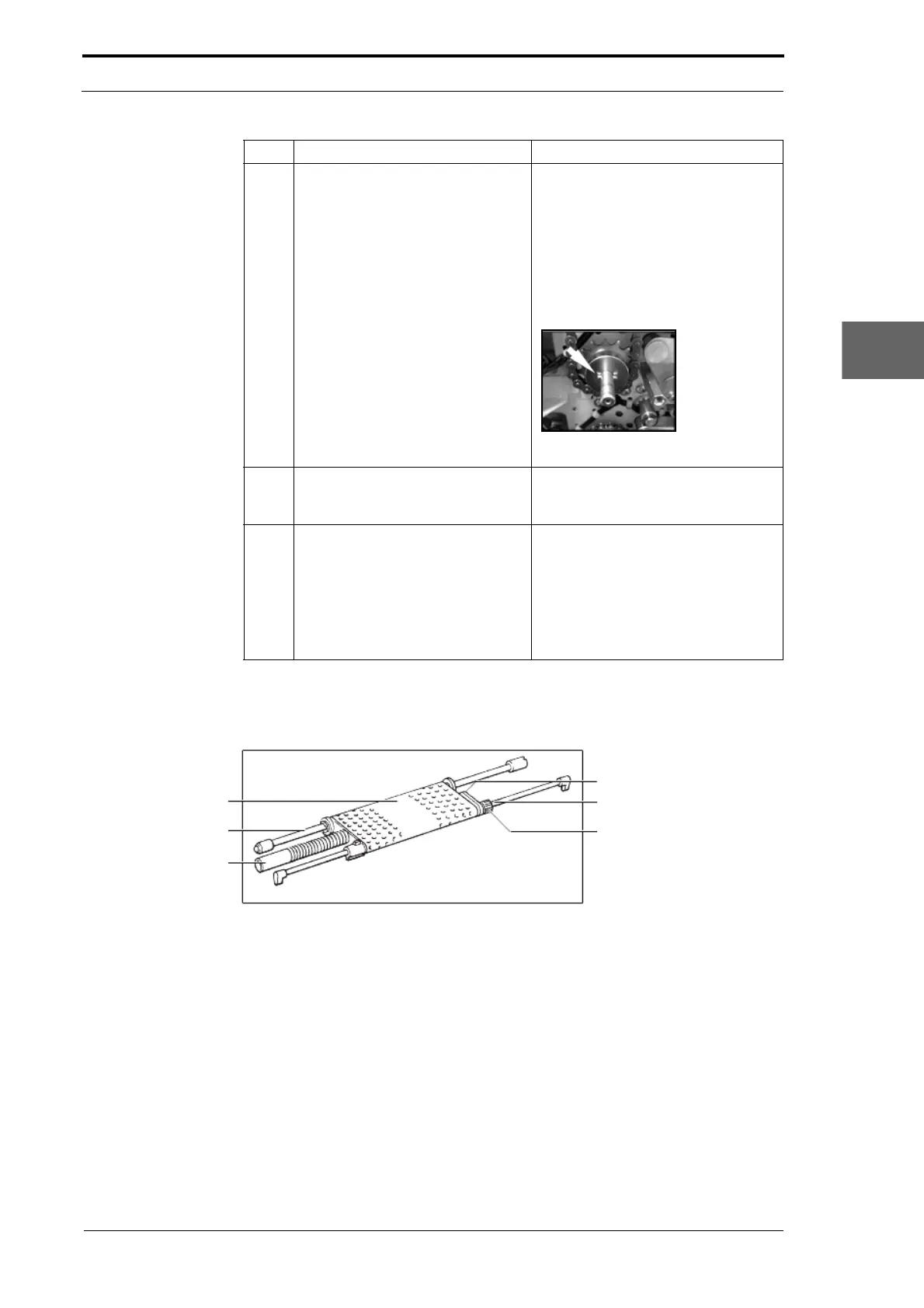
Feed Band
Drive Shaft
Vacuum Tube
Adjuster Pulley
Support Shaft
Separation Adjuster
Figure 4.114 Suction Feed Head
Before you start:
• Make sure that the paper tray is fully down.
4.8.2.1 Remove the Suction Feed Head
(1) Disconnect the vacuum tube from the connecter on the LH side plate.
(2) Hold the suction feed head and push it towards the LH side plate.
(3) Disengage the feed head drive shaft from the clutch shaft on the RH side plate
(4) Pull the suction feed head towards you and out of the feed bin.
5 Remove the chain and sprockets
between
bin 2 and bin 3.
• Remove the circlips that hold the
drive sprockets on the drive
shaft.
• Hold both of the drive sprockets
and pull them off the drive shafts.
Note: Be careful not to drop the
sprocket drive pin found behind each
drive sprocket.
Figure 4.113 Sprocket Drive Pin
6 Remove the chain and sprockets
between bin 3 and bin 4.
Note: Remove the chain and
sprockets between bin 1 and bin 2 to
remove bin 1 or bin 2.
7 Remove the feed bin.
• Remove the three screws that
attach the feed bin to the feed
bin below it.
• Remove the feed bin control
switch from the feed bin below.
• Hold both sides of the feed bin
and lift it off the MFC.
Step Action Information



 To Next Page