4. Service Procedures - Replace Components - Suction Feed Bin
120 Morgana DocuMaster MFC - Service Manual
Before you start:
• Remove the DRV module (See Section 4.7.1)
• Remove the tray extensions (See MFC User Operating Instructions Manual)
• Remove the GUI panel (See Section 4.7.4).
Step Action Information
1 Disconnect the power-bus cable
and the dat
a-bus cable from the
feed bin control PCB.
Figure 4.111 Power and Data Connectors
2 Remove the electrical cabinet
power cord from the RH side
plates.
Cut the cable ties as required.
3 Remove the air/vacuum solenoid
valve (vacuum supply).
(See Section 4.8.5.2).
4 Remove all of the chain tensioner
plates.
• Remove the screw that attaches
the tensioner plate to the LH side
plate (see Figure 4.109).
Note: There are two screws tha
t
attach the bottom chain tensioner
plate to the side plate.
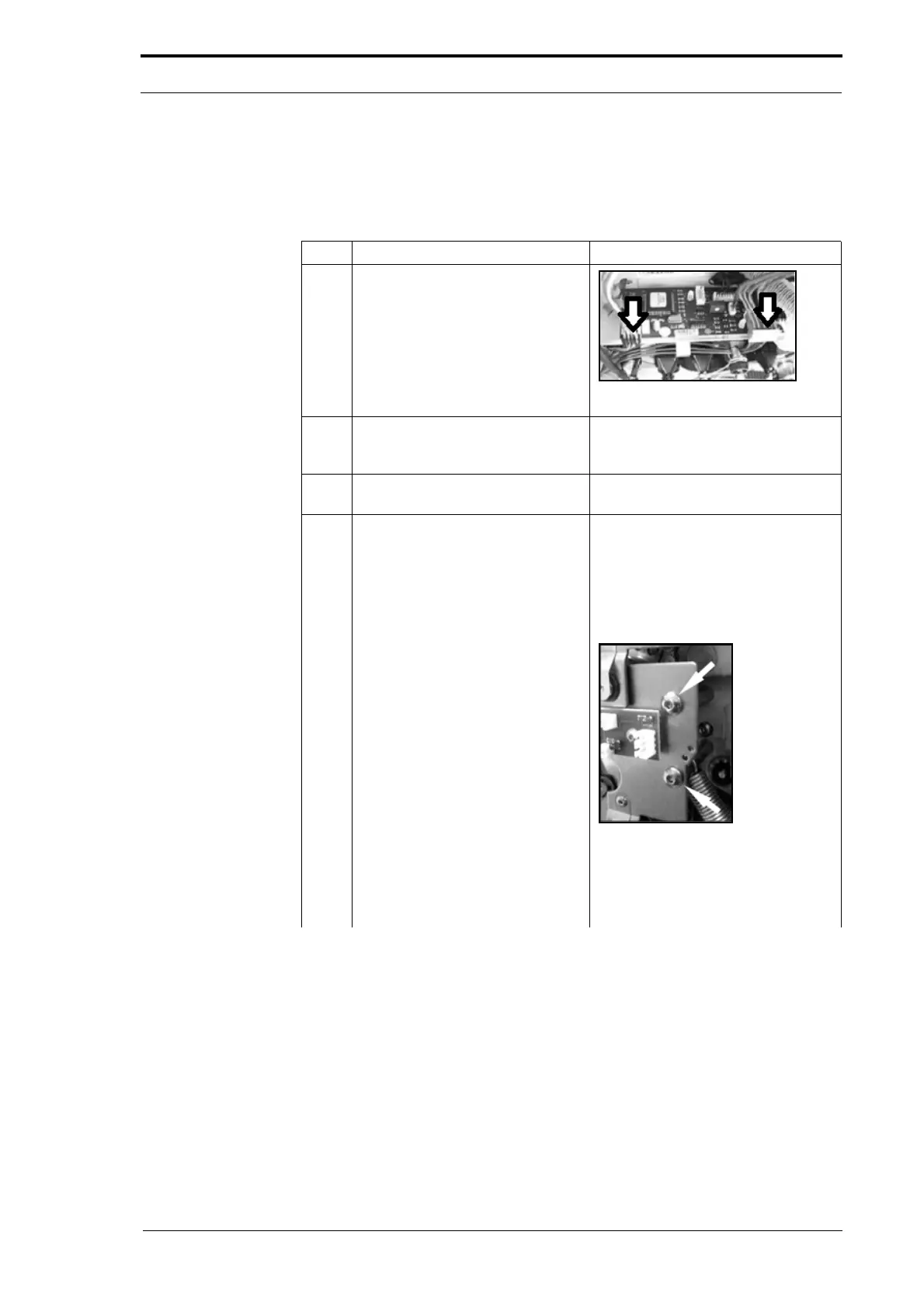
Figure 4.112 Bottom Tensioner Plate
• Pull the tensioner plate off the
end of the drive shafts (the anti-
static bearings are removed with
the tensioner plate).



 To Next Page