6. General Procedures - The Diagnostic Tools Pages
202 Morgana DocuMaster MFC - Service Manual
The DynaTilt Controls
Command Button Information
The 'Home' button makes the DynaTilt mechanism move to
its home position. The home position is when the DynaTilt
flag has operated the DynaTilt home switch.
The 'Centre' button makes the DynaTilt mechanism move to
its central position.
The 'Move' button makes the DynaTilt drive motor move the
amount of steps that have been set in the move setting field.
Note:
1 motor step = 0.9424mm
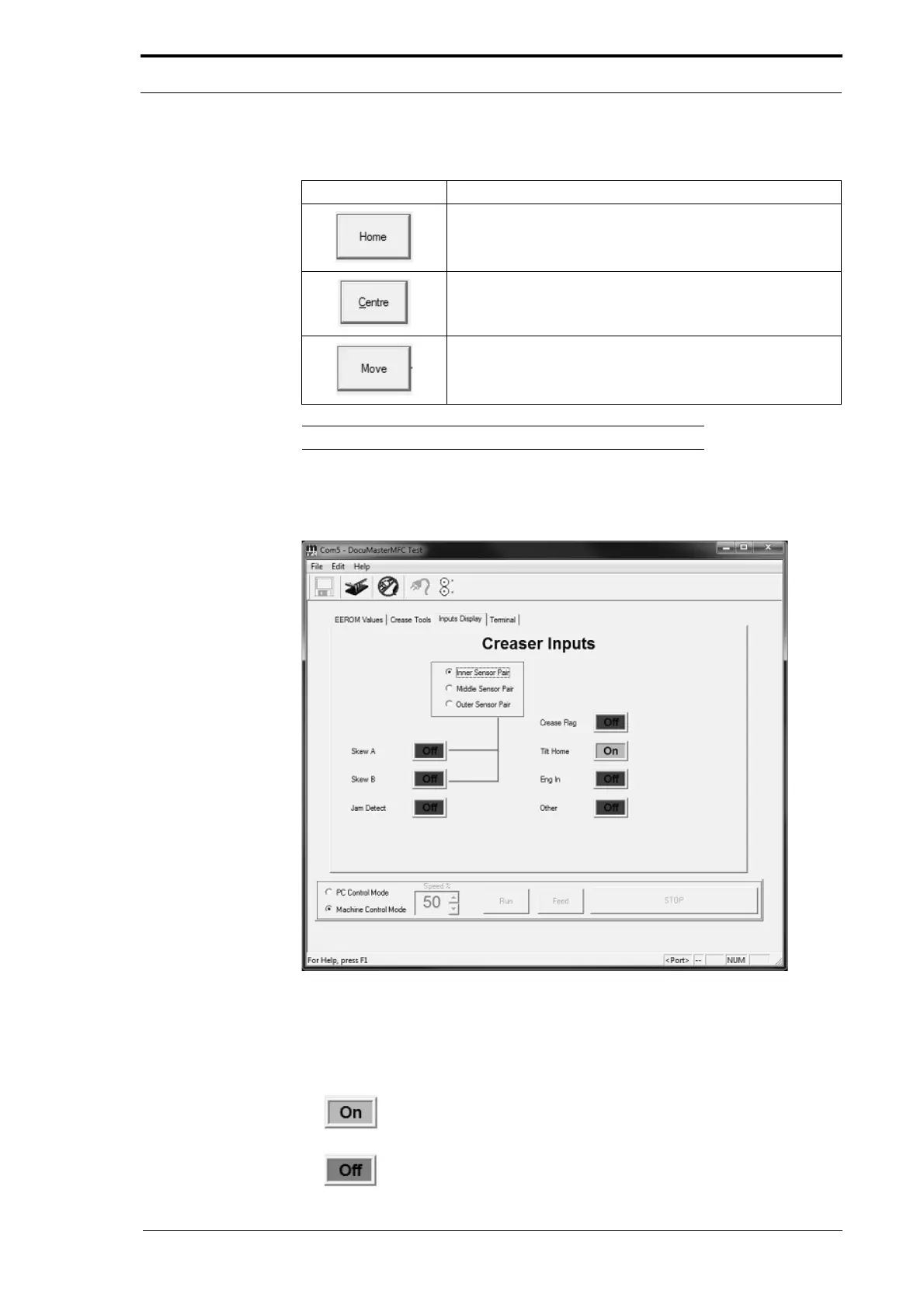
6.6.3 The Inputs Display Page
Figure 6.10 The Inputs Display Page
The Inputs Display Page shows the input status of the senors and switches inside the
creaser module. You can check the status and operation of a mechanism and its
sensors from the live inputs shown on the page.
An
status shows an active input from a sensor or switch.
An
status shows that there is no input from a sensor or switch.



 To Next Page