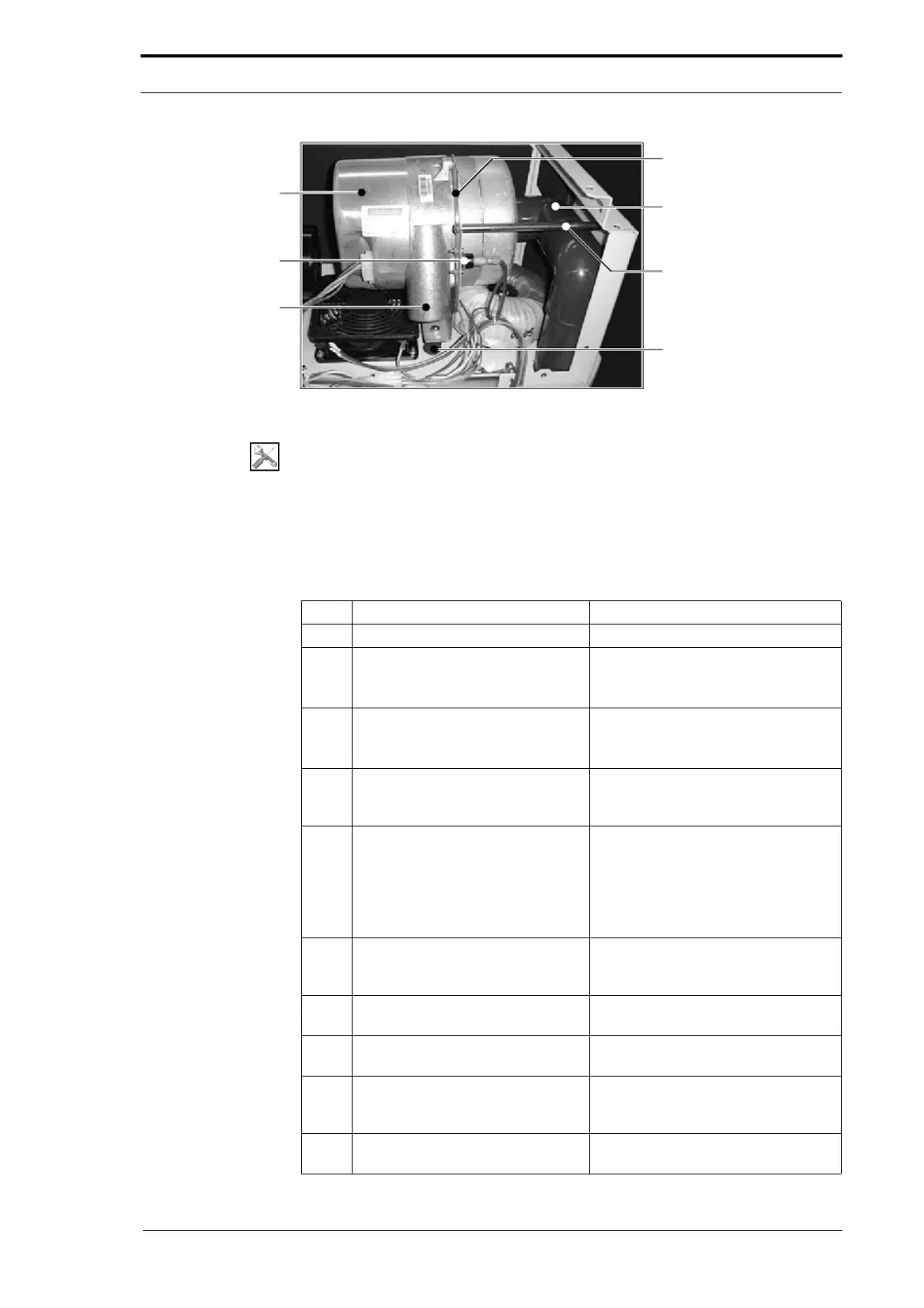
Vacuum Pump
Temperature Control
Switch (TCS)
VAcuum Pump
Outlet
Mounting Bracket
90° Elbow Pipe
Tie Bar
Compression Bung
4. Service Procedures - Replace Components - Cap Module
106 Morgana DocuMaster MFC - Service Manual
Figure 4.86 The Vacuum Pump
Tools:
• Allen Key: 3mm
• Spanner: 10mm.
Before you start:
• Remove the CAP rear panel (See Section 4.2.1)
• Remove the CAP top cover and CAP front panel (See Section 4.2.2).
Step Action Information
1 Disconnect the TCS power cables.
2 Disconnect the vacuum pump
power connector
.
• Push in both the latches and pull
the connector away from the
vacuum pump.
3 Remove the tie bar.
• Remove the two screws that
attach the tie bar to the mounting
bracket and the CAP.
4 Remove the nuts from the
compression bungs.
These nuts attach the mounting
bracket to the rubber
compression
bungs.
5 Remove the vacuum pump.
• Lift the vacuum pump and pull it
towards the front of the CAP to
remove.
The 90° elbow pipe will pull off the
straight inlet pipe and remain with the
vacuum pump.
6 Remove the 90° elbow pipe and
the O-ring se
al from the vacuum
pump.
7 Remove the vacuum pump
mo
unting bracket.
8 Attach the mounting bracket to the
replacement vacuum
pump.
9 Attach the 90° elbow pipe and the
O-ring seal to
the replacement
vacuum pump.
10 Install the replacement vacuum
pump.



 To Next Page