Morgana DocuMaster MFC - Service Manual 111
4. Service Procedures - Replace Components - DRV Module
Warning: The DRV module is heavy. It is necessary for two people to lift the DRV
module. Always follow good health and safety procedures when you lift.
Step Action Information
1 Remove the drive belt from the
drive pu
lley.
• Loosen the tensioner locking nut
enough so that the belt tensioner
is released (see Figure 4.94).
• Slide the tensioner away from
the drive belt.
• Pull the belt off the drive motor
pulley.
2 Remove the bin number label from
the top feed bin control switch.
Be careful to lift the bin number label
out of the switch housing (see Figure
4.95).
3 Loosen the screw on the bin
control sw
itch and disengage the
switch from the DRV module.
The screw is attached and will remain
with the switch.
Allow the switch to be supported by
the electrical cable.
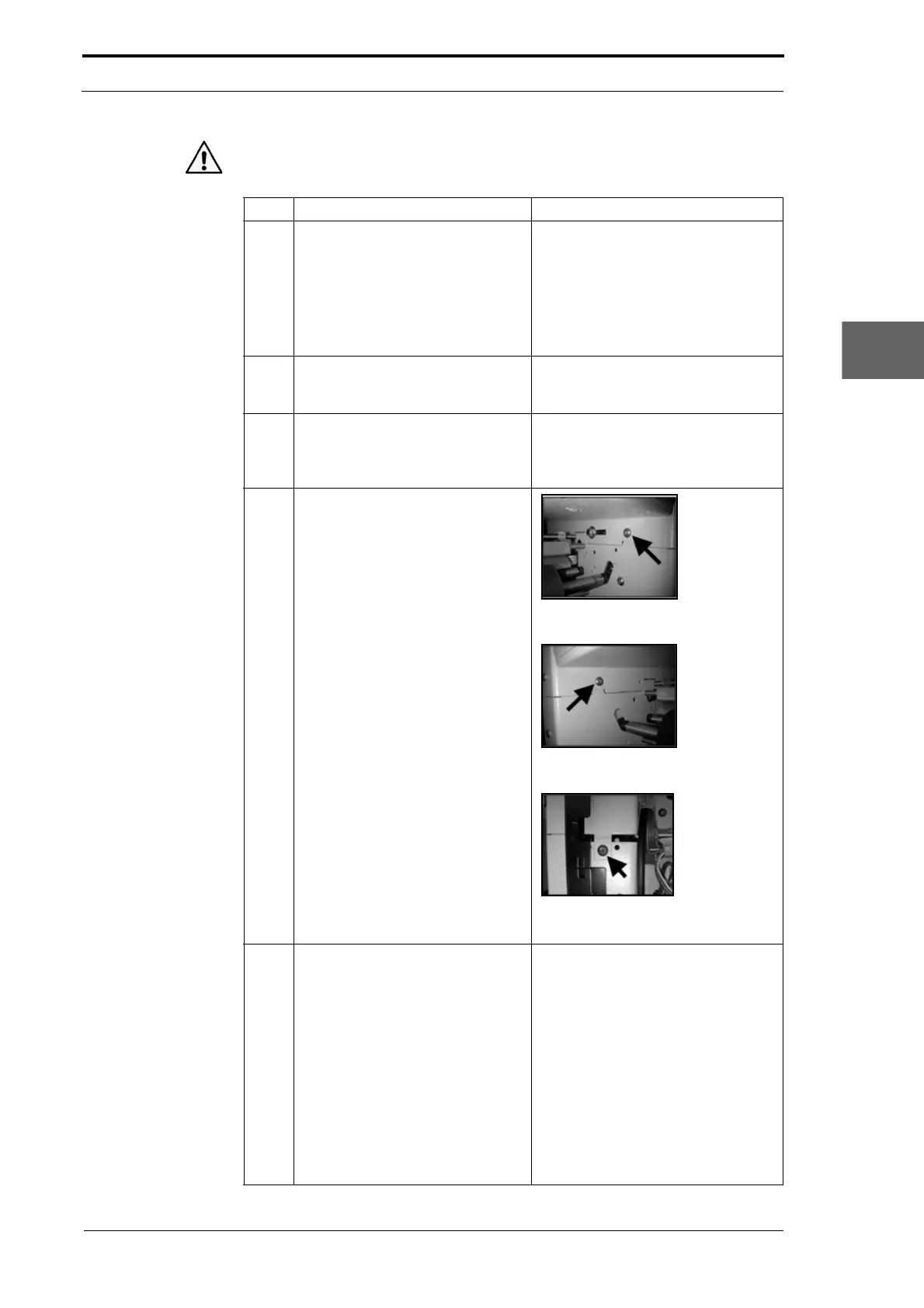
4 Remove the remaining three
screws that att
ach the DRV module
to the feed bin.
Figure 4.96 Location of the LH rear fixing
screw.
Figure 4.97 Location of the RH rear fixing
screw.
Figure 4.98 Location of the RH fixing
screw.
5 Remove the DRV module from the
MFC.
It is necessary for two people to lift
the DRV module. Make sure that the
area around the MFC is clear and
that a flat surface is available to put
the DRV module.
• Stand on the two sides of the
MFC.
• Hold below the DRV module at
the front and the back.
• Lift the DRV module just enough
so that it is clear of the feed bin.
• Move the DRV module off the
rear of the MFC.



 To Next Page