E Series Automated Dispensing System
118 www.nordsonefd.com info@nordsonefd.com 800-556-3484 Sales and service of Nordson EFD dispensing systems are available worldwide.
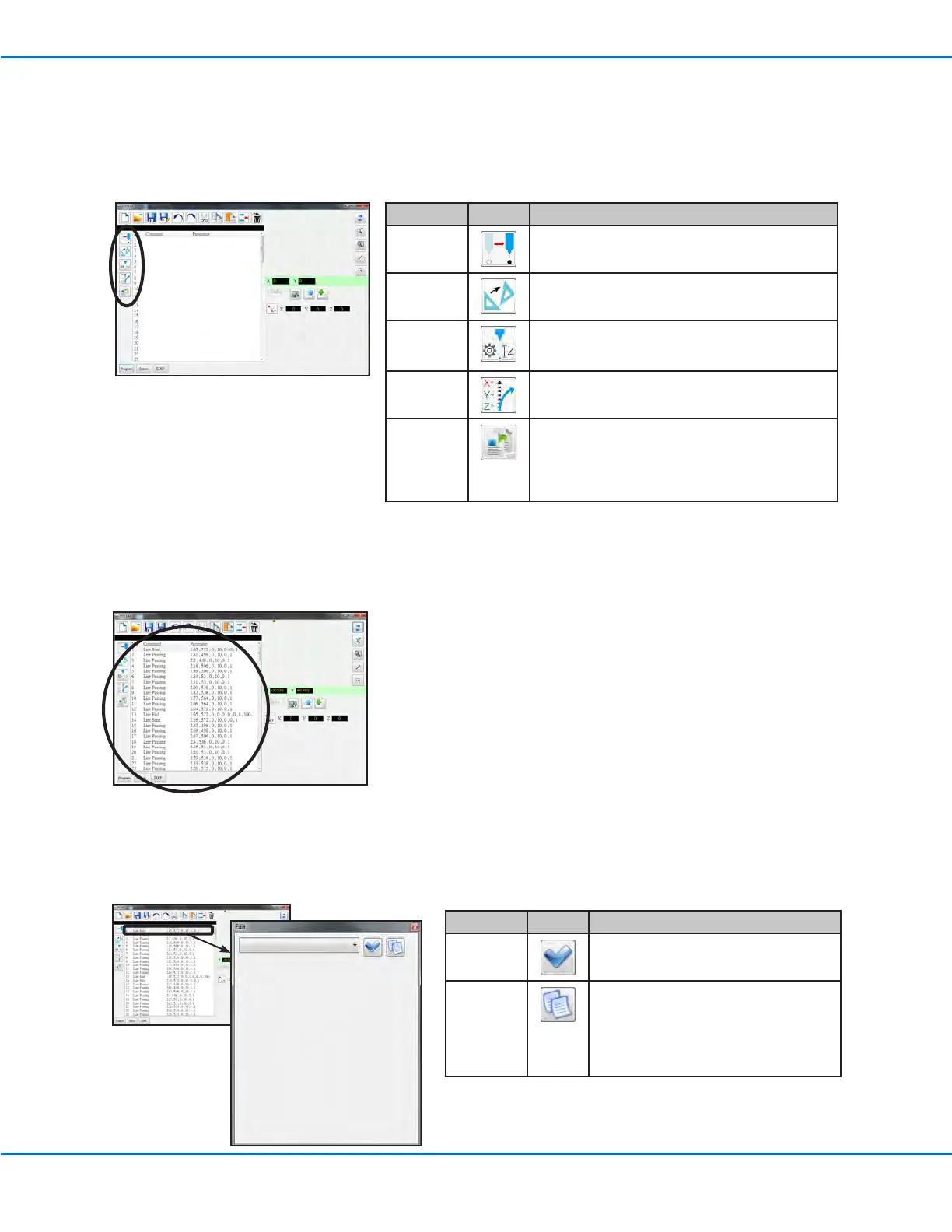
2. Coordinate Function Icons
The coordinate function icons are used to move the tip and to manipulate the coordinates or parameters within
commands.
Program Screen and Icons (continued)
Icon Name Icon Function
Touch Move
Moves the tip to the XYZ location of a selected
command (if the command has a location value)
Transform
Aligns the program points of an uploaded DXF
drawing with their actual locations on a workpiece
Change Z
Value
Changes the Z value in a command or in a list of
selected commands in a program (mainly used to
ne-tune and adjust the dispensing gap)
Offset
Changes or moves all program points if the
placement of a workpiece was changed
Paste
Parameter
Pastes all command parameters copied from the
Edit window
NOTE: The Edit window opens when you double-
click on a command to view or change the command
parameters.
3. Program Screen Command Window
The Program screen command window shows the dispense commands generated after DXF import using the DXF
screen.
4. Command Edit Window
The command Edit window opens when you double-click on a command line. On this screen, commands are
selected using the drop down menu.
Icon Name Icon Function
OK
Saves the command parameter values
entered in the Edit window
Copy
Parameter
Copies all command parameter values
(not coordinate values) in the Edit window.
Copied parameters can be pasted to
another command line (of the same
command) using Paste Parameter on the
Program screen.



 To Next Page