E Series Automated Dispensing System
119www.nordsonefd.com info@nordsonefd.com 800-556-3484 Sales and service of Nordson EFD dispensing systems are available worldwide.
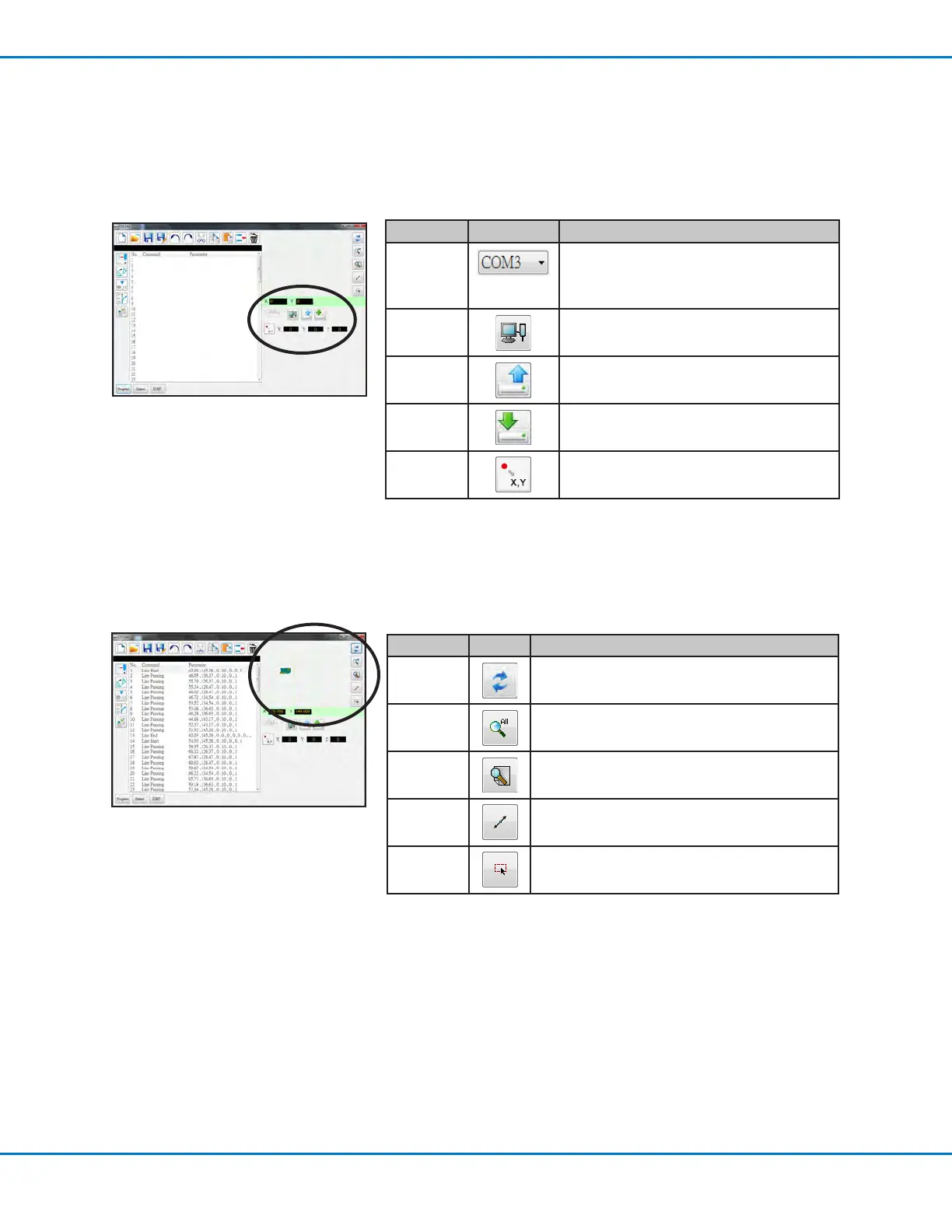
5. Coordinates and Connection Status Area
The coordinates elds show the current coordinates of the dispensing tip when you click the Location icon. The
port selection drop-down menu and icons are used to connect or disconnect the system to a PC and to transfer
programs.
Item Image Function
Port
Selection
drop-down
menu
Selects the connection port
Connect Connects or disconnects the robot to or from
the PC
Upload
Uploads a dispense program to the robot
Download
Downloads a dispense program from the robot
Location
Queries the robot for the coordinates of the
current location of the tip
Program Screen and Icons (continued)
6. Grid Window and Icons
The grid window shows the points and lines selected using the DXF screen.
Icon Name Icon Function
Refresh
Refreshes the grid window
See all Shows all the programed points
Magnify
Magnies an area of the grid window
Reverse line Reverses the direction of the programmed points
Select entity
Selects a group of points



 To Next Page