102 Chapter 7 Using Workbooks and off-line programming
N0004999 01
Changing the property settings for the workbook
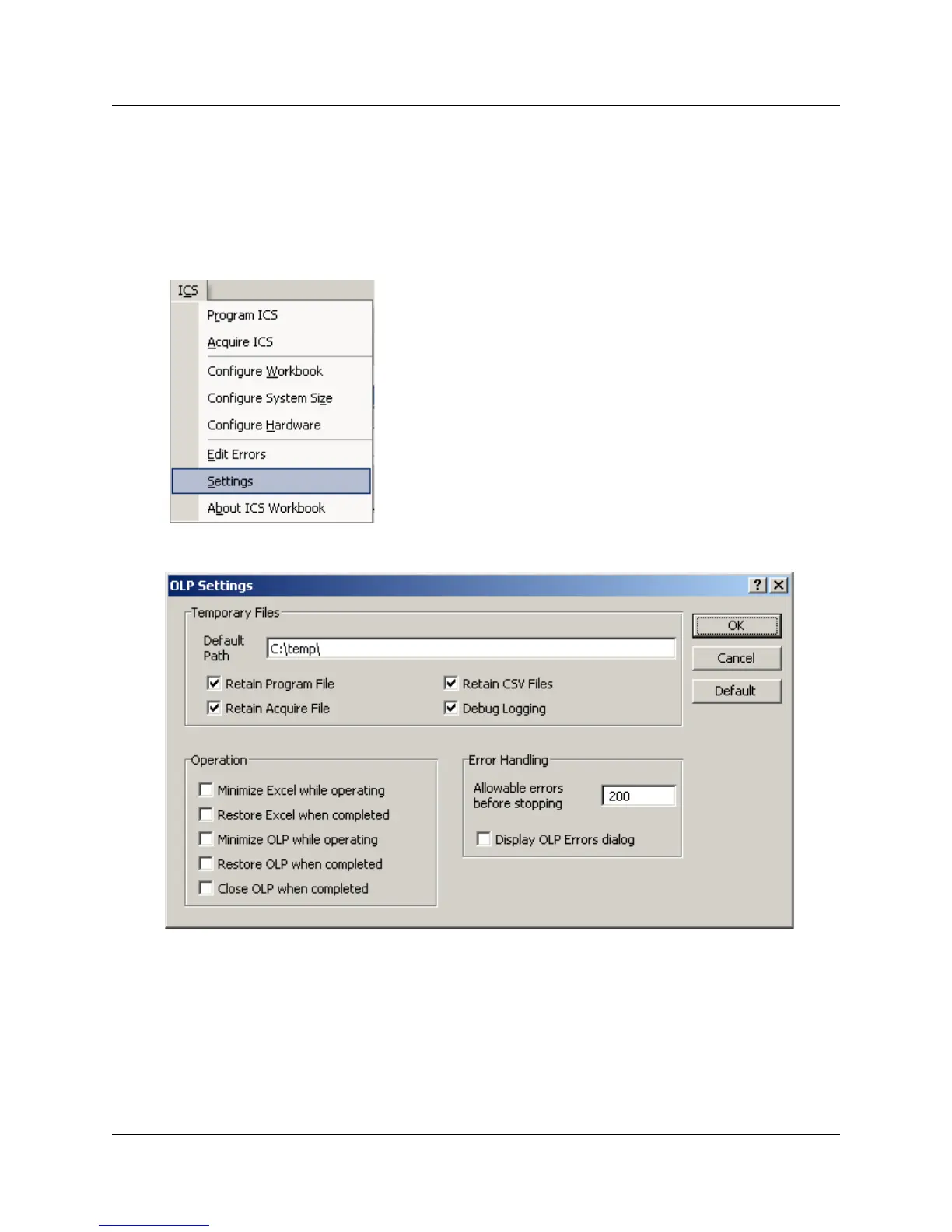
There are a number of settings that you can adjust to determine the operation of the off-line
programming tool. These are found on the OLP Settings dialog.
To open the dialog box, click on ICS, then select Settings.
Figure 52 OLP Settings dialog box



 To Next Page