52 Chapter 4 Connecting to a Norstar system from ICSRT
N0004999 01
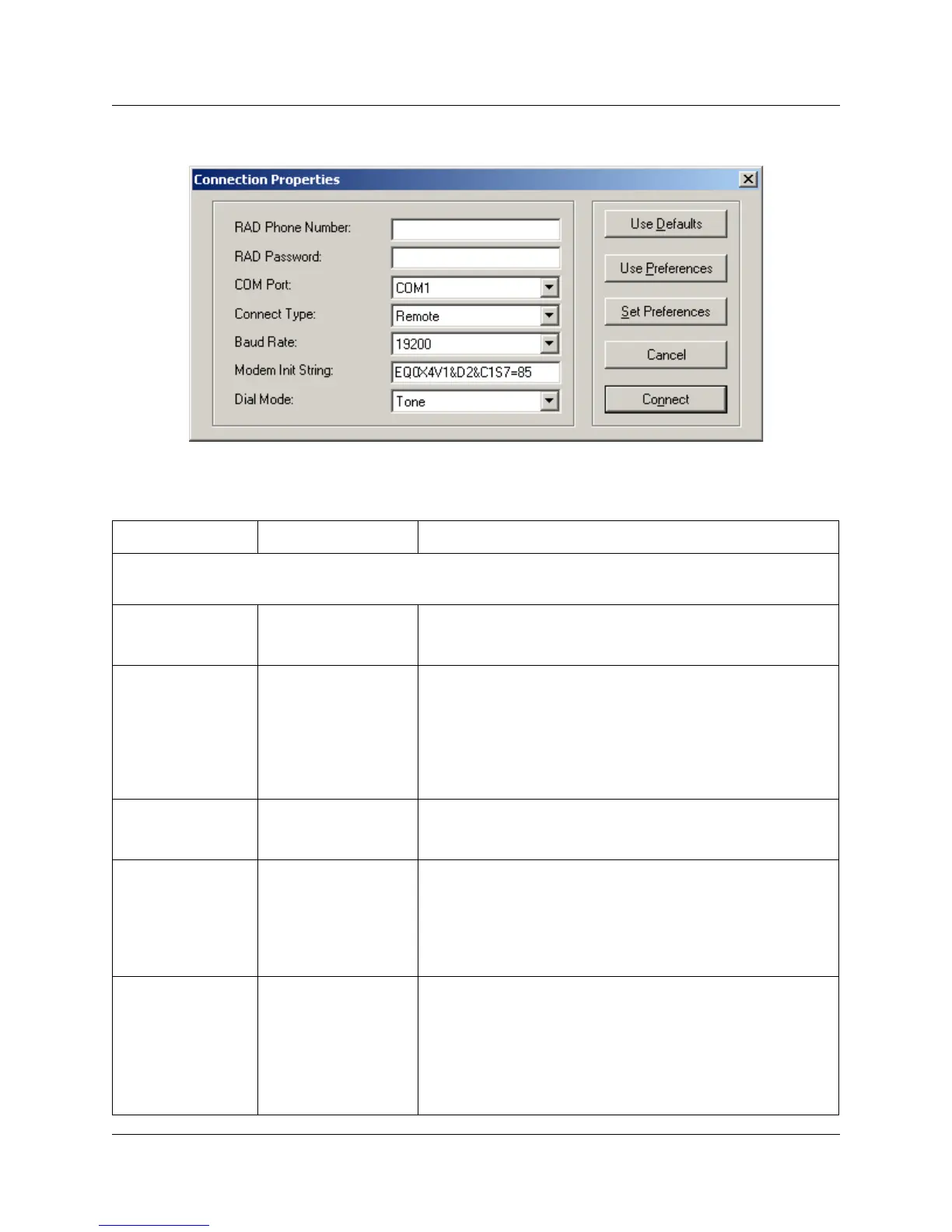
Figure 23 Connection Properties default dialog
Table 2 Connection Properties fields
Field name Values Description
Note: All fields are required for remote and operator-assisted connections.
A direct connection only requires the fields marked with as asterisk (*)
RAD phone
number
<area code><7-digit
phone number>
This is the number, which will be answered by RAD at the
Norstar location if you are calling into the RAD over a phone
line.
*RAD password
8-10 digits
(pre-programmed)
This is the number ICSRT uses to identify itself as a valid
user to the RAD.
RAD modules are delivered with no assigned password.
Therefore, when you install a new RAD, use the telephone
interface on site to program a password from 8 to 10 digits
long. A RAD must have a password before you can use
ICSRT.
*COM Port
COM1 to COM9 This is the communication port on the personal computer
that ICSRT uses to communicate with the Norstar system.
COM1 is the default.
*Connect type
Direct
Remote (default)
Operator Assisted
Auto-Attendant.
The connection type used depends on where the Norstar
system is located relative to the managing computer, and
the type of assistance required at the Norstar to connect to
the RAD. Remote is the default.
Note: Operator-assisted connections do not support the
scheduled backup and restore operations.
*Baud rate
1200
2400
4800
9600
19200
This is the communication rate used by ICSRT to
communicate with the Norstar system. The default is 19200.
If you are using a direct connection, the local baud rate at
the RAD must match the baud rate chosen for the direct
connection in ICSRT. Note that the restore process requires
a minimum of 2400 baud.
Refer to “Modem settings” on page 26.



 To Next Page