Chapter 7 Using Workbooks and off-line programming 91
ICS Remote Tools User Guide
Using the workbook for programming
1 Open ICSRT.
This step is optional, but it provides access to the customer record if you need to refer to
customer information or connection settings.
2 Open the workbook that you prepared following the appropriate instructions under
“Configuring a workbook” on page 85.
3 Enter the required data into the various worksheets.
If you are updating an existing system, you may have created and assigned a separate
workbook with programming only for that system. Refer to
“Creating and using an update
workbook” on page 94.
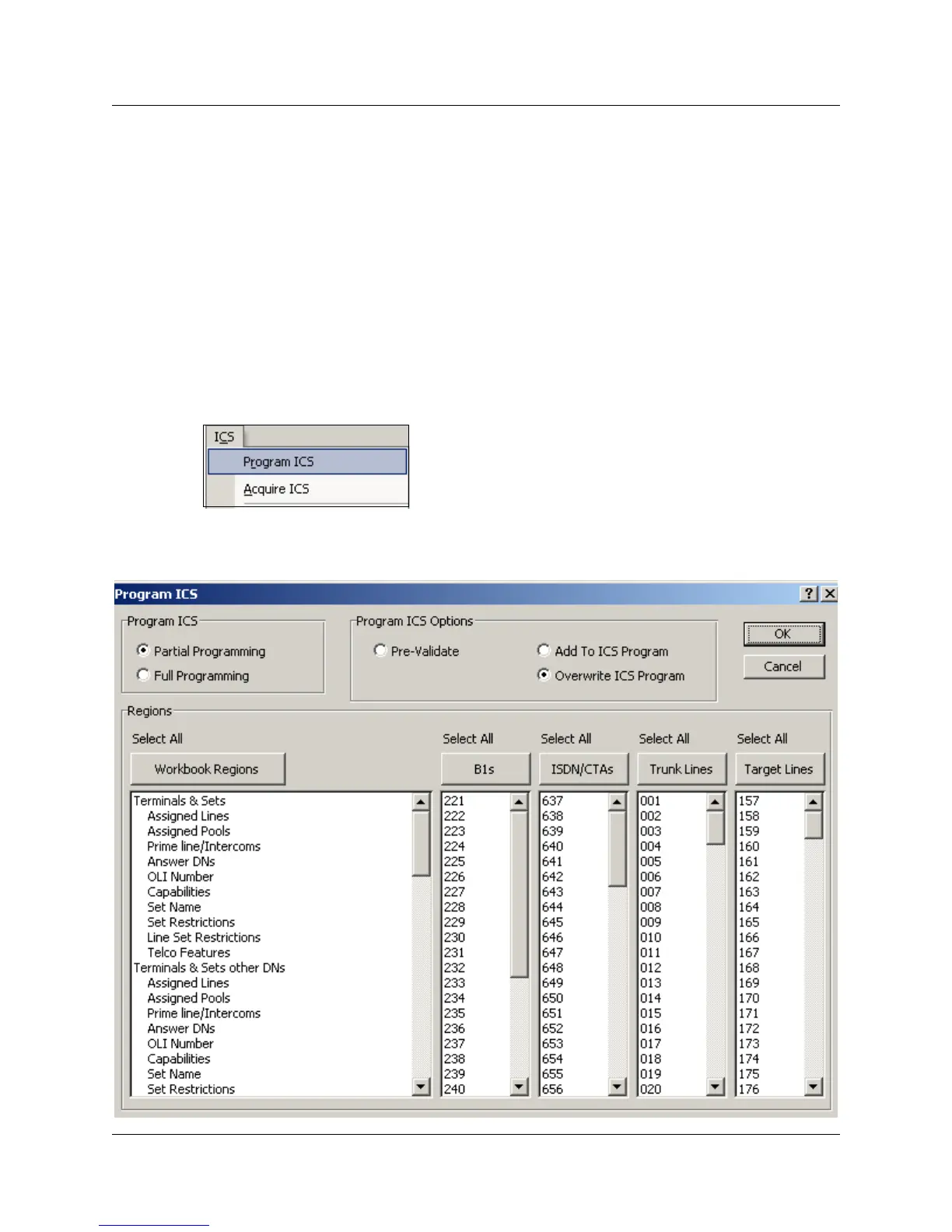
4 On the top menu, click ICS, then select Program ICS.
The Program ICS dialog box displays (Figure 44).
Figure 44 Program ICS dialog box



 To Next Page