Chapter 3 Setting up customers in ICSRT 43
ICS Remote Tools User Guide
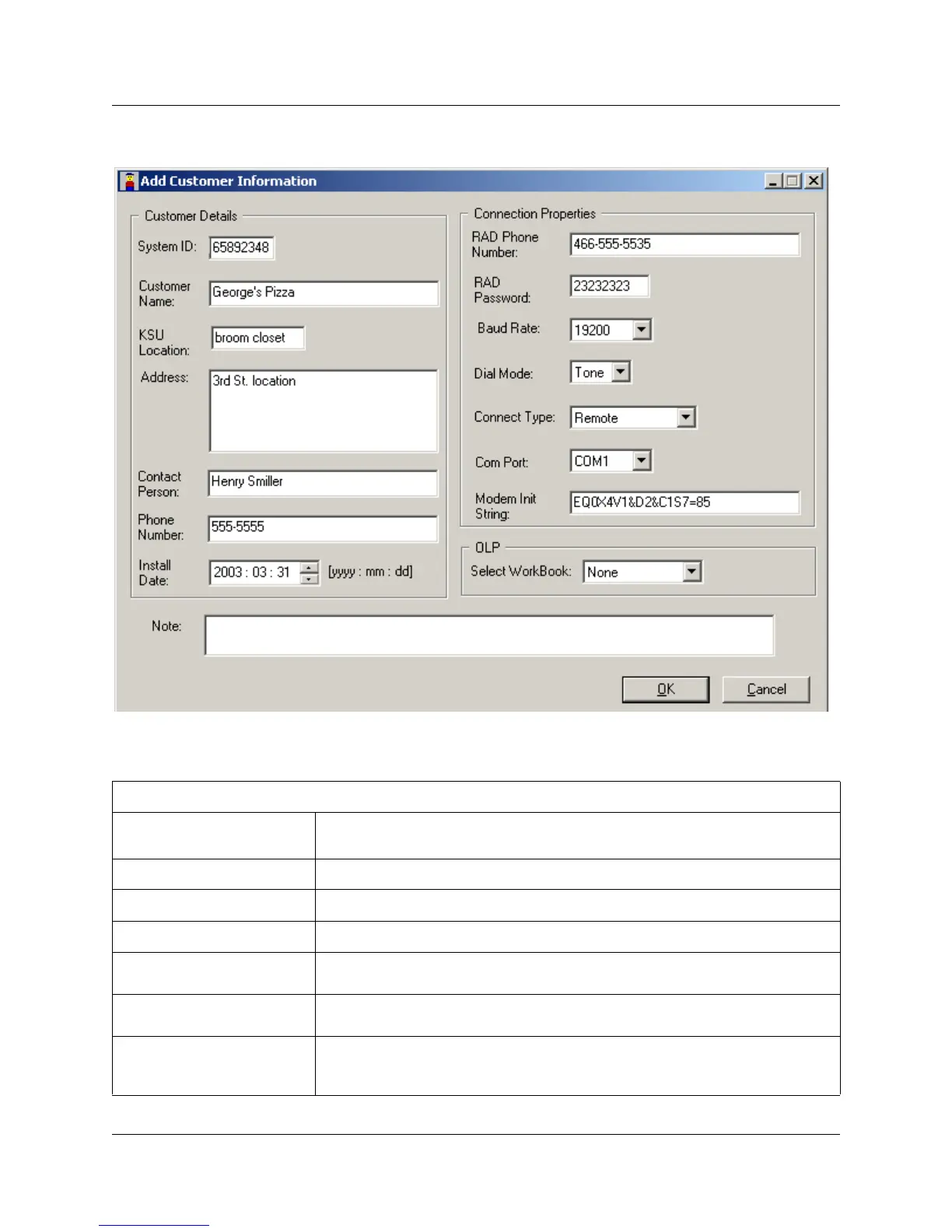
Figure 18 Add Customer Information screen
4 Fill out the fields, as required. A description of the fields is provided in the following table.
Table 1 Customer and connection information
Customer information
System Identification (ID)
This is a unique eight-digit number that identifies a Norstar system.
On a programming set, go to Software keys, then press SHOW.
Customer Name
This is the name of the company or business that owns the Norstar system.
KSU location
This is where the Norstar system is located on site.
Address
This is the business address of the customer.
Contact
This is the name of person at the customer site who coordinates Norstar
programming and troubleshooting.
Phone number
This is the phone number of the contact person. Remember to include an
area code if the phone number is outside your local calling exchange.
Install date
This is the date that the Norstar system was installed, or will be installed, at
the customer site.
This date should contain eight digits in the format YYYY : MM : DD



 To Next Page