Appendix A Connecting a modem 129
ICS Remote Tools User Guide
Installing remote equipment
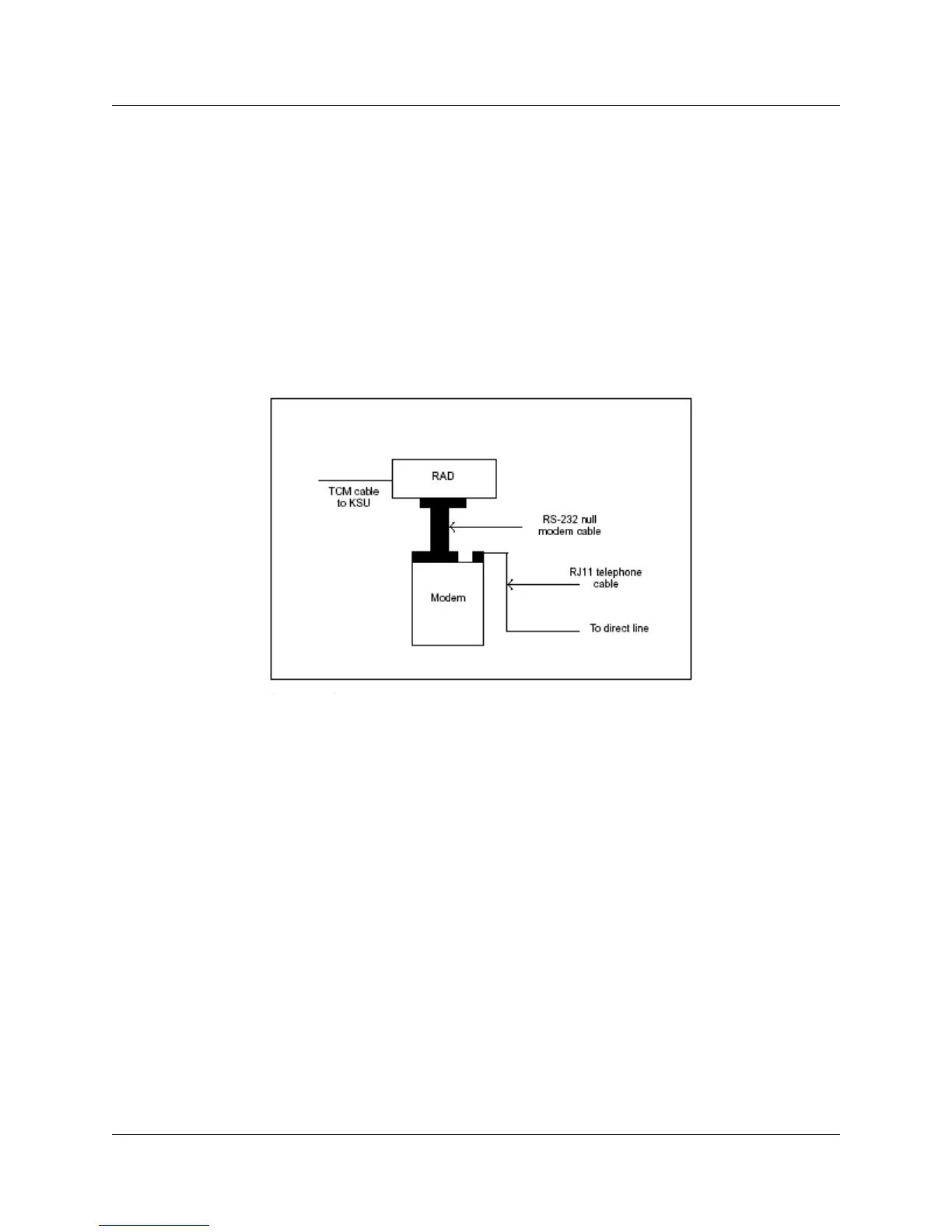
To install remote equipment for a direct connection:
1 Connect the RAD to the Norstar ICS port with a standard TCM cable.
2 Connect the pre-configured modem to the RS-232 port on the RAD using the null modem
cable.
3 Connect the modem to the direct line using the standard RJ11 telephone cable.
Figure 63 Remote equipment installation



 To Next Page