58 Chapter 5 Understanding the Remote Set tool
N0004999 01
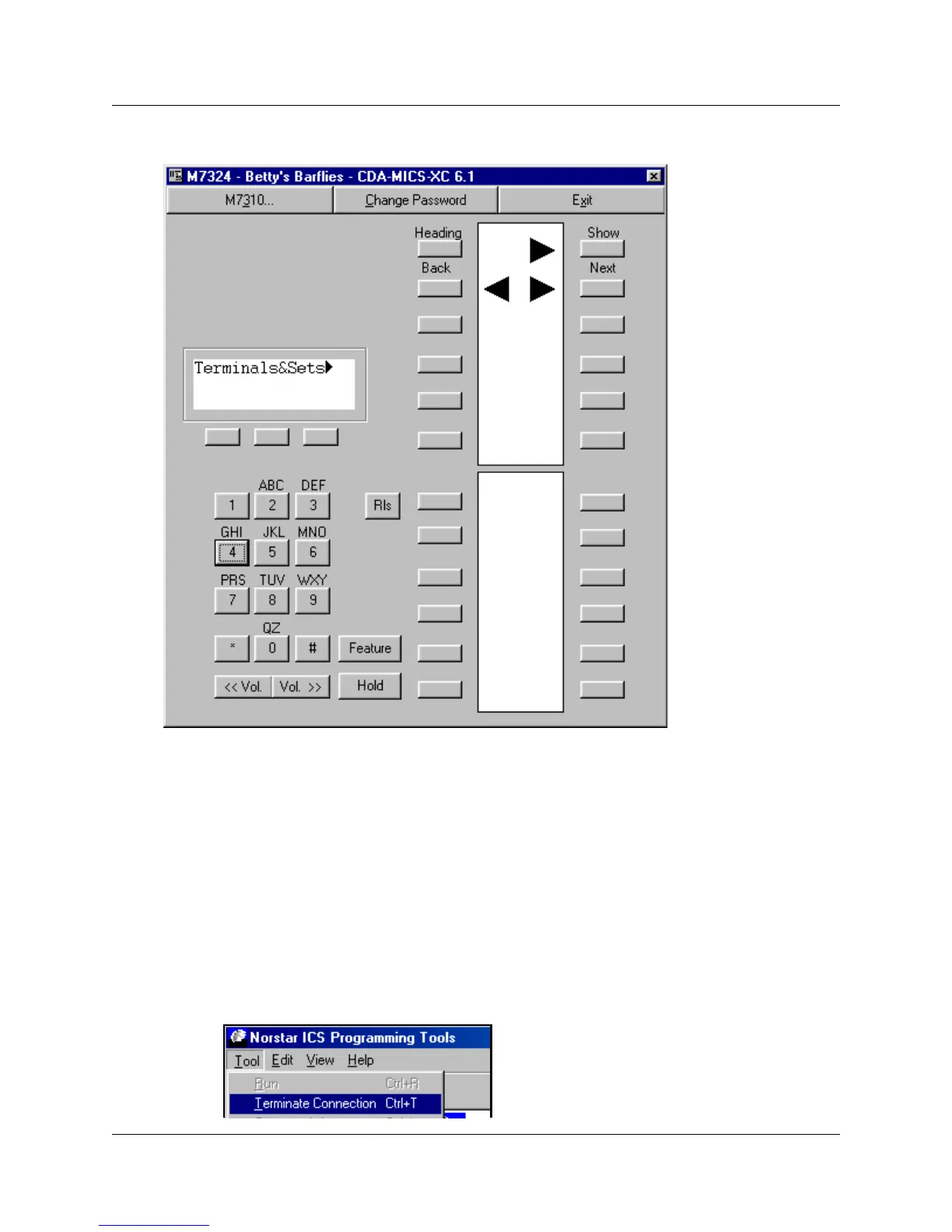
Figure 27 M7324 Remote set screen display
6 Use this interface in the same way that you would use a programming telephone on-site.
The buttons on the screen correspond with the type of telephone listed in the title bar.
Note: Instead of a programming template, the screens show the Heading, Back, Show and
Next labels above the button to which they refer. Once you enter programming, the indicators
for the four headings appear, as shown in the figure above.
Refer to your MICS or CICS Installer Guides and MICS or CICS Coordinator Guides for
detailed set configuration instructions.
7 When you complete the required activity, ensure that you exit the connection to the Norstar
system:
a On your desktop, click on the Norstar ICS Programming Tools screen, which sits behind
the Customer Info screen.
b On the top menu of this screen, click on Tool, and select Terminate Connection.



 To Next Page