Chapter 4 Connecting to a Norstar system from ICSRT 53
ICS Remote Tools User Guide
4 Click on Connect.
If you are connecting using one of the methods requiring attendant assistance, you need to first
contact the system using the telephone attached to the modem. Refer to
“Connecting to a
Norstar system attendant” on page 18 for details.
5 Refer to Chapter 5, “Understanding the Remote Set tool“, on page 55, Chapter 6,
“Understanding the Browser tool“, on page 63, or Chapter 8, “Backing up and restoring
Norstar data“, on page 107 for descriptions of the tools that are active once the connection
occurs.
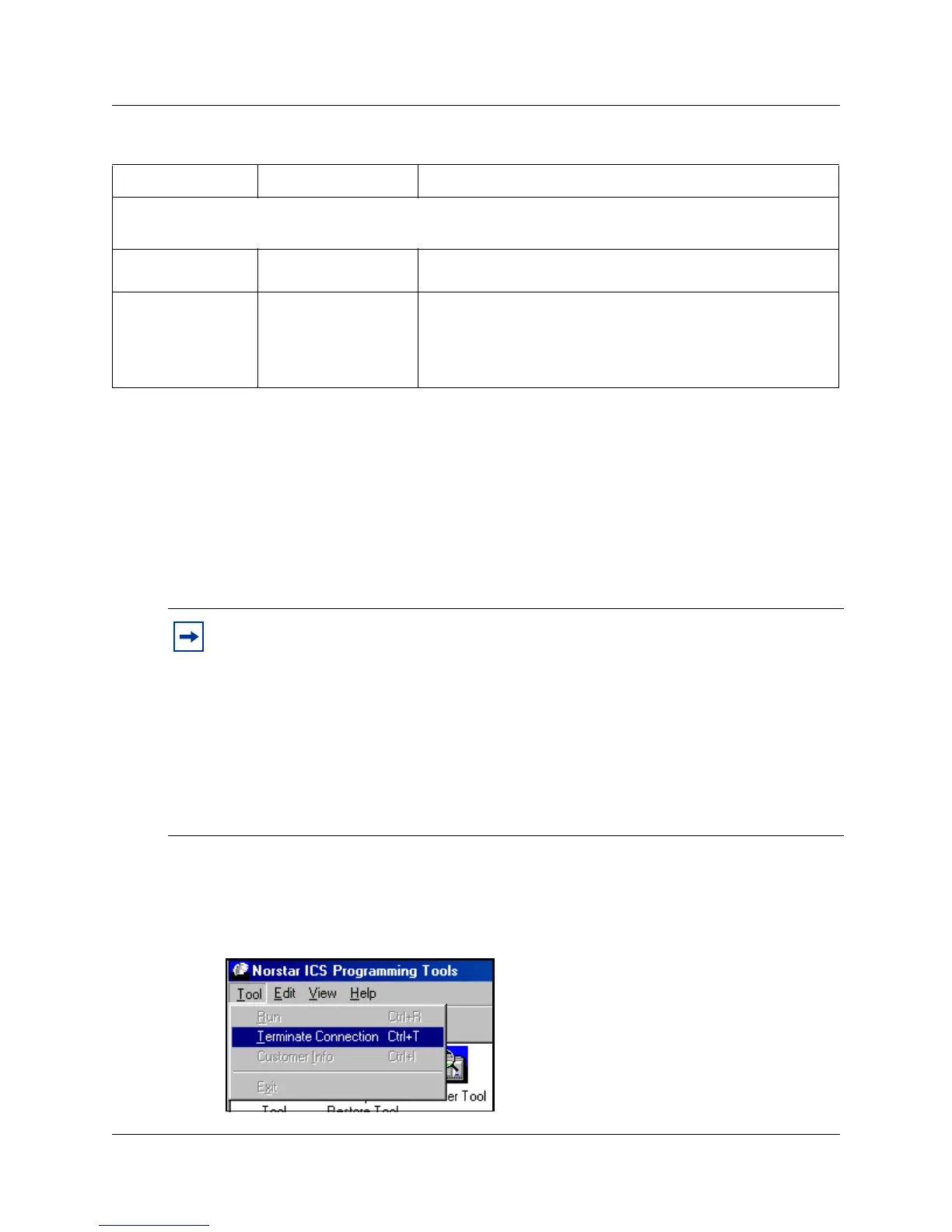
6 When you complete the required activity, exit the connection to the Norstar system:
a On your desktop, click on the Norstar ICS Programming Tools screen, which sits behind
the Customer Info screen.
b On the top menu of this screen, click on Tool, and select Terminate Connection.
Dial mode
Tone
Pulse
The dial mode used by ICSRT. The default is tone.
Modem init string
<alphanumeric
characters>
Some modems require special codes to be sent to them
before they are ready to communicate. Use this field to
enter any special codes that ICSRT must send to your
computer modem before it is ready to communicate with the
RAD. Refer to
“Modem settings” on page 26.
Tips: Connection Properties screen button functions
Use Defaults: Returns the screen to default settings.
Use Preferences: Overwrites Connection Properties fields with information entered using
Set Preference button.
Set Preference: Change the default connection properties by entering the changes, and
then clicking on this button. These values now become the default values when you open
the Connection Properties dialog to connect manually.
Cancel: Closes the dialog box without attempting to connect.
Connect: Initiates a connection with the Norstar system.
Table 2 Connection Properties fields
Field name Values Description
Note: All fields are required for remote and operator-assisted connections.
A direct connection only requires the fields marked with as asterisk (*)



 To Next Page