184 Océ TCS400 User manual
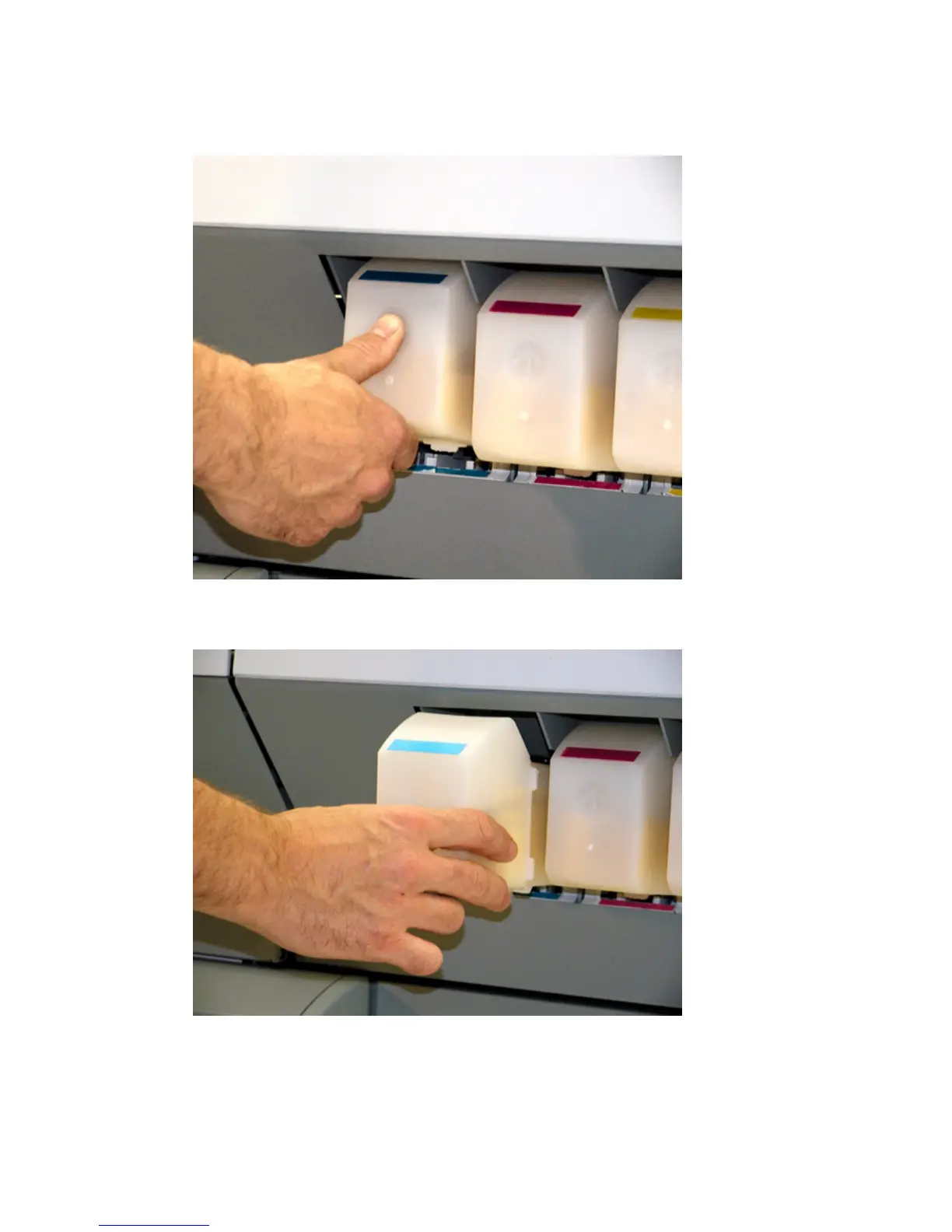
How to remove an ink tank
1
Press the dimpled recess in the ink tank inward and upward to release the ink
tank.
[58] Push the tank inwa rd and up ward
[58] Push the tank inward and upward
2 Pull the ink tank straight out of the slot.
[59] Pull the tank out
[59] Pull the tank out
The indication for the removed tank on the printer operator panel changes into
a dashed line.



 To Next Page