© 2011 Omnicell, Inc. 1-, 2-, 3-Cell Color Touch Installation and Service Guide/67-2014 Rev G
Suture Rack 11-9
Removal Procedure
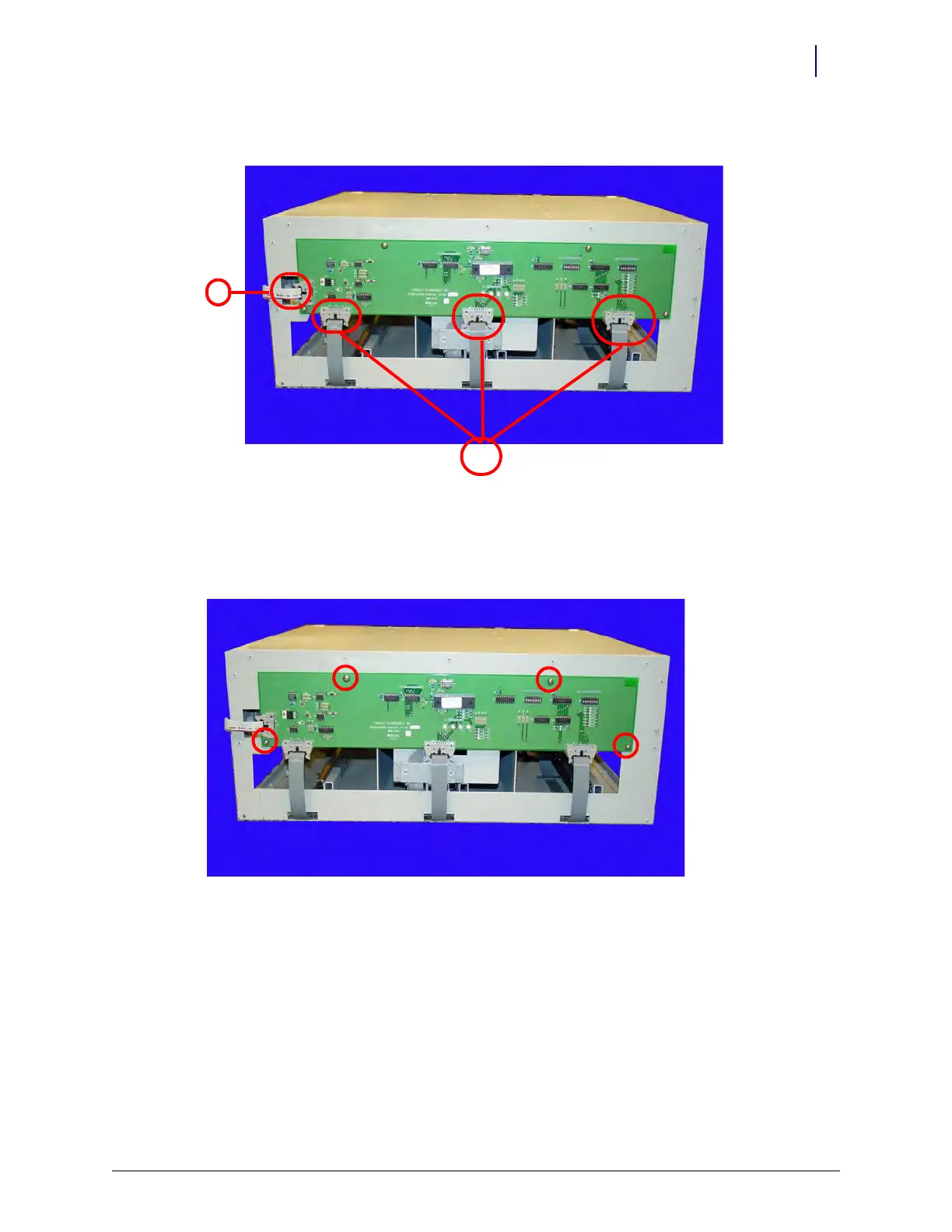
4. Disconnect the SPC cable (1) and the switchpanel cables (2) from the SPC board.
Figure 11-3. Disconnect the SPC Cable (1) and the Switchpanel Cables (2) from the SPC Board
5. Remove the four screws using a 3/32” Allen wrench.
Figure 11-4. Remove the Four Screws Securing the SPC Board
6. Remove the SPC board.
7. Remove the suture rack from the cabinet.
8. Disconnect the SPC cable from the SPC board on the back of the rack.
9. Turn the suture rack on its side.
10. Remove the four screws at the bottom of the rack using a 3/32” Allen wrench Torx T15
screwdriver.
11. Remove the cable, sliding it under the two attached brackets.
12. Disconnect the switchpanel cable from the connector on the back of the re-direction board.



 To Next Page