1-4 CT PC Box Parts
Keyboard
1-, 2-, 3-Cell Color Touch Installation and Service Guide/67-2014 Rev G © 2011 Omnicell, Inc.
Keyboard
Removal Procedure
1. Perform a graceful shutdown of the cabinet.
2. Remove the keyboard Door Bezel. See “Removal Procedure” on page 1-2.
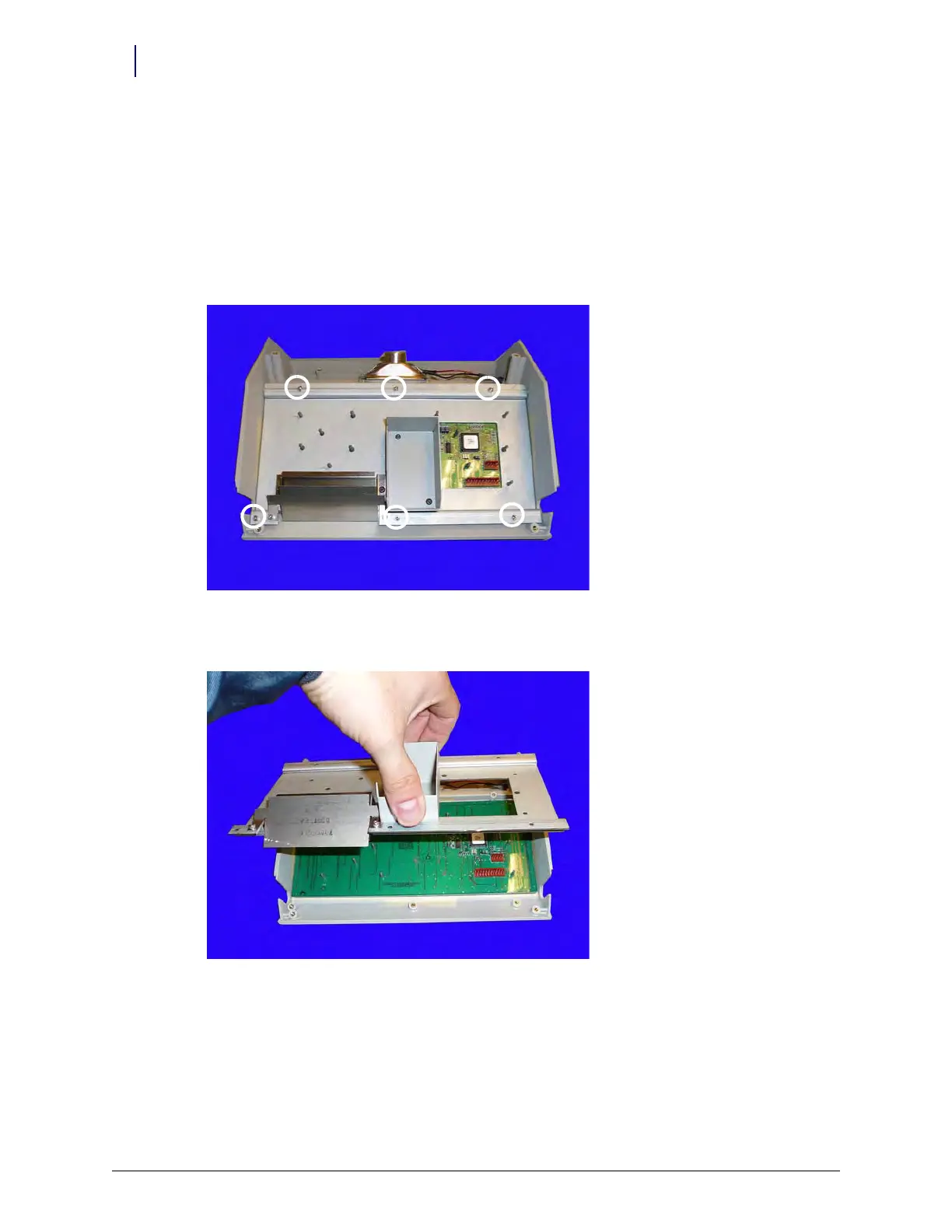
3. Remove the six screws from the keyboard bracket using a Torx T10 screwdriver.
Figure 1-5. Remove the six screws that secure the keyboard bracket
4. Remove the bracket.
Figure 1-6. Remove the keyboard bracket
5. Remove the keyboard.



 To Next Page