© 2011 Omnicell, Inc. 1-, 2-, 3-Cell Color Touch Installation and Service Guide/67-2014 Rev G
G4 PC Box Service 13-27
Remove and Replace the Keyboard and Printer Panel
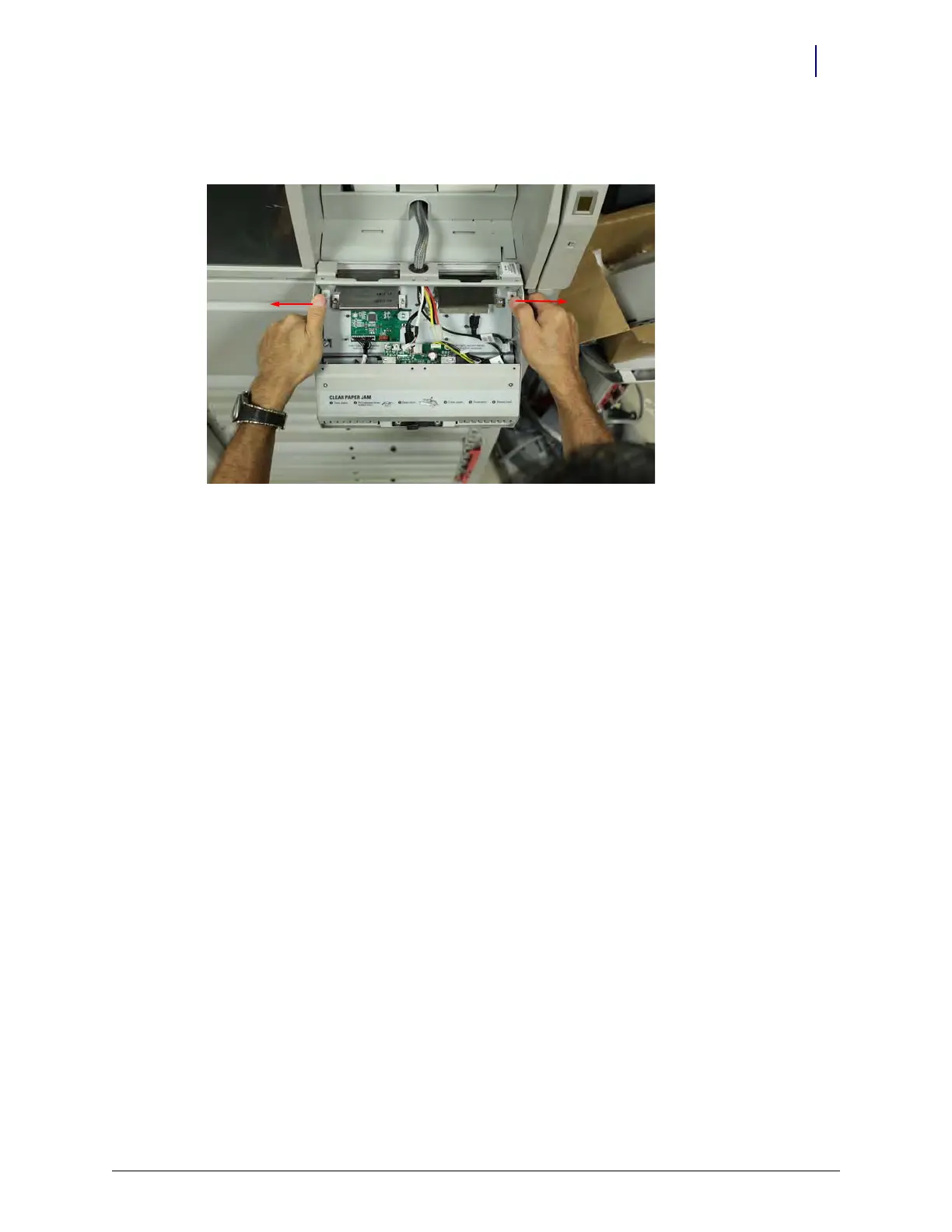
20. Carefully move the chassis to clear the hinge pins, to remove the chassis. GENTLY pull the
plastic sides of the chassis apart to help clear the hinge pins.
Figure 13-50. Removing the keyboard and printer chassis
This concludes removal of the printer/keyboard panel.
Keyboard and printer Panel Removal
Replacement of the Keyboard and Printer Panel is the reverse of removal.
Close the CT PC Console and Power on the Cabinet
1. Carefully slide the CT PC console with E-Box into the cabinet.



 To Next Page