7-6 Drawers
Installation Procedures
1-, 2-, 3-Cell Color Touch Installation and Service Guide/67-2014 Rev G © 2011 Omnicell, Inc.
Pharmacy Drawer
1. Unlock the manual override cover.
2. Remove the cover by pushing it to the right and lifting it off.
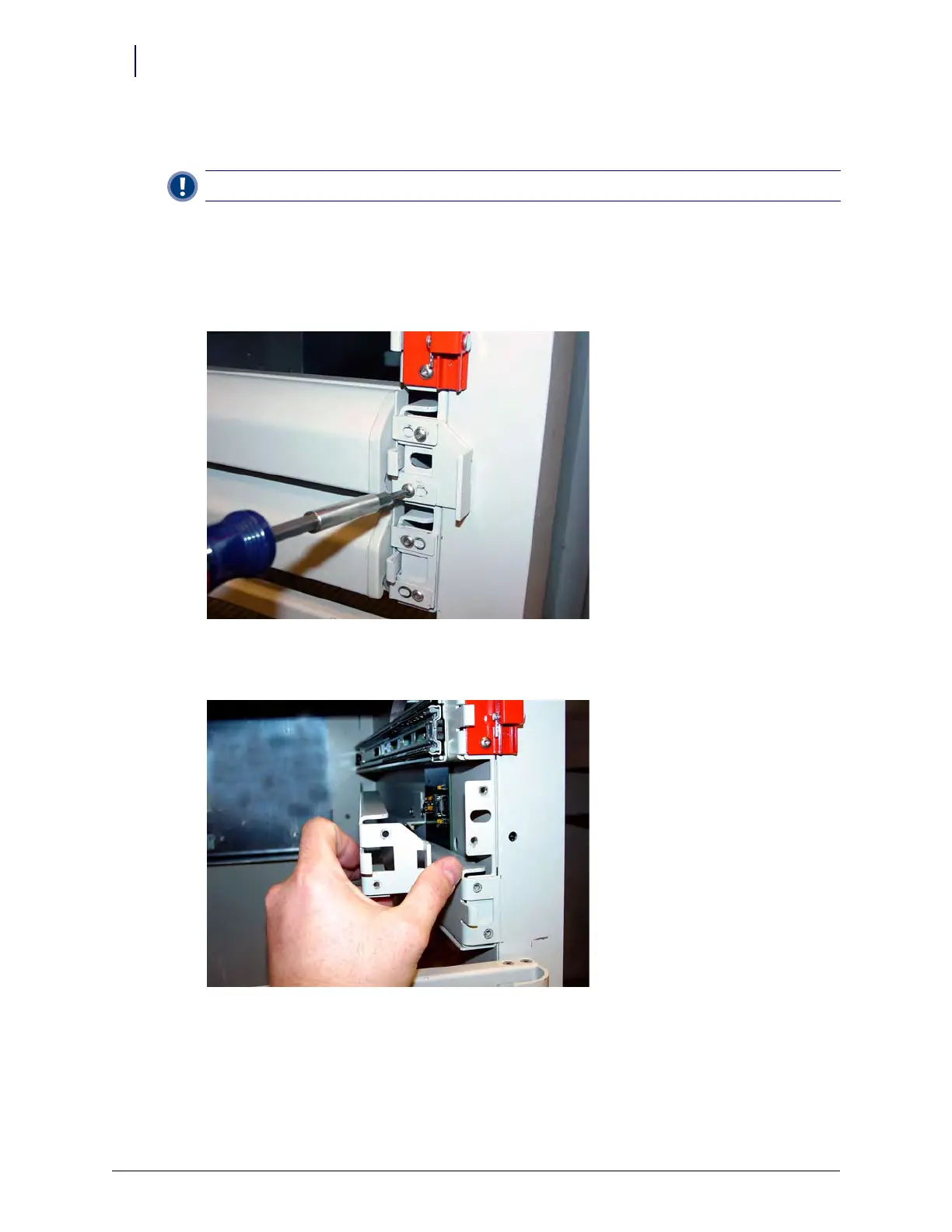
3. Remove any false drawer front by removing the two screws securing the false drawer front
using a Torx T15 screwdriver. These screws will be used later in the procedure.
Figure 7-4. Remove the screws securing the false drawer front
4. Remove the slide support bracket.
Figure 7-5. Remove the slide support bracket
5. Connect the drawer cable to the drawer connect board.
6. Attach one side of the double-sided tape to the cable clamp and the other to the drawer cable.
7. Line up the tape to the edges of the clamp and secure the clamp to the carrier with two screws.
using a Torx T15 screwdriver to tighten the screws.
Important:
A Pharmacist must be present when servicing pharmacy drawers where medications are present.



 To Next Page