1-10 CT PC Box Parts
LCD Display and Touch Screen Glass
1-, 2-, 3-Cell Color Touch Installation and Service Guide/67-2014 Rev G © 2011 Omnicell, Inc.
LCD Display and Touch Screen Glass
Removal Procedure
1. Perform a graceful shutdown of the CT PC Box.
2. Unplug the power cord and all data cables from the rear of the box.
3. Remove the LCD Bezel Assembly. See “Removal Procedure” on page 1-6.
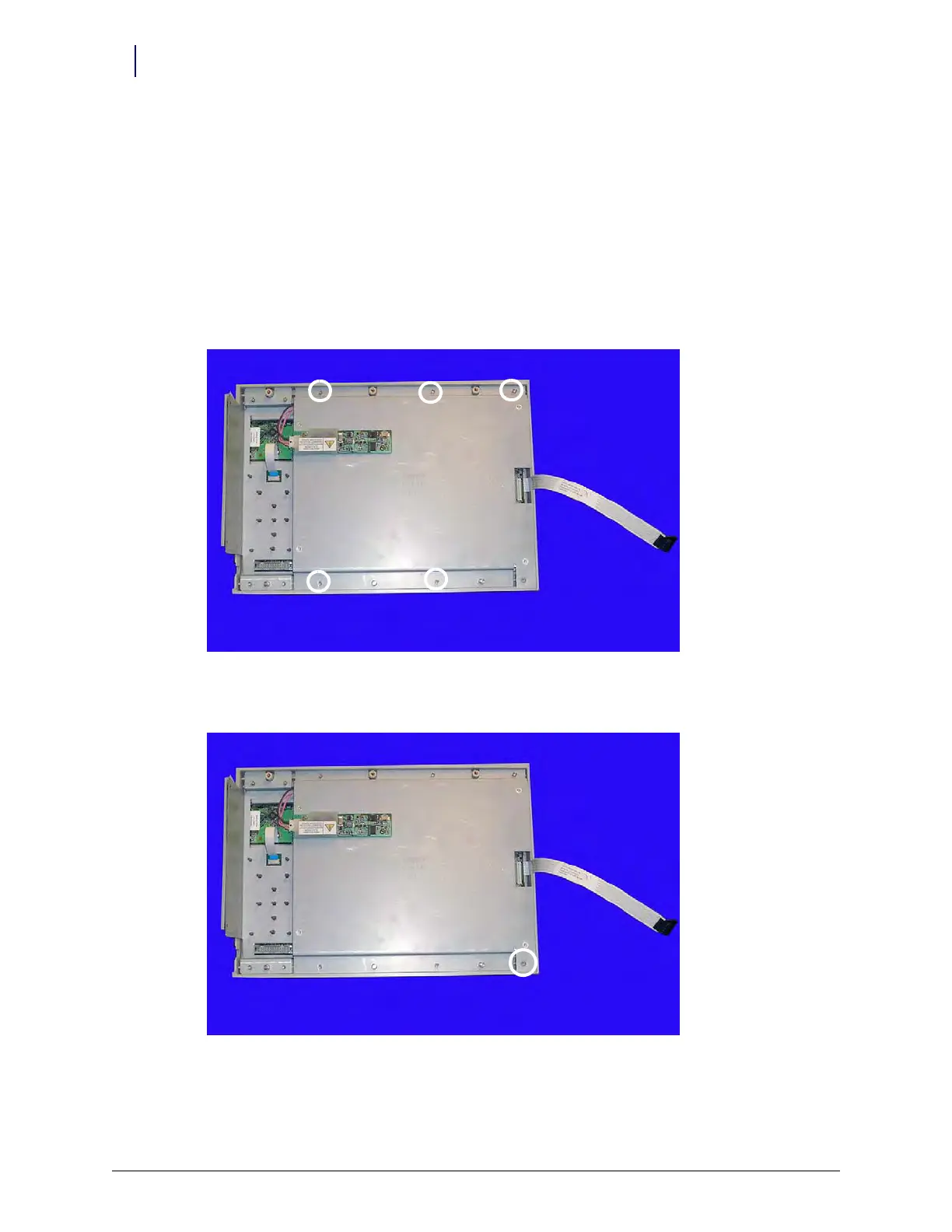
4. Remove the five 4-40 x 3/16 SHC screws from the rear of the assembly to remove the LCD
bracket from the LCD bezel assembly.
Figure 1-15. Remove the five SHC screws
5. Remove the 4-40 x 1/4 flathead screw in the lower right corner.
Figure 1-16. Remove the flathead screw in the lower right corner



 To Next Page