© 2011 Omnicell, Inc. 1-, 2-, 3-Cell Color Touch Installation and Service Guide/67-2014 Rev G
CT PC Box Parts 1-11
LCD Display and Touch Screen Glass
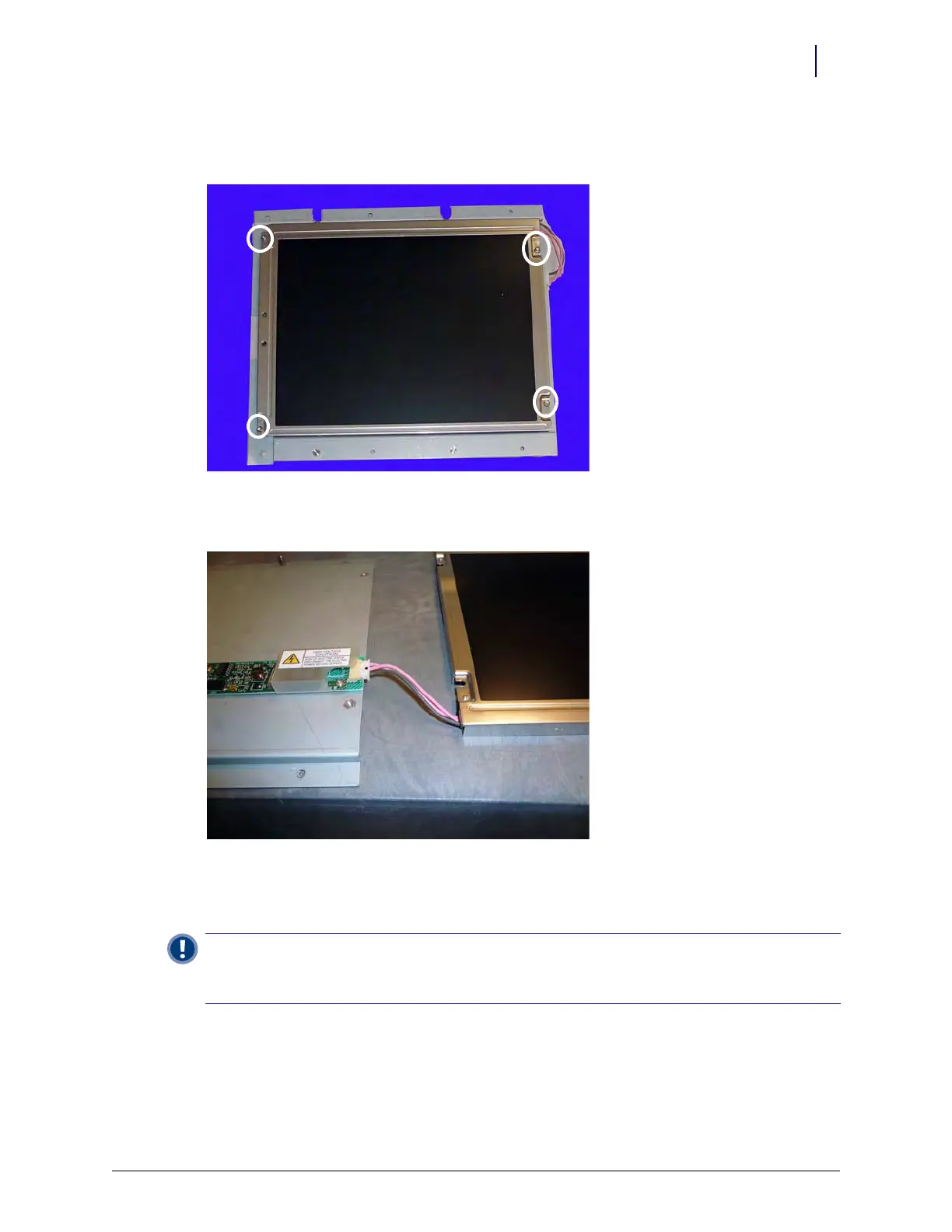
6. Turn the LCD assembly screen-side up and remove the four 4-40 x 1/4 buttonhead screws with
a T8 Torx driver.
Figure 1-17. Remove the four screws from the front of the bezel assembly
7. Disconnect the LCD data cable from the board on the assembly bezel.
Figure 1-18. Disconnect the LCD screen cable
8. Remove the LCD display.
9. Remove the touch screen glass and set it aside.
Important:
Do not touch the inner surface of the touch screen glass as this could prevent the touch screen
from working properly when re-installed.
Carefully pick up the touch screen glass by the sides when moving it.



 To Next Page