13-18 G4 PC Box Service
Remove and Replace the Keyboard and Printer Panel
1-, 2-, 3-Cell Color Touch Installation and Service Guide/67-2014 Rev G © 2011 Omnicell, Inc.
Remove and Replace the Keyboard and Printer Panel
Keyboard and Printer Panel Removal
1. Perform a graceful shutdown of the PC box.
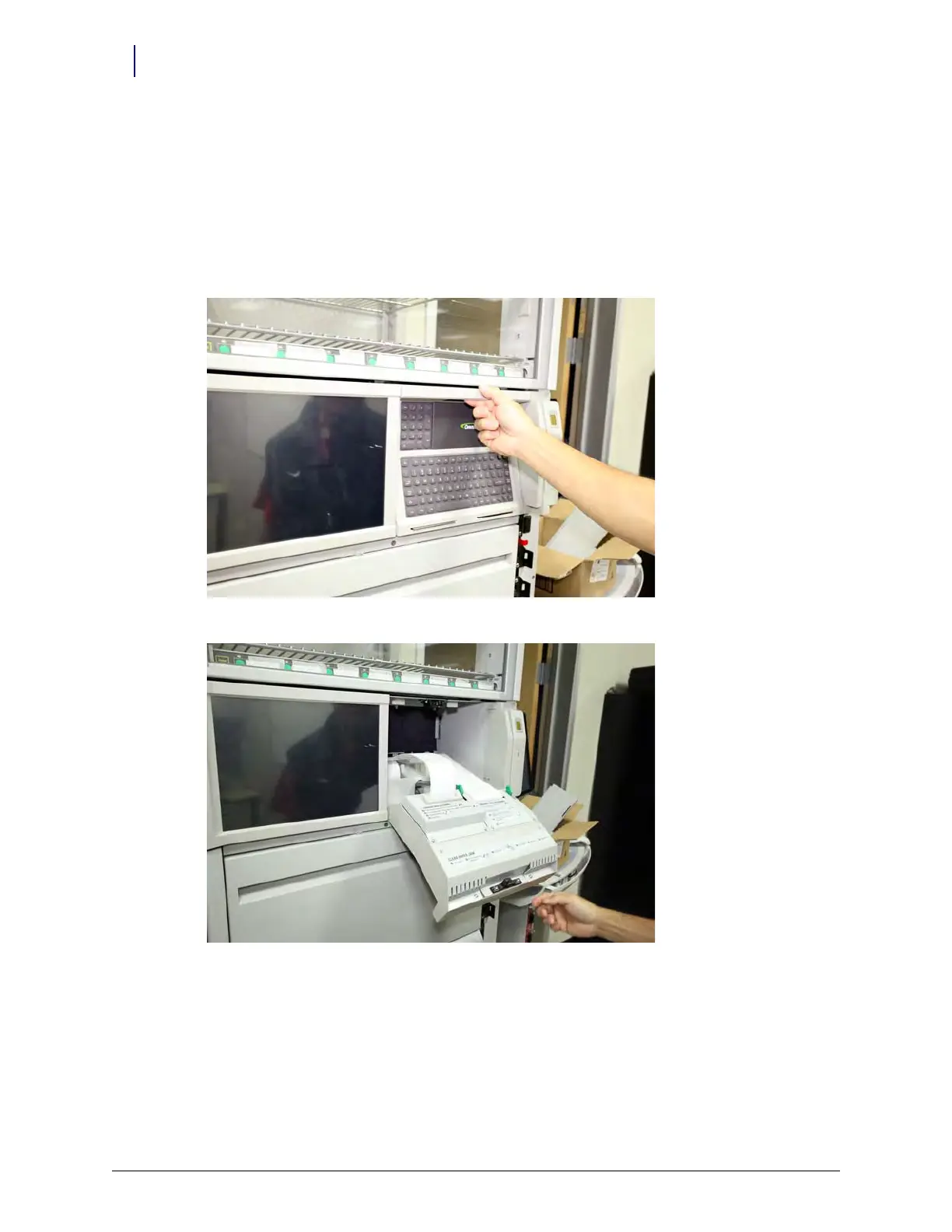
2. Unlatch the printer panel via the latch at the top of the panel, and carefully rotate the panel
forward. It will rest safely in the lowered position.
Figure 13-32. Unlatch the keyboard panel...
Figure 13-33. ...and carefully lower it forward



 To Next Page