© 2011 Omnicell, Inc. 1-, 2-, 3-Cell Color Touch Installation and Service Guide/67-2014 Rev G
Installing a G4 Console 12-11
Prepare for Installation of the G4 Console
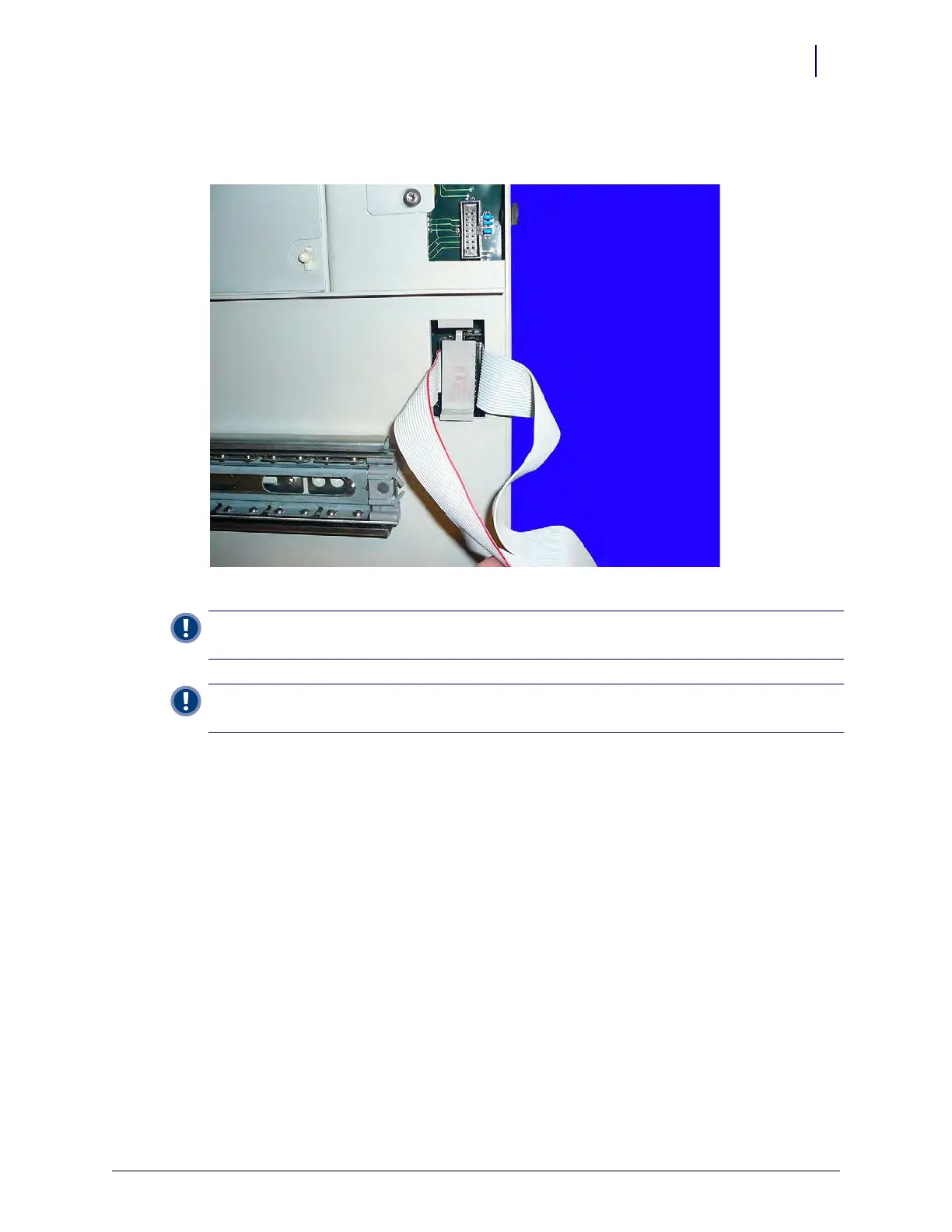
2. Secure the ribbon cable connections to the wireway using a cable clip. Place the clip between
the two cables and snap it into place.
Figure 12-16. Add the wireway clip
Important: If the clip is not installed, the ribbon cable can very easily come unplugged and/or damaged
during use.
Important: The cable clip secures the connectors, not the cable itself. Ensure that the cable is not caught
underneath the clip when the clip is installed or the cable may become damaged.



 To Next Page