© 2011 Omnicell, Inc. 1-, 2-, 3-Cell Color Touch Installation and Service Guide/67-2014 Rev G
Installing a G4 Console 12-17
Install the G4 Console
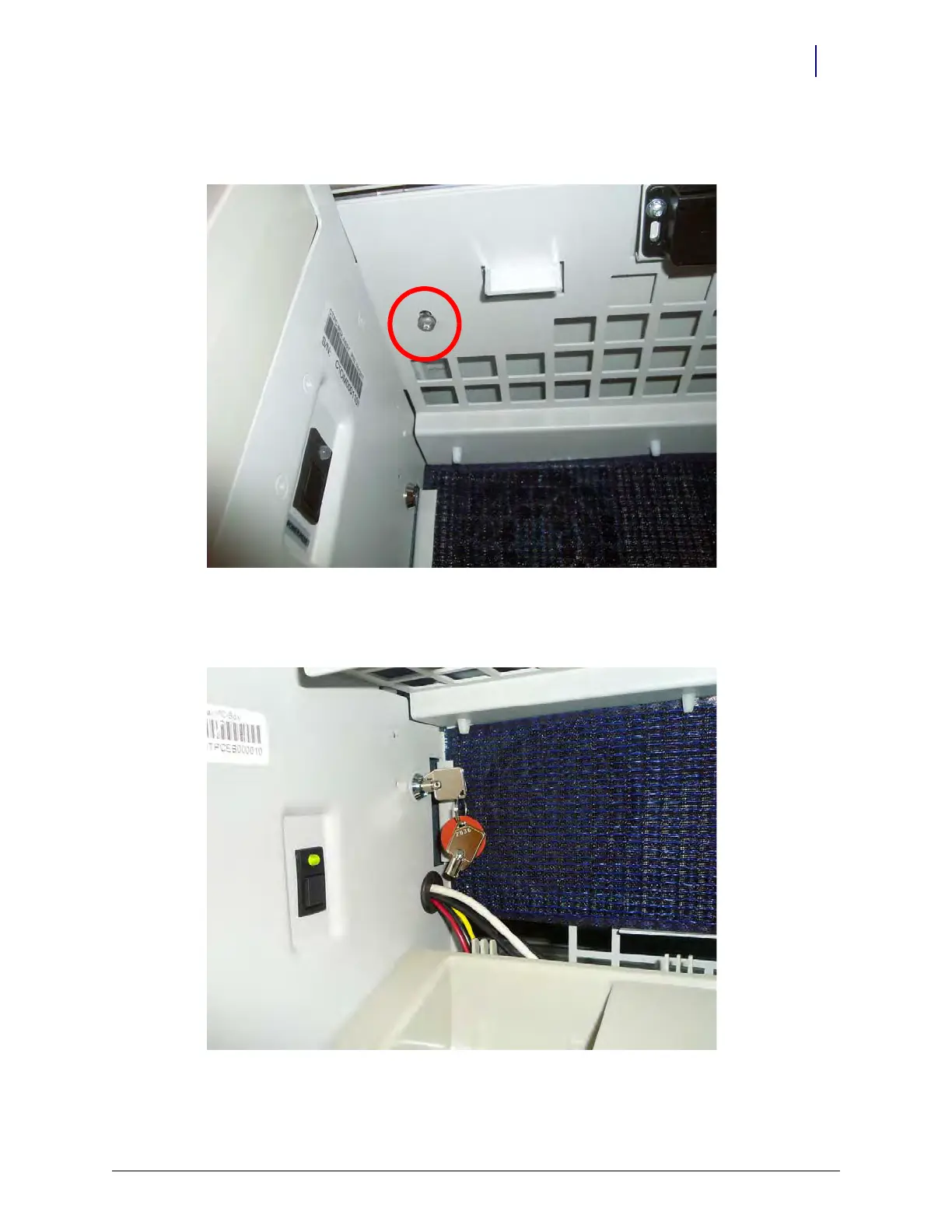
5. Add the M4x14 security screw to the top of the printer enclosure, securing it to the console
cover.
Figure 12-26. Add the M4x14 security screw
6. Lock the G4 console into place using the #2378 key. Turn the key vertical to lock the console
into place.
Figure 12-27. Power on the cabinet
7. Replace the filter access panel.



 To Next Page