© 2011 Omnicell, Inc. 1-, 2-, 3-Cell Color Touch Installation and Service Guide/67-2014 Rev G
G4 PC Box Service 13-23
Remove and Replace the Keyboard and Printer Panel
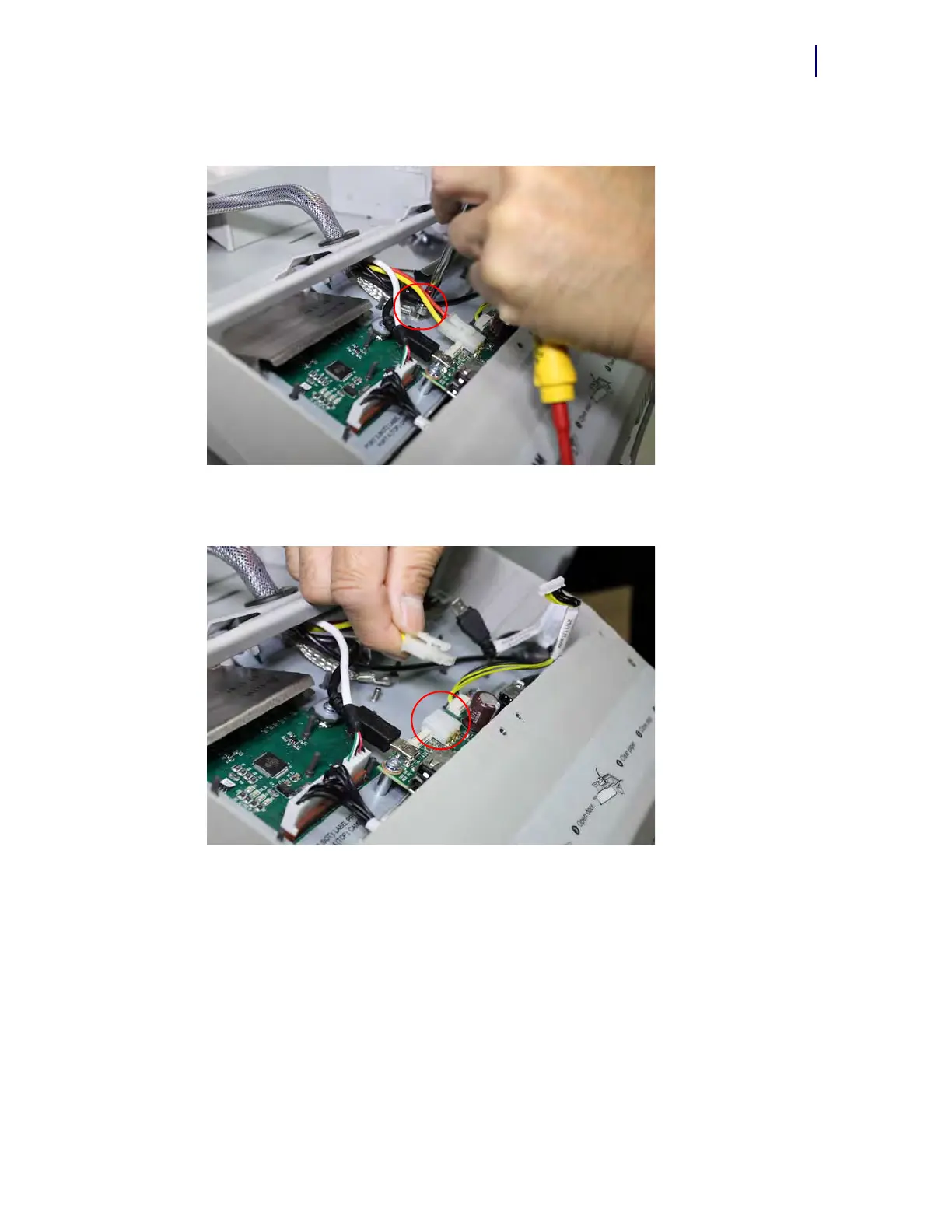
13. Remove the grounding cable from the keyboard chassis.
Figure 13-42. Be careful not to allow the fastener from the grounding strap to fall into the chassis after removal
14. Remove the main power cable from the keyboard chassis circuit board.
Figure 13-43. The main power lead is the largest cable of the cable-bundle



 To Next Page