113
DP-C405/C305/C265
FEB 2008Ver. 1.1
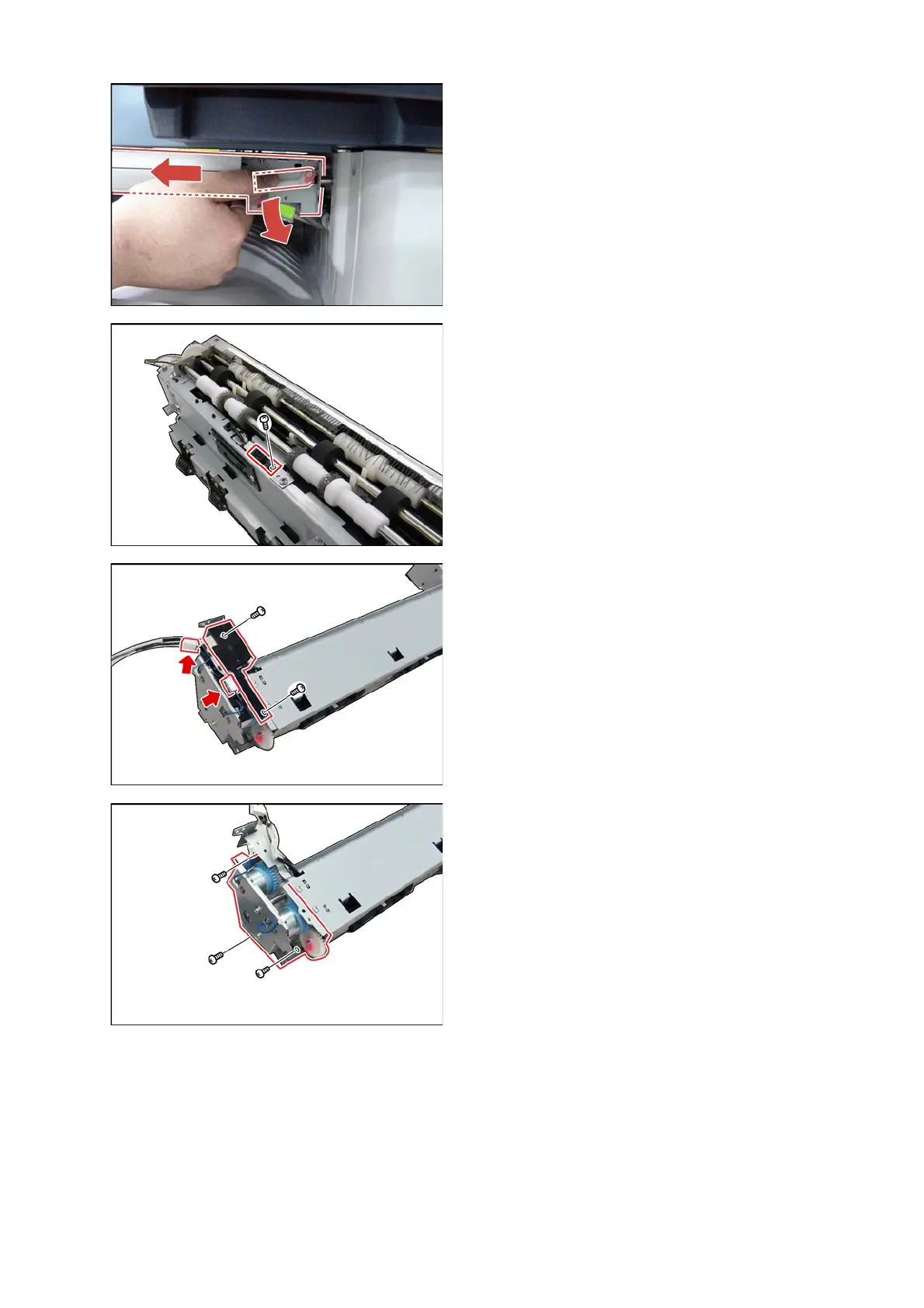
(10) Move the Paper Transport Unit slightly to the left
by pulling the lock lever as illustrated.
(11) Remove the Paper Exit Unit (see the previous
step).
<Paper Full Sensor>
(12) Remove 1 Screw (X5).
(13) Disconnect the Harness.
(14) Remove the Photo Sensor (1918-02).
(15) Remove 2 Screws (X5).
(16) Remove the Harness Guide (3216).
(17) Disconnect the Harnesses.
(18) Remove 3 Screws (X5).
(19) Remove the Clutch Bracket Assembly.



 To Next Page