839
DP-C405/C305/C265
FEB 2008Ver. 1.1
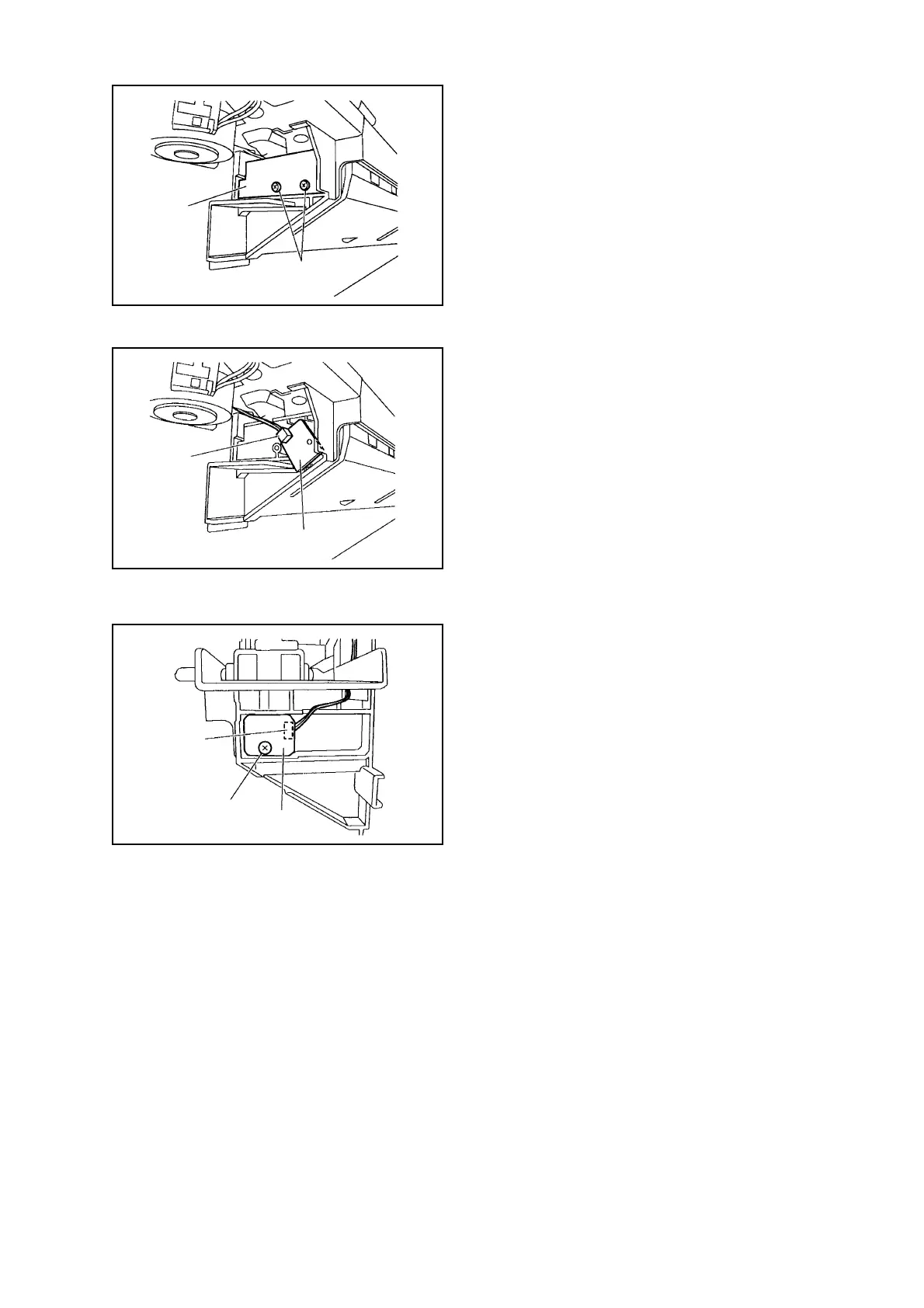
Fig. 3-091
2-4. Removing the Waste-Full Photo Sensor PCB
(1) Remove the Punch Controller PCB. (See
Removing the Punch Controller PCB)
(2) Remove 2 Screws [1] to remove the PCB Film
[2].
Fig. 3-092
(3) Disconnect the Connector [3] to remove the
Waste-full Photosensor PCB [4].
Fig. 3-093
2-5. Removing the Waste Full LED PCB
(1) Remove 1 Screw [1].
(2) Disconnect the Connector [2] to remove the
Waste-full LED PCB [3].
[2]
[1]
[3]
[4]
[2]
[1]
[3]



 To Next Page