203
FEB 2008Ver. 1.1
DP-C405/C305/C265
5. Maintenance Information Manager
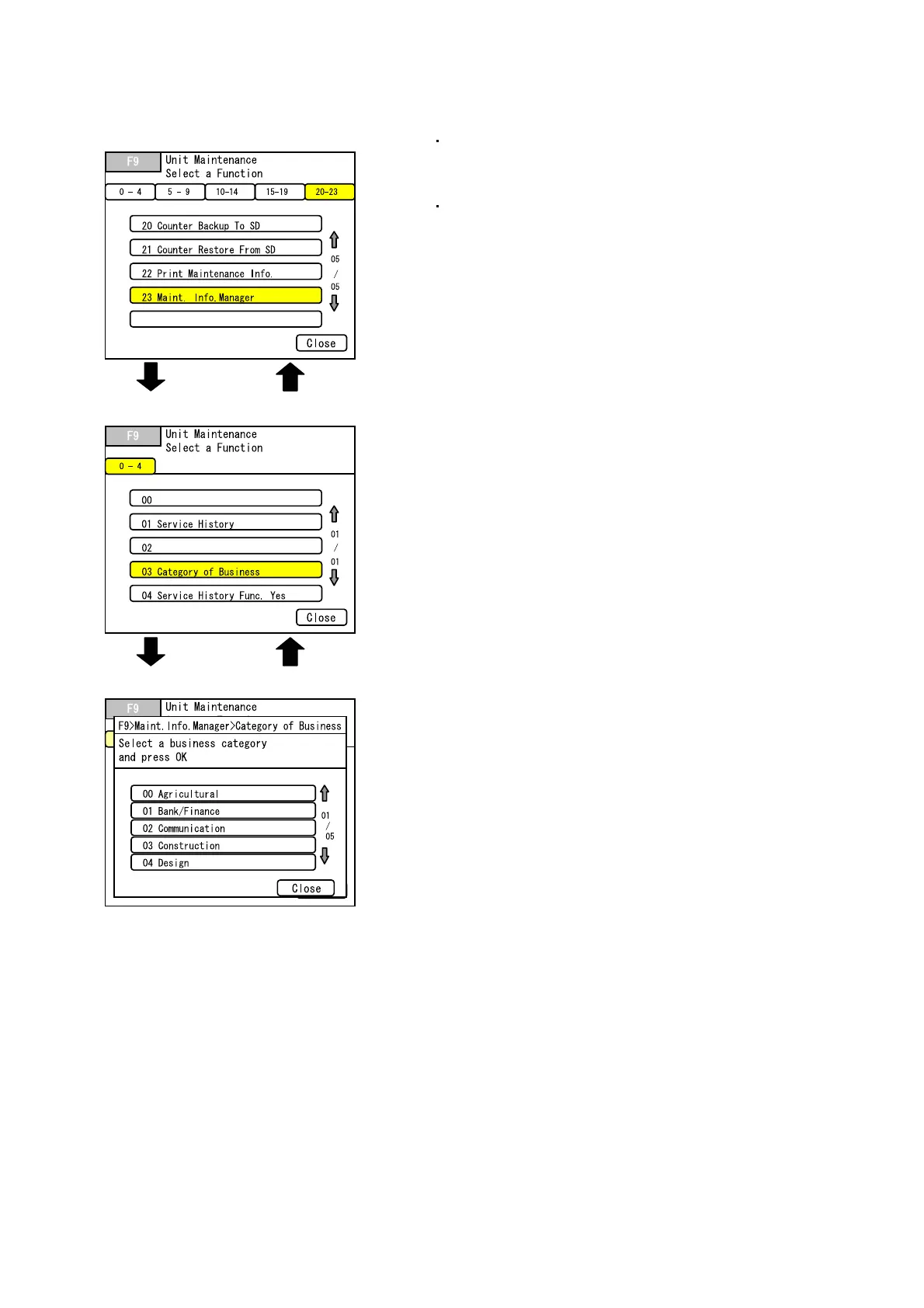
5.1. Change Category of Business
< Category of Business >
< Service Mode F9 >
< F9-23:Maint. Info. Manager >
Select "Maint. Info.
Manager"
< "Close">
Select "Category of
Business"
<"OK"> to set the Change
<"Cancel"> to return
Change the Category of Business that was set during
the initial registration using F9-23-03 : Category of
Business
Category of Business is printed on each list.



 To Next Page