112
DP-C405/C305/C265
FEB 2008Ver. 1.1
2.2.7. Paper Exit Transportation
(1) Open the Right Side Upper Cover.
(See sect. 2.2.4.)
(2) Remove the Fuser Unit. (See sect. 2.2.4.)
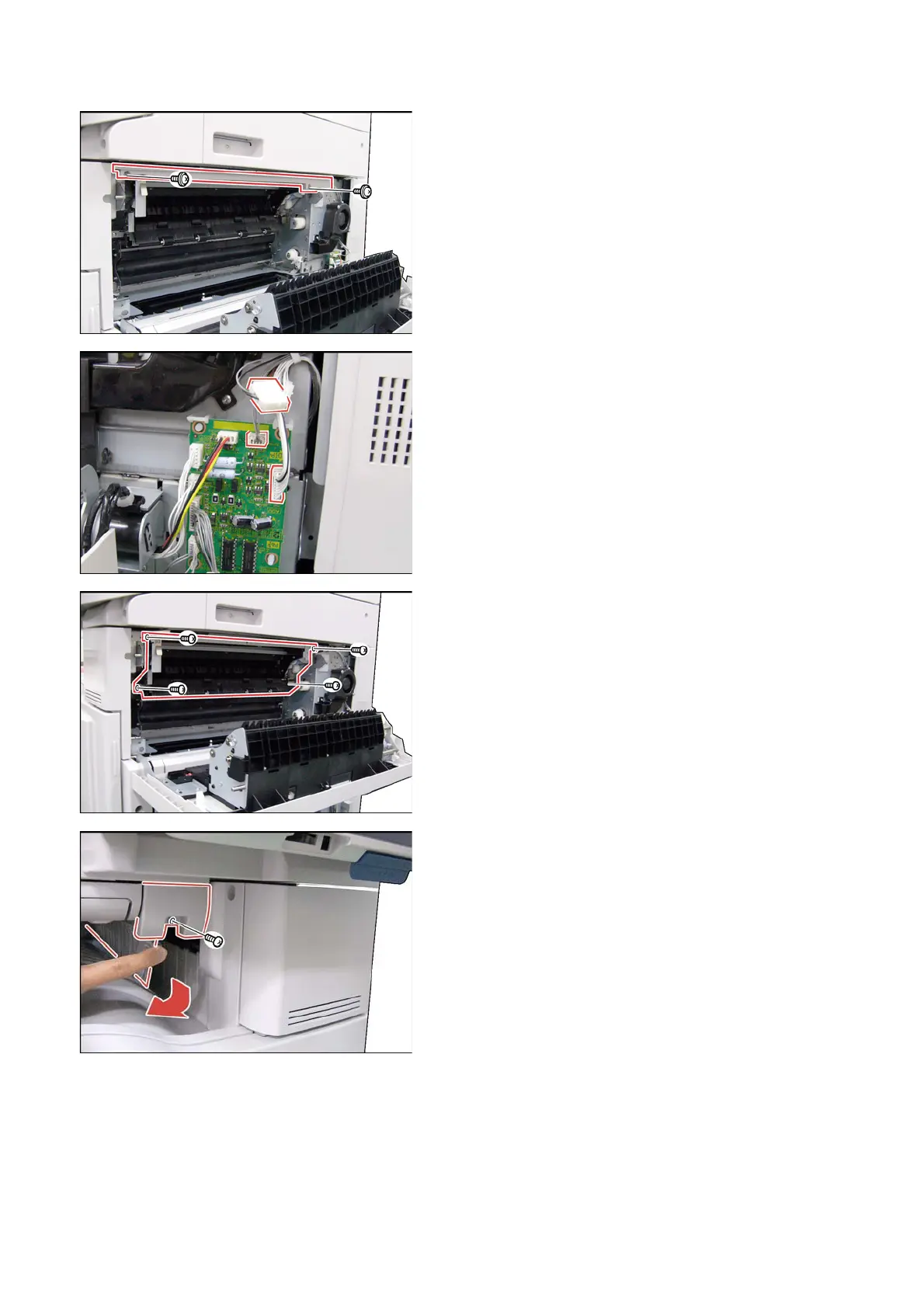
(3) Remove 2 Screws (S6).
(4) Remove the Top Cover (207).
(5) Disconnect 2 Harnesses on the ADU PC Board
(CN401, and CN402), and the intermediate
connector.
(6) Remove 4 Screws (X5).
(7) Remove the Paper Exit Unit.
Note:
If the Paper Transport Unit Option is installed,
remove the Paper Exit Unit by following the steps
below.
(8) Remove 1 Screw (X5) by pushing the Flap
downward as illustrated.
(9) Remove the Front Cover (7112).



 To Next Page