633
DP-C405/C305/C265
FEB 2008Ver. 1.1
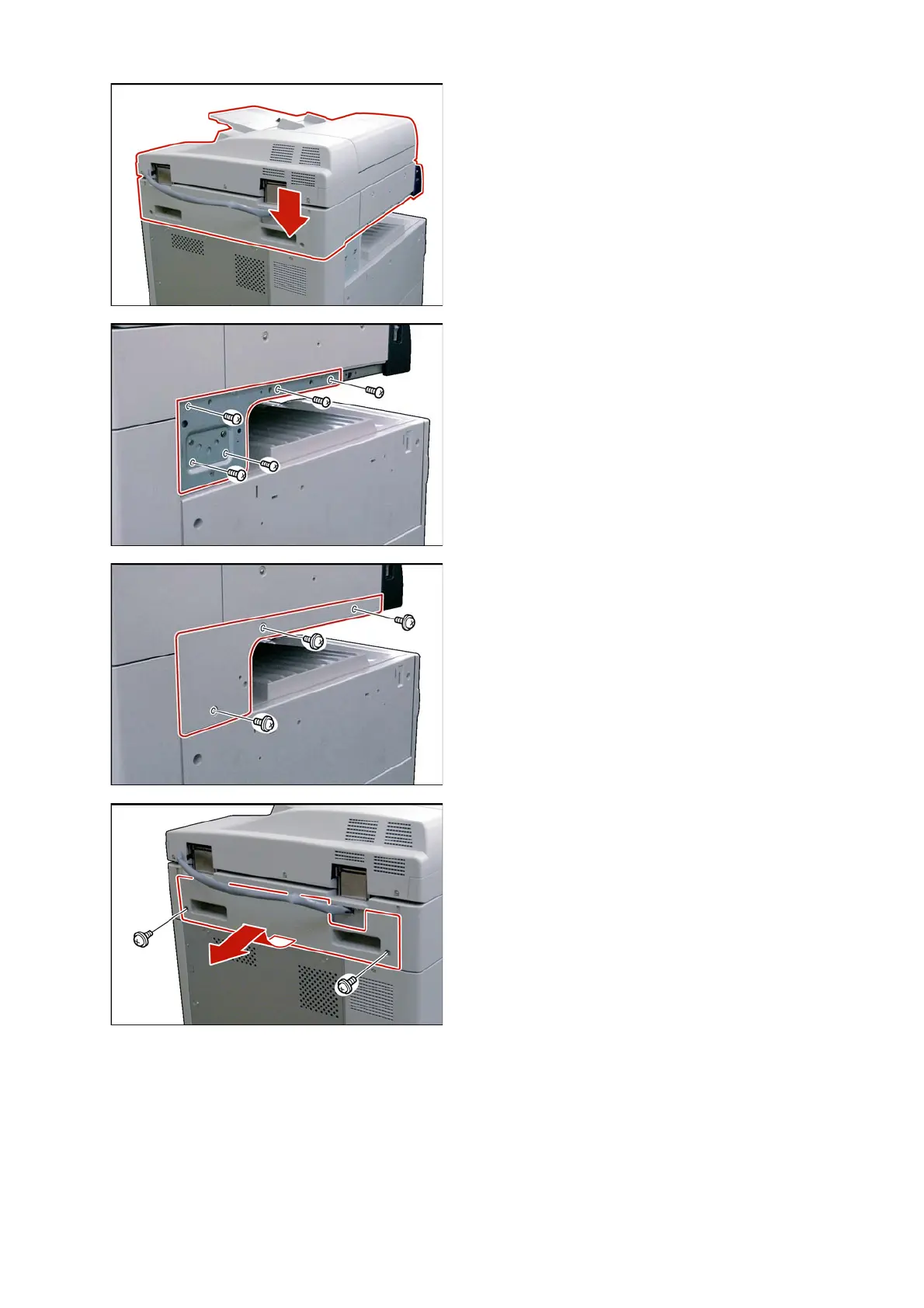
(3) Lift and place the Scanner Unit on the machine,
aligning it with the Rear, and Side Covers.
(4) Install the Scanner Base Bracket.
(5) Secure the Scanner Base Bracket with 5 Screws
(M4 x 8).
(6) Install the Scanner Base Bracket Cover.
(7) Secure the Scanner Base Bracket Cover with 3
Washer-head Screws.
(8) Remove 2 Screws.
(9) Remove the Rear Scanner Cover.



 To Next Page