638
DP-C405/C305/C265
FEB 2008Ver. 1.1
<Installing the Toner Cartridge>
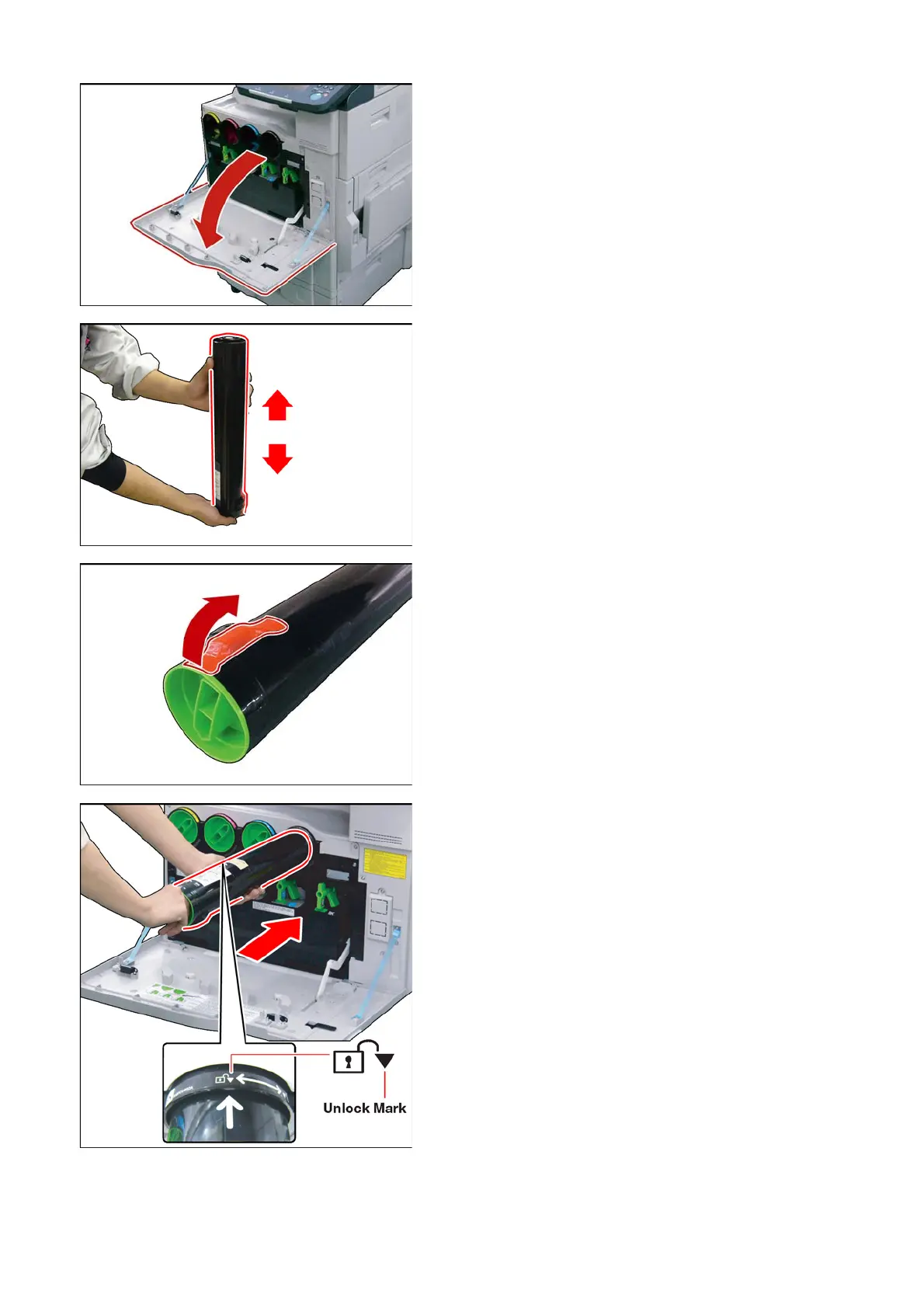
(40) Open the Front Cover.
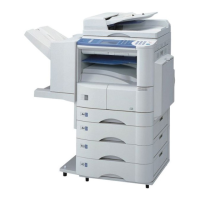
(41) Shake the Toner Cartridge 10 to 15 Times to
loosen the contents.
Note:
Shake it up and down, then turn the bottom up and
repeat.
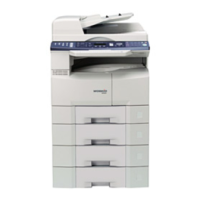
(42) Gently peel the Tape off in the direction of the
arrow as illustrated, however, do not open the
Shutter, or Toner will spill.
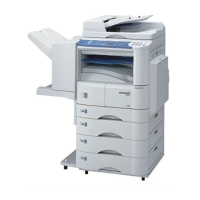
(43) Insert the Toner Cartridge all the way in.
(Arrow label on the top, and pointing to the
Unlock Mark)


 To Next Page