641
DP-C405/C305/C265
FEB 2008Ver. 1.1
8.4.3. Set the Customer’s Information
Register the required information when entering the Service Mode for the first time after the installation of
the machine by following the steps below. If registration is not completed, the registration screen is
displayed each time when entering the Service Mode.
1. Press the “Function”, “Copy”, and the “3” keys simultaneously on the Control Panel.
2. Input the password, and select the “OK” button to enter the Service Mode (default password is
00000000).
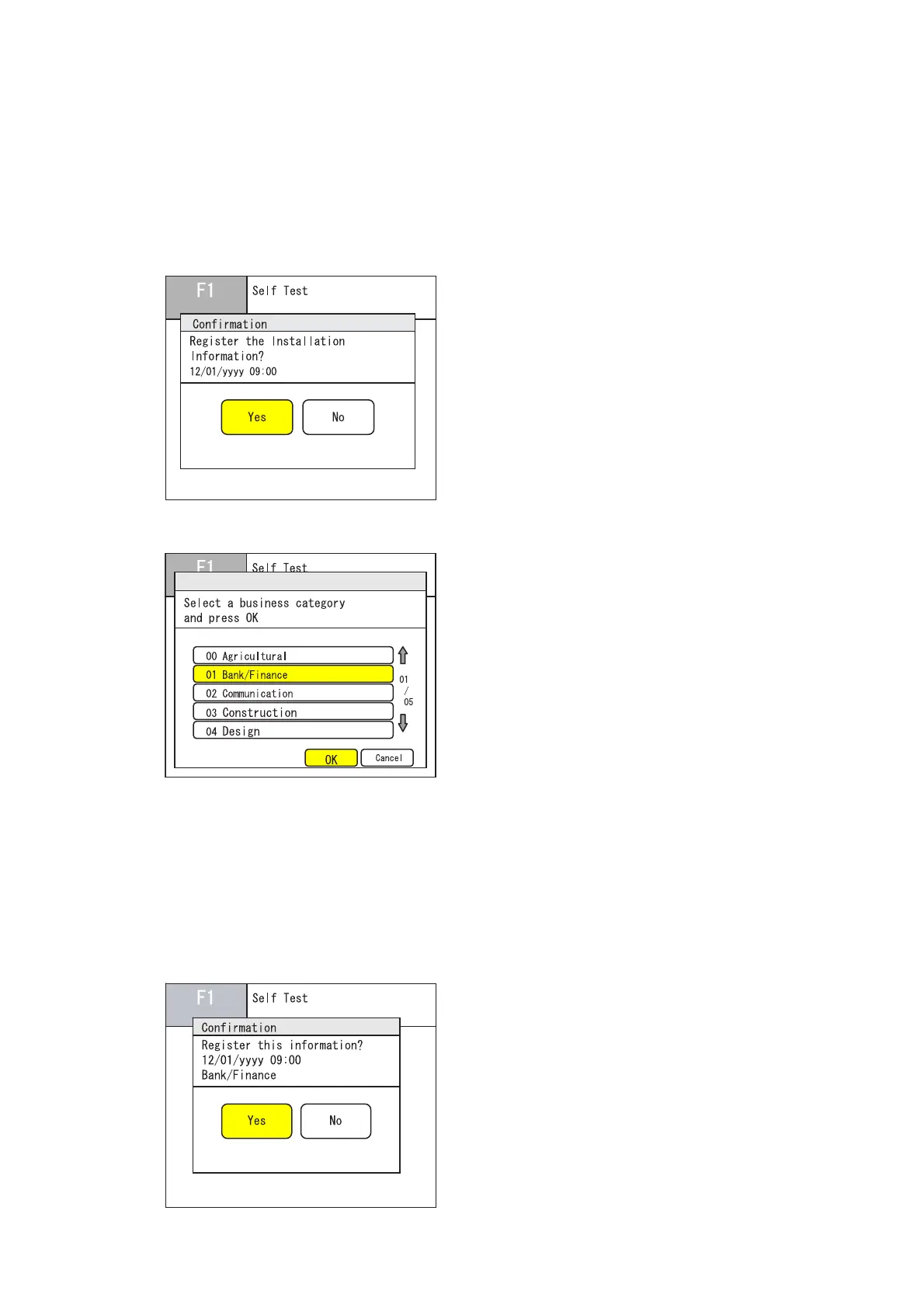
3. Select the “Yes” button to Register the Installation Date.
4. Select a business category, and then select the “OK” button on the Touch Panel display.
The LCD displays 5 Business Categories on the screen, and there are 5 screens in total.
(i.e. 00 Agricultural, 01 Bank/Finance, 02 Communication, 03 Construction, 04 Design, 05 Distribution/
Retailer, 06 Education/Library, 07 Federal Government, 08 Fishing, 09 Forestry, 10 Manufacturing, 11
Medical, 12 Mining, 13 Non Profit, 14 Post Office, 15 Public Works, 16 Real Estate, 17 Religious/
Church, 18 Restaurant/Hotel, 19 State/Local Government, 20 Traffic/Warehouse, 21 Others)
5. Select the “Yes” button to Register the information. Then exit to the initial screen of the F1 Service
Mode.



 To Next Page