678
DP-C405/C305/C265
FEB 2008Ver. 1.1
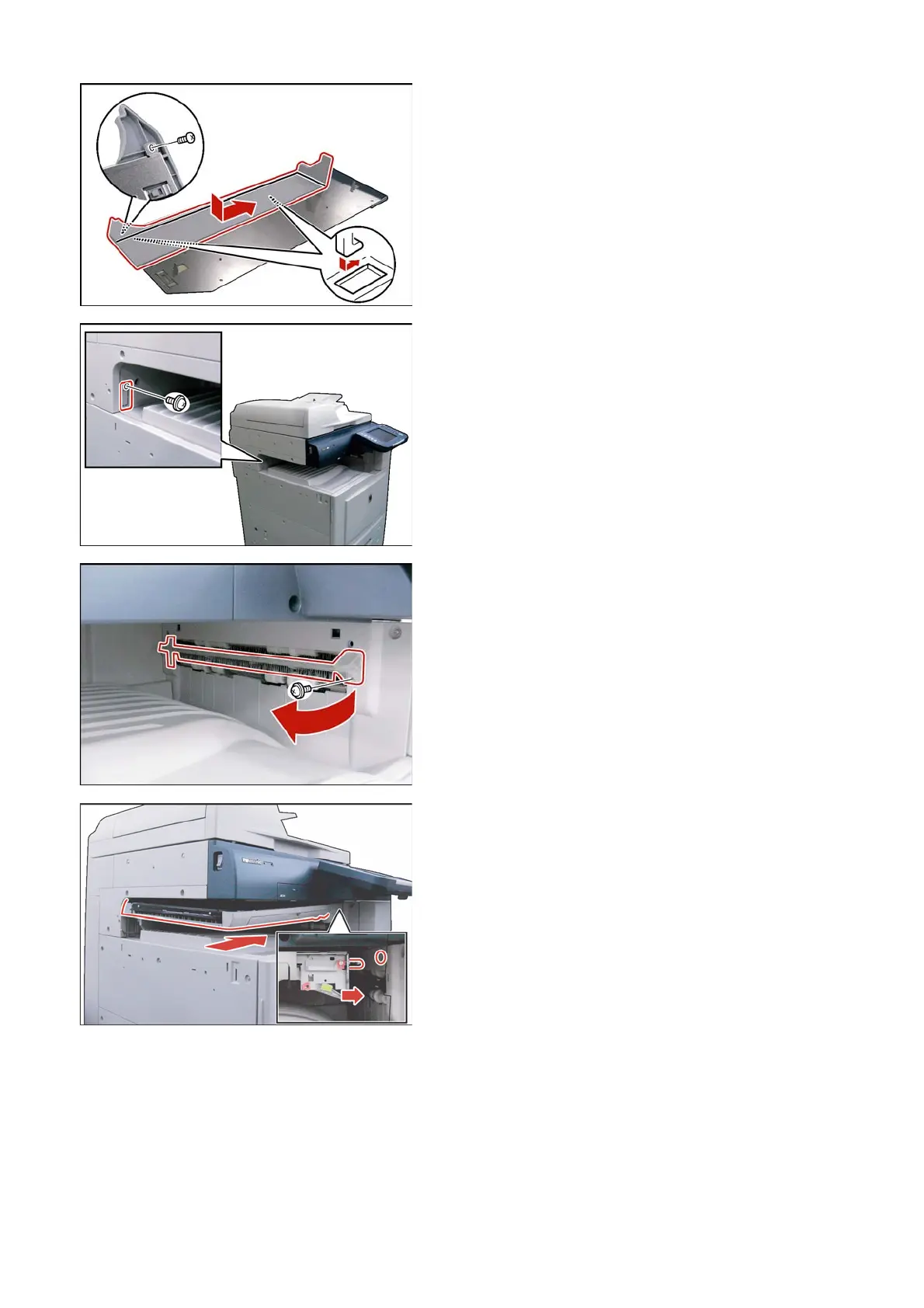
(3) Install the Bracket Cover over the Bracket.
(4) Do not use force to secure the Bracket Cover
with 1 Screw (Short A).
Note:
Do not tighten the Screw (Short A) too tight, as it
may crack the plastic. Refer to the specified
Torque in the table above.
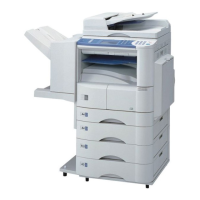
(5) Remove 1 Screw.
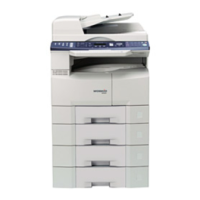
(6) Remove the Connector Cover.
(7) Remove 1 Screw.
(8) Remove the Exit Sub Guide.
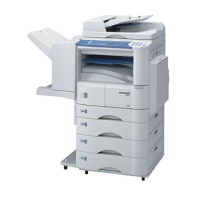
(9) Install the Paper Transport Unit as illustrated.


 To Next Page