User’s Manual of IGS-4215-16T2S
4.4.5 LACP Port Setting
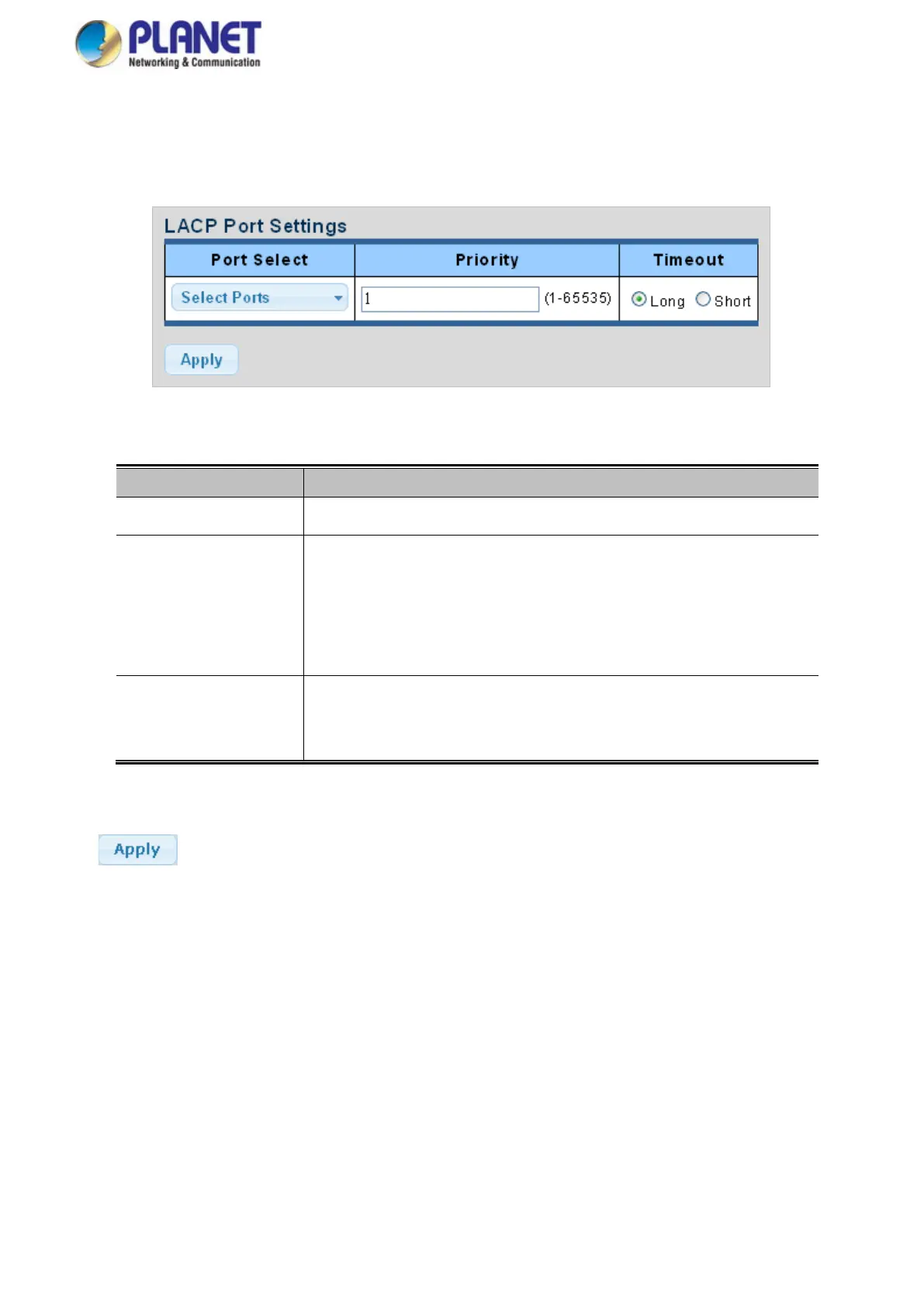
This page is used to configure the LACP port setting. The LACP Port Setting screens in Figure 4-4-10 and Figure 4-4-11
appear.
Figure 4-4-10: LACP Port Setting Page Screenshot
The page includes the following fields:
Object Description
• Port Select
Select port number for this drop-down list to set LACP port setting.
• Priority
The Priority controls the priority of the port.
If the LACP partner wants to form a larger group than is supported by this device,
then this parameter will control which ports will be active and which ports will be
in a backup role.
Lower number means greater priority.
• Timeout
The Timeout controls the period between BPDU transmissions.
Short will transmit LACP packets each second, while Long will wait for 30
seconds before sending an LACP packet.
Buttons
: Click to apply changes.



 To Next Page
 Loading...









