To display special characters, press Alt. Press Alt again to return to the
normal view.
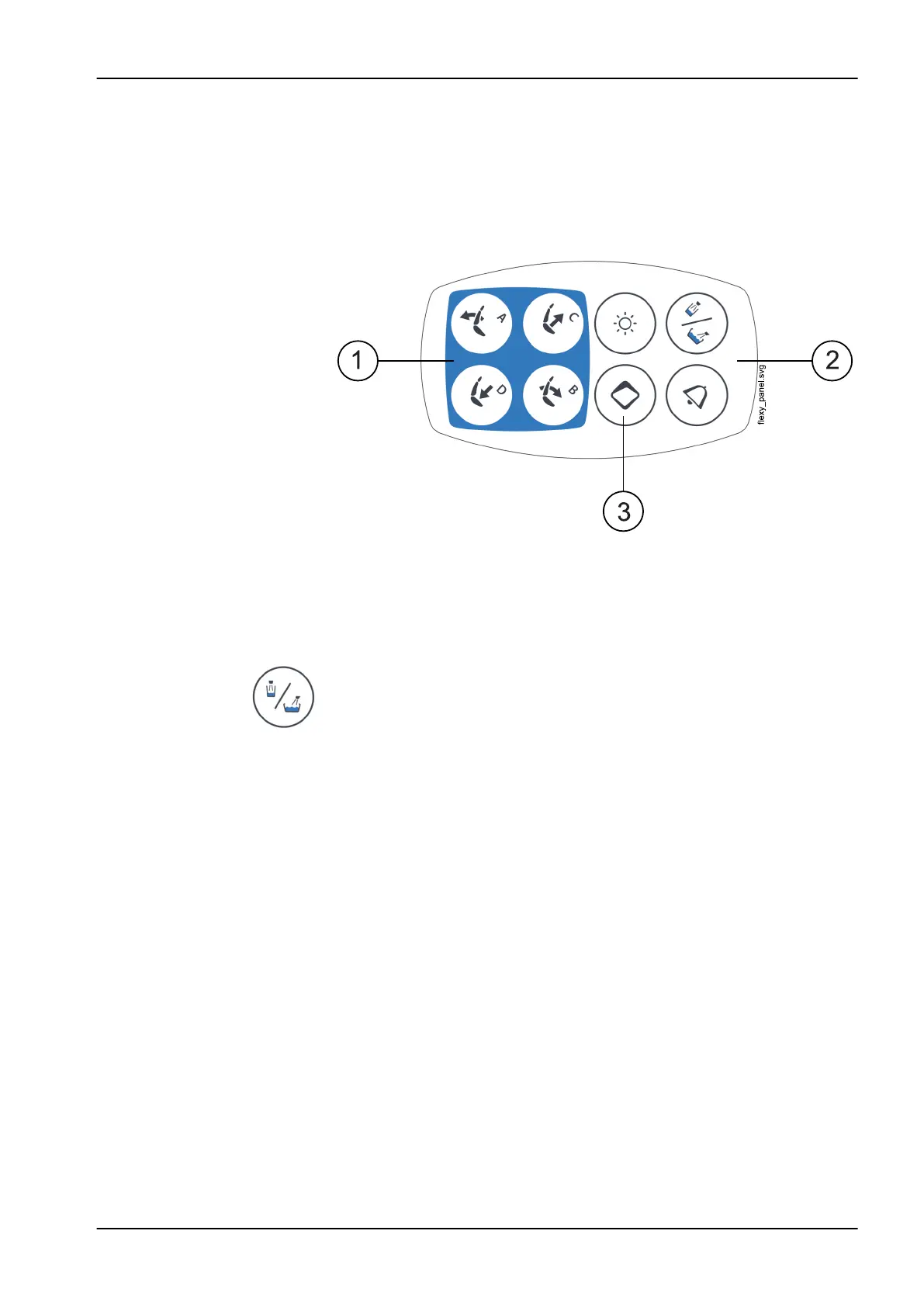
13.2 Control panel on Flexy-holder
The control panel on the Flexy-holder is used for controlling the dental unit
and the chair.
1. Chair buttons
2. Unit buttons
3. Flexy button
NOTE
The Cup fill / Bowl rinse button has no function.
The function behind the Flexy button can be programmed by the service
technician. Depending on what has been programmed, you can do one of
the following by pressing the Flexy button:
• activate/deactivate the intraoral camera
• drive the chair to the entry/exit position (default)
• lock/unlock the touch display
• turn the suction on/off
• turn the operating light’s composite mode on/off (short press) or adjust
its intensity (long press)
• activate/deactivate the apex locator
• change the light tone of the operating light
• turn Planmeca Solanna Vision video streaming on/off
• start/stop Planmeca Solanna Vision video recording
• capture an image with the Planmeca Solanna Vision camera
• open/close the Planmeca Solanna Vision window.
For more information, contact your Planmeca dealer.
13 Control panel
User's manual Planmeca Compact i3 55












 To Next Page