P a g e | 64 P o o l C o p M a n u a l : V 4 2 EN
www.poolcop.com PCFR
Manual Valve Control
Valve positions can be selected manually as required. The pump is automatically stopped when a new valve position is selected to
allow valve rotation. Filtration programming always has priority over a manually selected valve position. If left in any position except
filter, when the next filtration cycle is activated, the pump will stop if ON, and the valve will rotate to Filter position, and then the
pump will run the programmed filtration cycle.
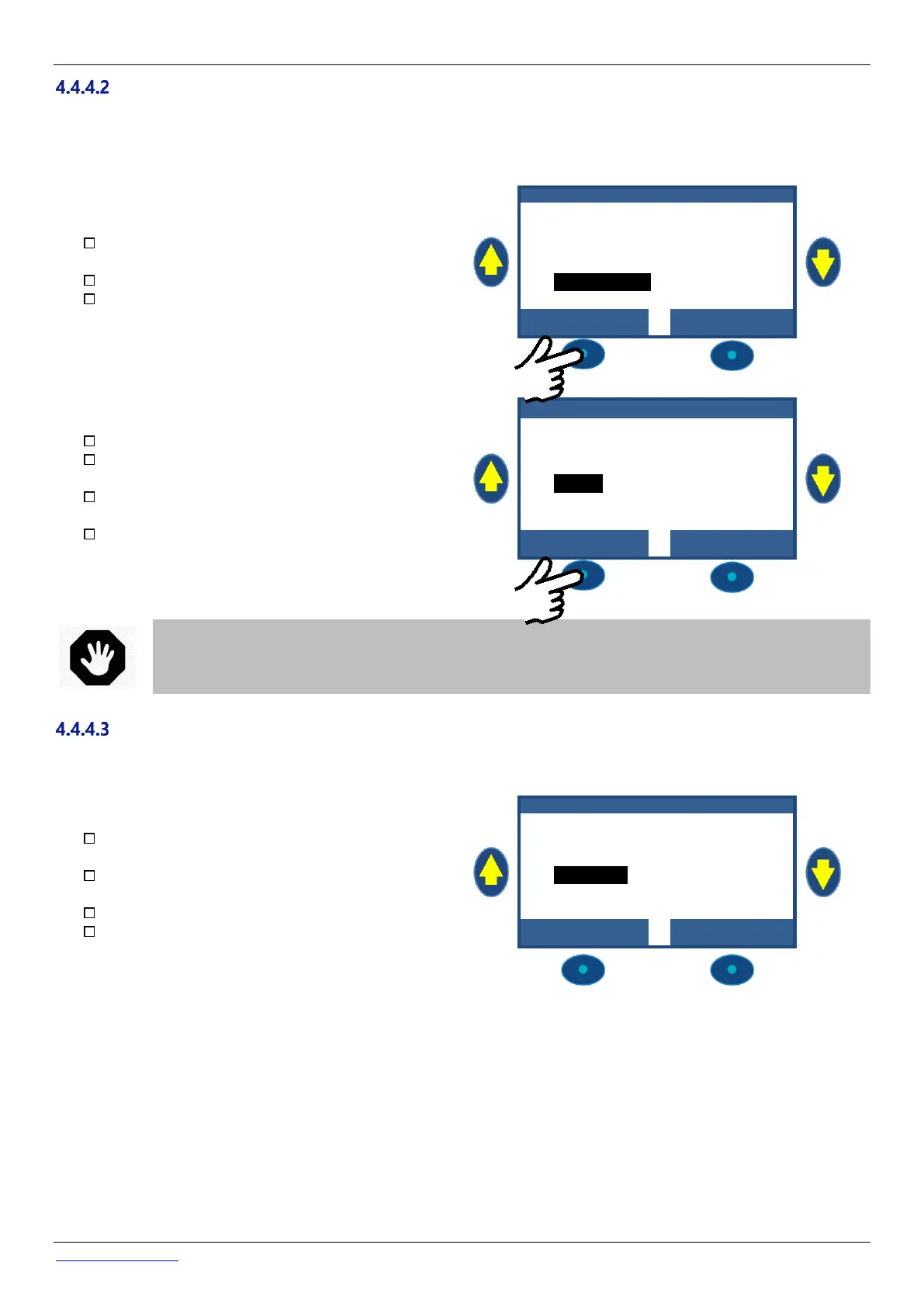
Press MENU: POOLCOP MENU displays (MANUAL
CONTROL preselected).
Press SELECT: MANUAL CONTROL displays.
Scroll UP and DOWN: place cursor at VALVE
ROTATION.
M A N U A L C O N T R O L
Press SELECT: VALVE ROTATION displays.
Scroll UP and DOWN: place cursor at desired valve
position.
Press SELECT: the pump will stop if ON, and the valve
will be rotated to the desired position.
The pump can now be started as required from the
PUMP menu.
V A L V E R O T A T I O N
WARNING:
In positions Waste, Backwash or Rinse, pool water level will reduce. Water level will continue to reduce until
the pump is stopped manually, the next filtration cycle starts or pump loose its prime.
Before draining water or reducing level, establish that the quantity of water evacuated poses no risk.
Carry out a Clean Filter cycle
Proper filter cleaning ensures that the filter operates very near optimum efficiency; this ensures a clean, healthy pool and greatly
reduces running costs. Properly programmed, your PoolCop will clean the filter when it senses that the filter is getting clogged.
To carry out additional Clean Filter cycles, navigate to
MANUAL CONTROL.
Scroll UP and DOWN to place cursor at CLEAN
FILTER.
Press SELECT; a confirmation screen displays.
Press SELECT again, and a filter cleaning cycle will be
carried out.
M A N U A L C O N T R O L
Your PoolCop now automatically controls the pump and filter system to carry out a backwash and a rinse cycle based on settings
programmed. The display will show progress and pressures as your PoolCop cleans the filter automatically. Once the cycle is
complete, the system returns to normal operation.
During the BACKWASH phase, to advance to RINSE prior to expiration of the programmed duration, press the RINSE button.
During the BACKWASH phase, the cycle can be interrupted by pressing the QUIT button.
During the RINSE phase, to terminate the cycle prior to expiration of the programmed duration, press the QUIT button.
If filtration was running before cleaning, the pump will automatically switch ON when the filter cleaning cycle completes to resume
filtration cycle.



 To Next Page