Page 11-2 LTV
®
Series ventilator Operator’s Manual
p/n 10664, Rev. Y
1) Disconnect the patient from the ventilator and ventilate the patient using an alternative method.
2) Turn the ventilator off.
3) Ensure that the AC Adapter is connected to a valid AC power source and verify that the External
Power and Charge Status LEDs are illuminated.
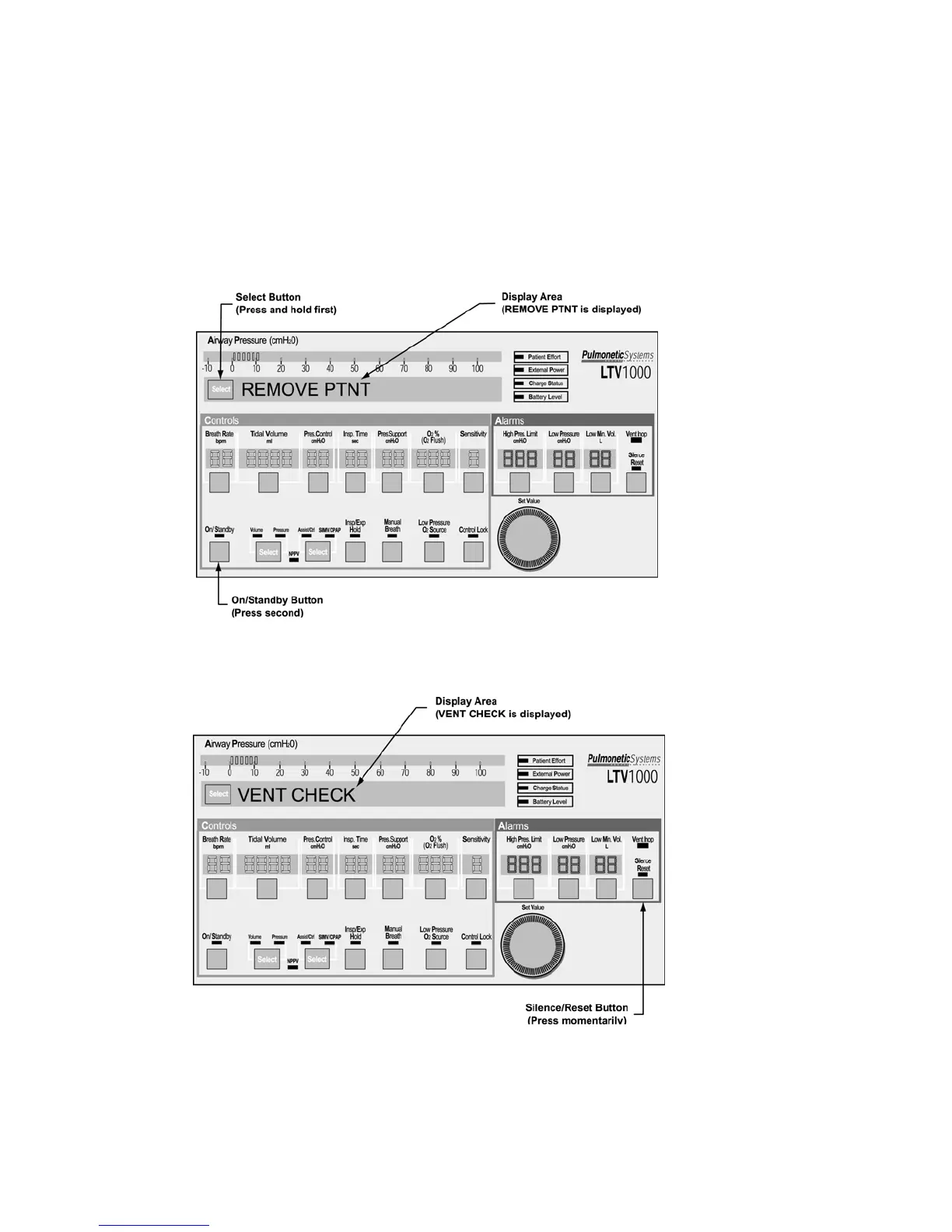
4) Push and hold the Select button. Continue to hold the Select button and press the On/Standby
button. REMOVE PTNT should be displayed; if not, power down the ventilator and repeat steps
2 through 4.
5) An audible alarm (alternating on/off tone) will sound while REMOVE PTNT is displayed.
6) Clear the alarm by pressing the Silence/Reset button. The audible alarm silences, and the
display changes to VENT CHECK.
7) Push the Select button. The first Ventilator Checkout Test, ALARM, is displayed.



 To Next Page