Operator’s Manual LTV
®
Series ventilator Page C-5
p/n 10664, Rev. Y
To Remove the Lower Protective Boot
84
:
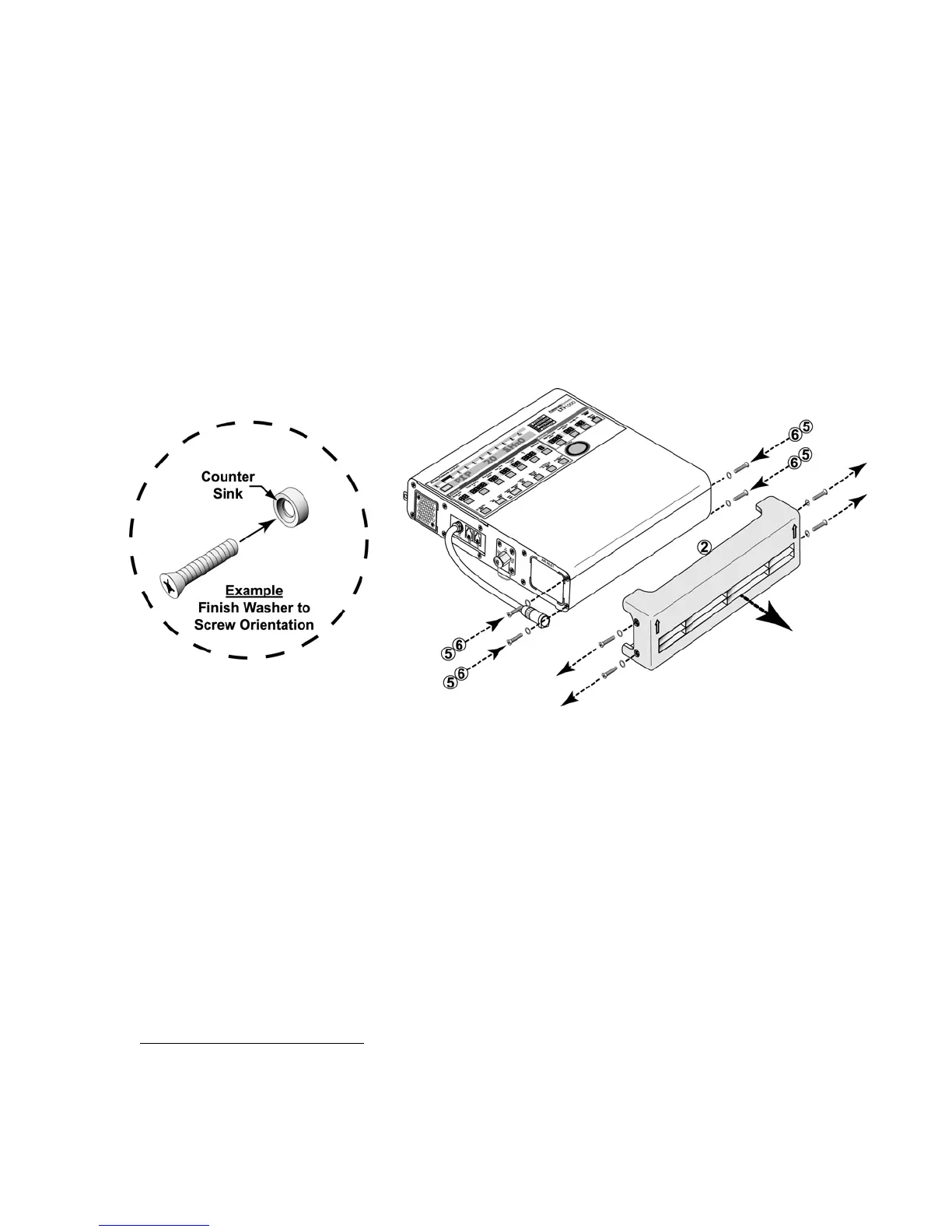
1) Lay the ventilator down (front up) and use a Phillips-head screwdriver to remove the four flat-
head mounting screws and finish washers in the sides of the lower protective boot (d), as
indicated in the illustration.
2) Remove the lower boot (d) and insert and thread four #4-40 X 1/4” flat-head mounting screws
(g) with finish washers (h) into the screw holes in the ventilator’s side panels, as indicated in
the illustration.
• Finish washers (h) should be already in place.
3) Torque tighten all four screws to 20 in-oz (0.14 Nm) (do not over tighten to avoid damage to the
finish washers).
• Item c, Protective Boot, Upper (1), P/N 11421
• Item d, Protective Boot, Lower (1), P/N 11420
• Item e, #4-40 X 3/16” Pan-head screw (1), P/N 10438
85
• Item f, #4-40 X 1/4” Pan-head mounting screws (2), P/N 10435
85
• Item g, #4-40 X 1/4” Flat-head mounting screws (6), P/N 10430
85
• Item h, Finish Washers (6), P/N 10191, 19119-001, or 19119-002
85
84
Refer to Appendix C for information concerning the appropriate accessories mounting screws or accessories
replacement screws location, type and length to use when removing or exchanging external accessories on
an LTV® Series ventilator.
85
Contained in Pulmonetic Systems Replacement Screws kit, P/N 11149.



 To Next Page