Drive Setup CDHD
128 User Manual
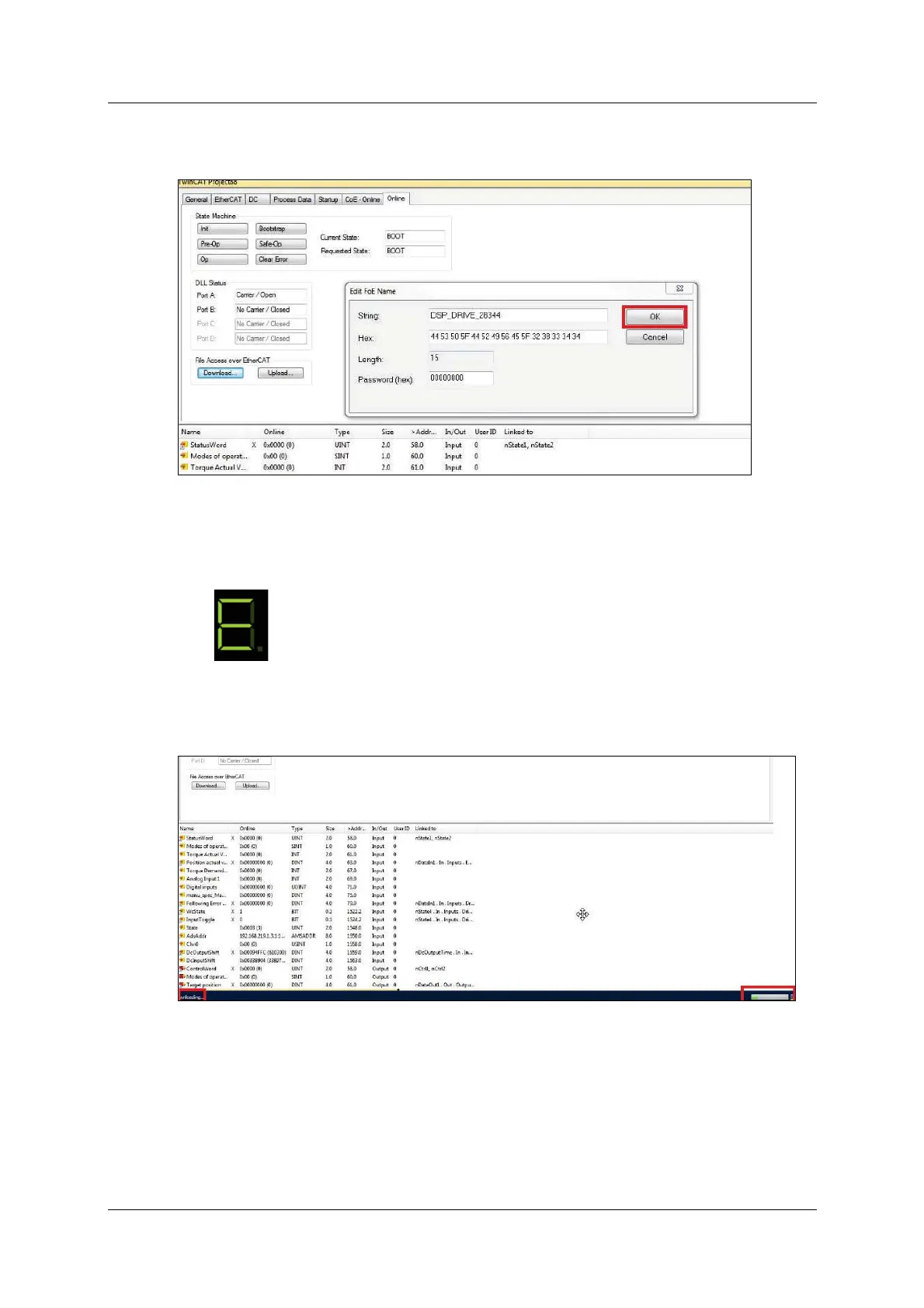
7 . The Edit FoE Name dialog box opens.
Do not change anything in this dialog box. Sim ply click OK.
Figur e 5 - 3 5 .
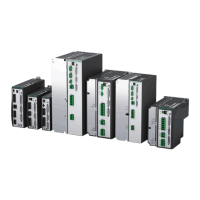
8 . The firm ware updat e process begins.
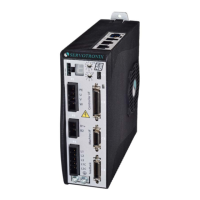
E is displayed on t he CDHD 7-segment display panel.
In the TwinCAT status bar at the bottom of the screen, Dow nloa ding is
displayed at the left, and a progress bar is displayed at the right.
Figur e 5 - 3 6 .


 To Next Page