CDHD Application Setup
User Manual 153
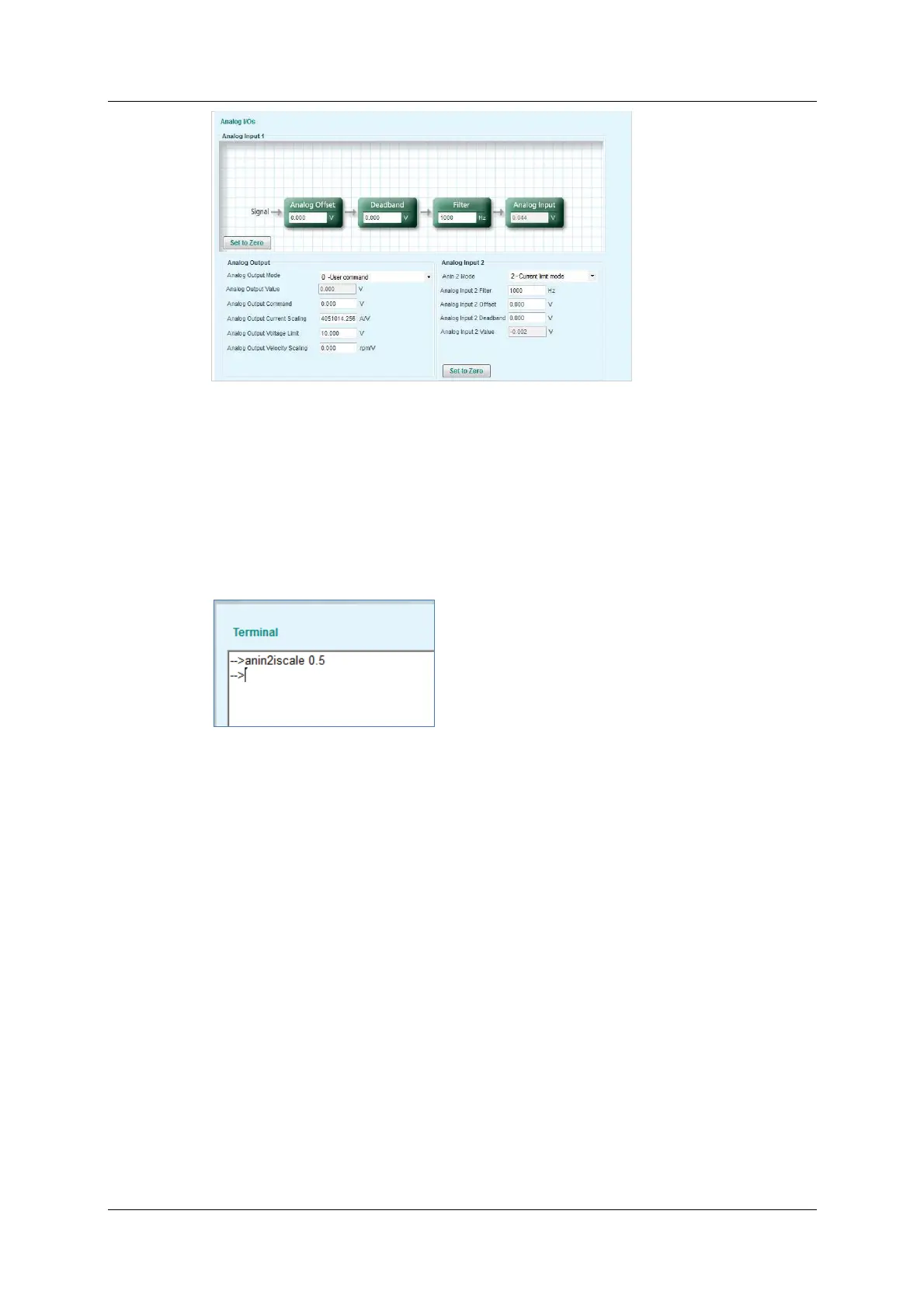
Figure 6 - 1 7 . Analog I nput 2 as Curr e nt Lim it e r
4 . Define the scaling of t he Analog Current com m and.
Open Te r m in al.
Define the param eter ANI N2I SCALE to set the scaling of the analog current
com m and from input 2.
I n the example shown here, scaling is 0.5A per each volt . The drive will
calculate the current limit accordingly.
Figure 6 - 1 8 . Analog Curr e nt Scaling
N ote: Since both drive param eter ILIM and analog input 2 define current lim it,
the drive recognizes the lower value of the two as the current limit at
any given time. To read the actual limit, use ILIMACT.
N ote: Drive param eters ACC and DEC provide the limits for acceleration and
deceleration, respectively. I f analog input 1 (when used for velocit y
com mands) generates a rate greater than ACC or DEC, the drive will
not ex ceed the values of ACC and DEC.
6 .1 2 Analog Output
The CDHD also has an analog output that can be set to output a voltage
equivalent t o the value of cert ain param et ers.
Use the ServoStudio Analog Ou t put pane in the Analog I Os screen to set the
analog output propert ies and t o m onit or the output value.
The following param eters are used to configure and monitor the analog output.



 To Next Page