Application Setup CDHD
152 User Manual
Va rCom Descr iption
ANI N2DB
The deadband range of analog input 2. This is useful for
preventing the drive from responding t o volt age noise near
t he zero point of the analog input .
ANI N2 The voltage at the analog input. Read only.
ANI N2ZERO
Causes the value of the analog input 2 signal to become 0
by modifying the analog offset value.
6 .1 1 .3 Using Analog I nput s for Velocit y Com m a nd a nd Cu rr en t
Lim it
Procedu re – Using Analog I nput s as Velocity Com m and and Cur r ent Lim it
Use the following procedure in ServoStudio to configure the CDHD to work with
ana log input 1 as the velocity comm and and analog input 2 as the current
lim it.
1 . Define t he Operation Mode.
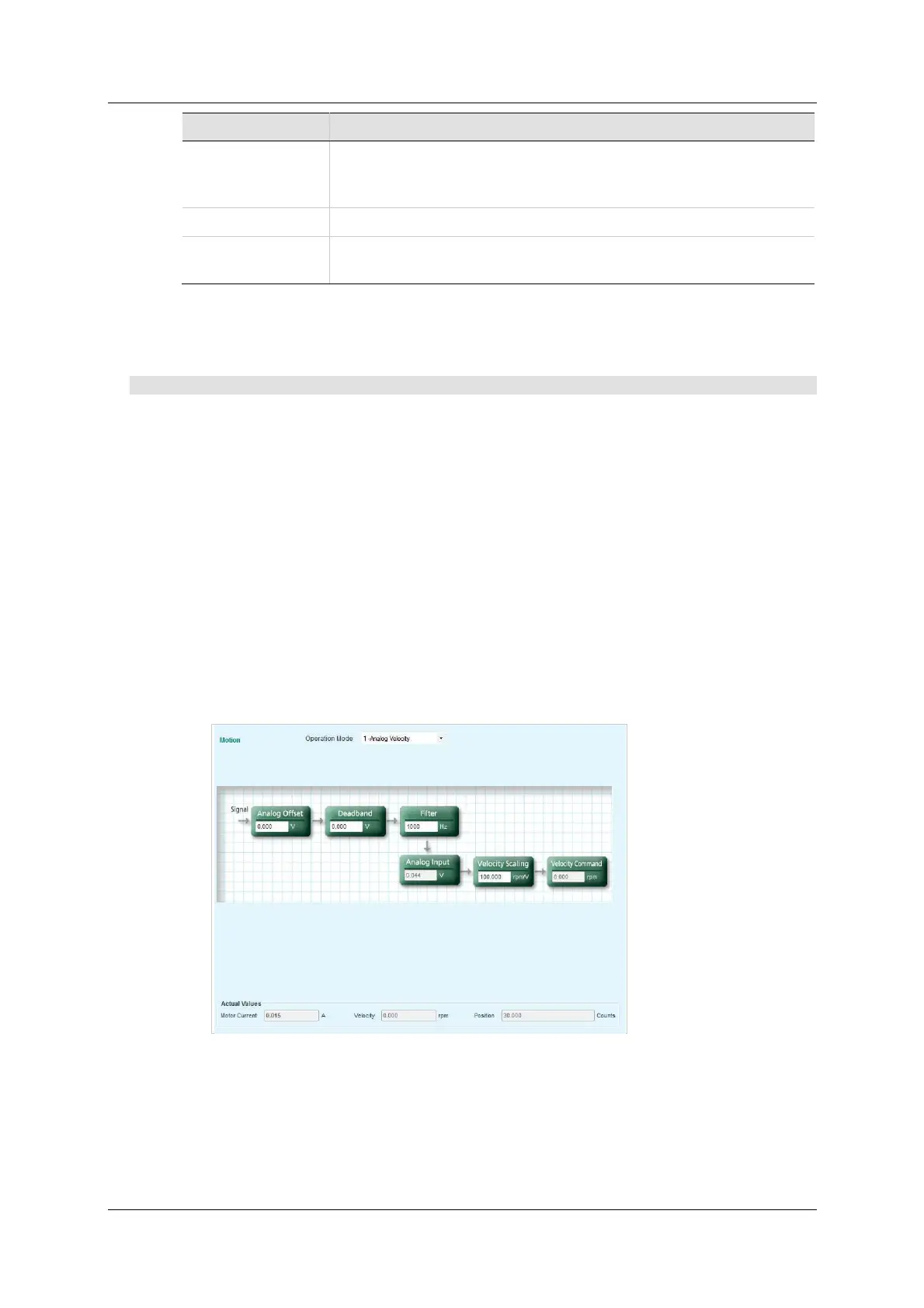
Activat e the M ot ion screen, and select Operation m ode: Ana log Velocit y
(OPMODE 1).
When working in Analog Velocity mode, a signal is applied to analog input 1,
and the drive translates it into a velocity command.
2 . Define t he Velocity com m and scaling.
Velocity com m and scaling is a user-defined ratio, which the drive uses to
translate the analog input into a velocity com mand.
I n the exam ple shown here, scaling is set to generate a velocity comm and
of 100 rpm per each volt.
Figure 6 - 1 6 . V e locit y Com m a n d Scaling
3 . Define the function of Analog Input 2.
Activat e the An a log I / Os screen.
Define analog input 2 as the current lim iter: in the Analog I nput 2 pane,
select Curre nt Lim it mode (ANIN2MODE 2).



 To Next Page