Y070.302/EN Page 43
Operation instructions
SIPOS SEVEN: PROFITRON, HiMod
7
Commissioning
7 Commissioning
7�3 Valve parameters
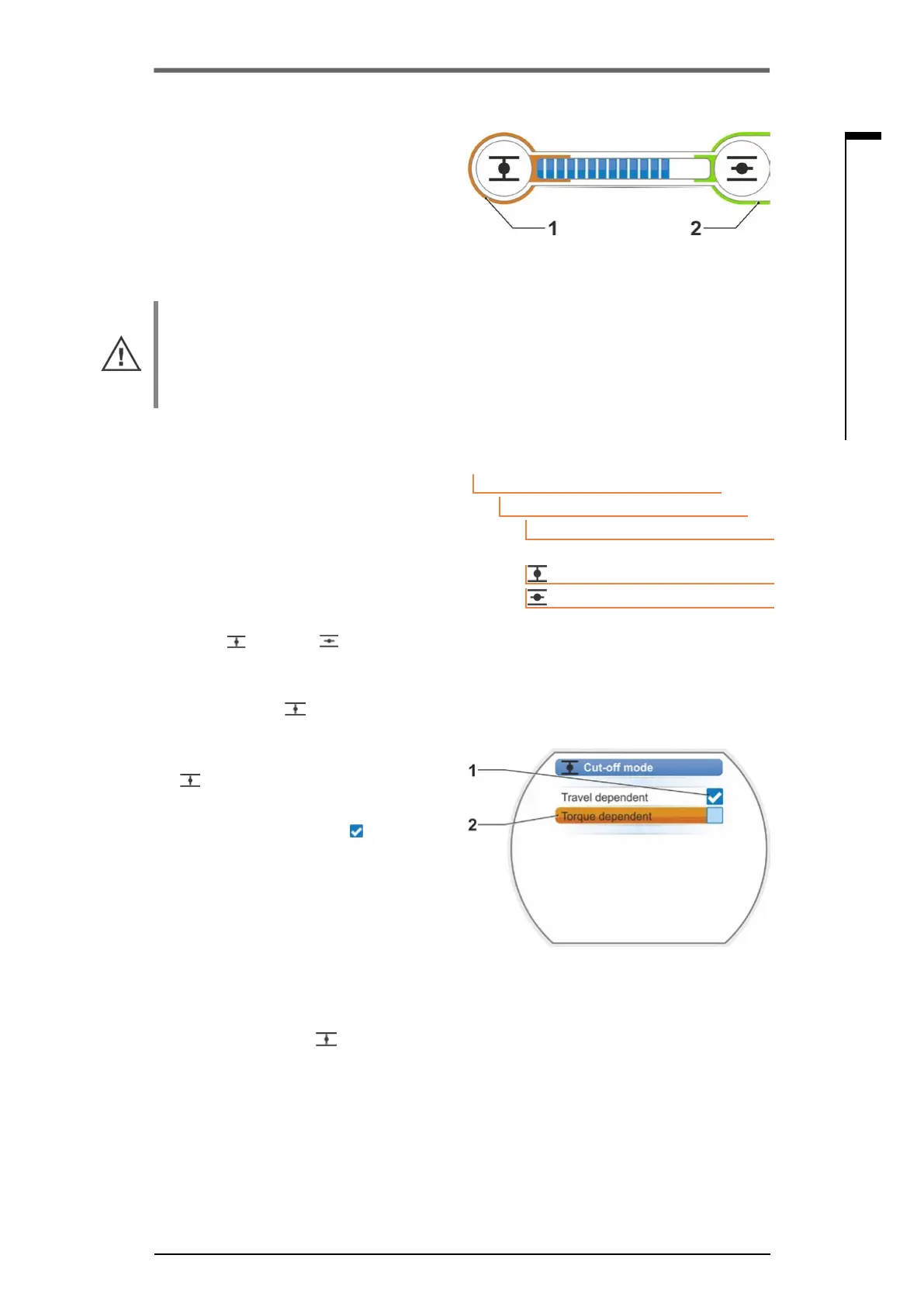
The set cut-off mode in the respective end posi-
tionisshowninthedisplay,refertog.:
■
item 1 = torque-dependent
■
item 2 = travel-dependent.
Default value for the cut-off mode of both end
positions, OPEN and CLOSED, is travel-depen-
dent�
■
After each change of the cut-off mode, the
end position setting has to be performed
again.
■
If a cut-off mode or a torque/force setting is
selected that is not appropriate for the valve,
the valve may be damaged!
Operation sequence
1. Select “Parameter” menu item in the "Main
menu".
The ‘Parameter’ menu opens.
2. Select 'Valve' menu item.
The parameters (blue writing) with the cur-
rent setting (parameter value) are displayed.
3. Turn Drive Controller until the settings for
CLOSE
and OPEN are displayed at
"Cut-off mode“ parameter.
If, for example. the setting for end position
CLOSED are to be changed, set marker to
symbol CLOSED .
4. Conrmselection(pressDriveController).
Display changes to "Cut-off mode"
„
setting menu and shows both options;
"travel dependent" and "torque dependent“,
refertog.
The current setting is ticked (g.2,
item 1).
5. Set the selection marker to desired setting
(item2)andconrm.
A message is displayed that the end posi-
tions have to be readjusted when changing
the cut-off mode.
6. Click"Yes"toconrm.
Display returns to the ´"Valve" menu and the
current(modied)settingisdisplayedfor
"Cut-off mode CLOSE
".
7. The operation for changing the cut-off mode
in end position OPEN applies accordingly
(from operation step 3).
Fig�: Indication of cut-off mode
1 = torque dependent
2 = travel dependent
Main menu
Parameter
Valve
Travel dependent
Travel dependent
Cut-off mode
Fig� 2: Cut-off mode in end position
CLOSED setting menu
Fig� 1: Navigation to "Cut-off mode”
parameter



 To Next Page