Operation instructions
SIPOS SEVEN: PROFITRON, HiMod
Page 54 Y070.302/EN
7 Commissioning
7.4. End positions – Signaling gear
7
Commissioning
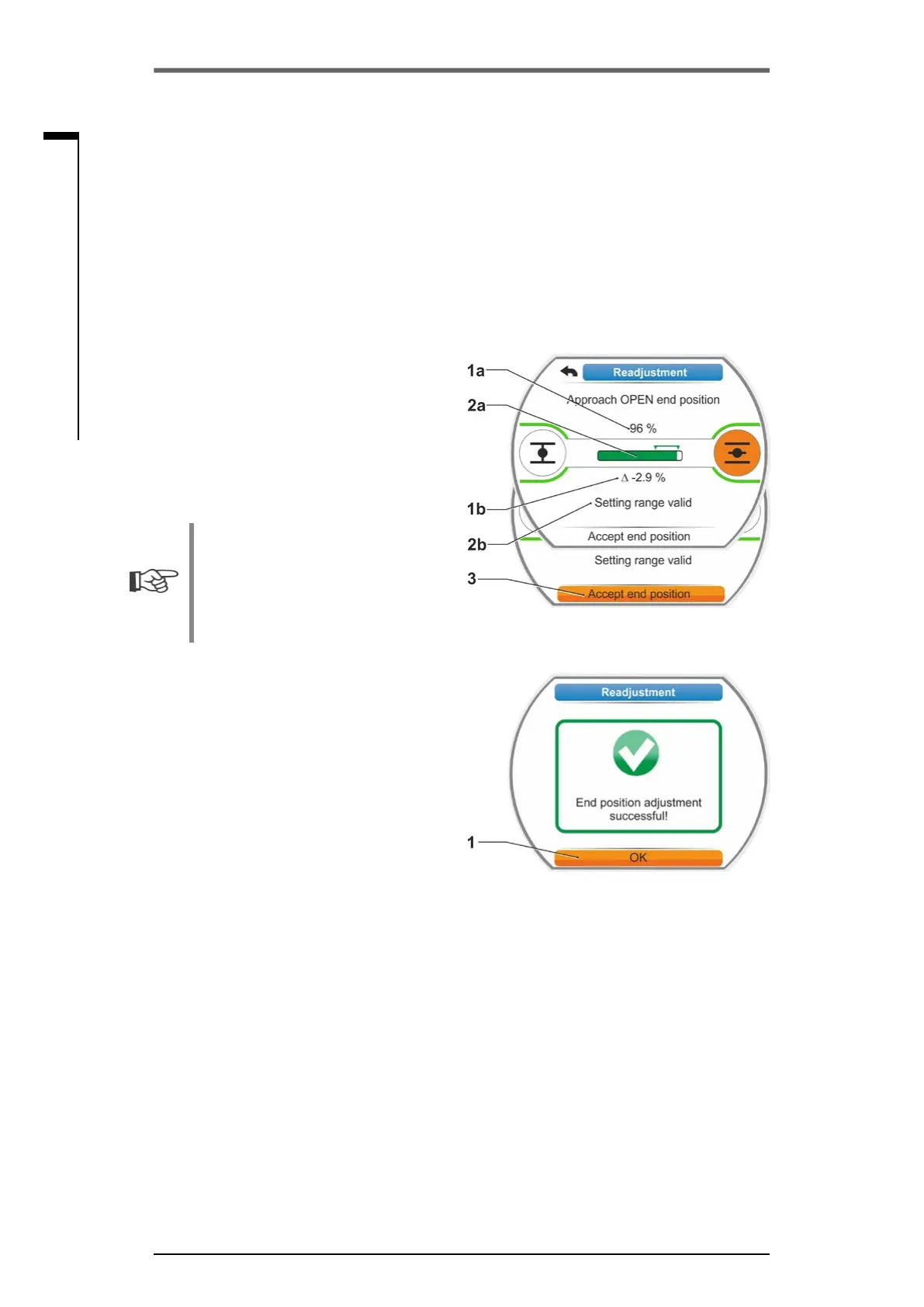
6. Move actuator to new end position.
■
Travel dependent cut-off mode:
Hold down Drive Controller until new end
position is reached. Changing the opera-
tiondirectionenablesneadjustment.
Once the value is outside the valid adjust-
ment range, the color of the progress
bar changes. Refer also to instruction in
chapter ’Procedure for initial ...‘ on page
Page 51.
■
Torque-dependent cut-off mode:
Readjustment of the end positions in
torque dependent cut-off mode might
become necessary in exceptional cases
if, e.g. the ‘Adaptive end position’ function
is switched of or a deviation up to 0.7 % is
to be corrected (refer also to Page 91).
Hold down Drive Controller for more than
3 s. The actuator automatically moves until
reaching the end position, refer also to the
following note:
When pressing the Drive Controller for a
shorttime(<2s),theactuatormovesas
long as the Drive Controller is pressed. If
the actuator is operated, i.e. by pressing
the buttons repeatedly for a short time,
torque dependent cut-off is not immedi-
ately performed.
The display indicates the valid adjustment
range as well as the change in percent com-
pared to the overall travel covered so far as
well as the deviation up to the previous end
position.
7. Set selection marker to ”Accept end position“
(g.4,item3)andconrm.
Asignalconrmssuccessfulreadjustment.
8. Conrm’OK‘(g.5,item1).
Display changes to ‘End position’ menu.
Fig� 4: Accept new end position
Fig� 5: End position readjustment correct



 To Next Page