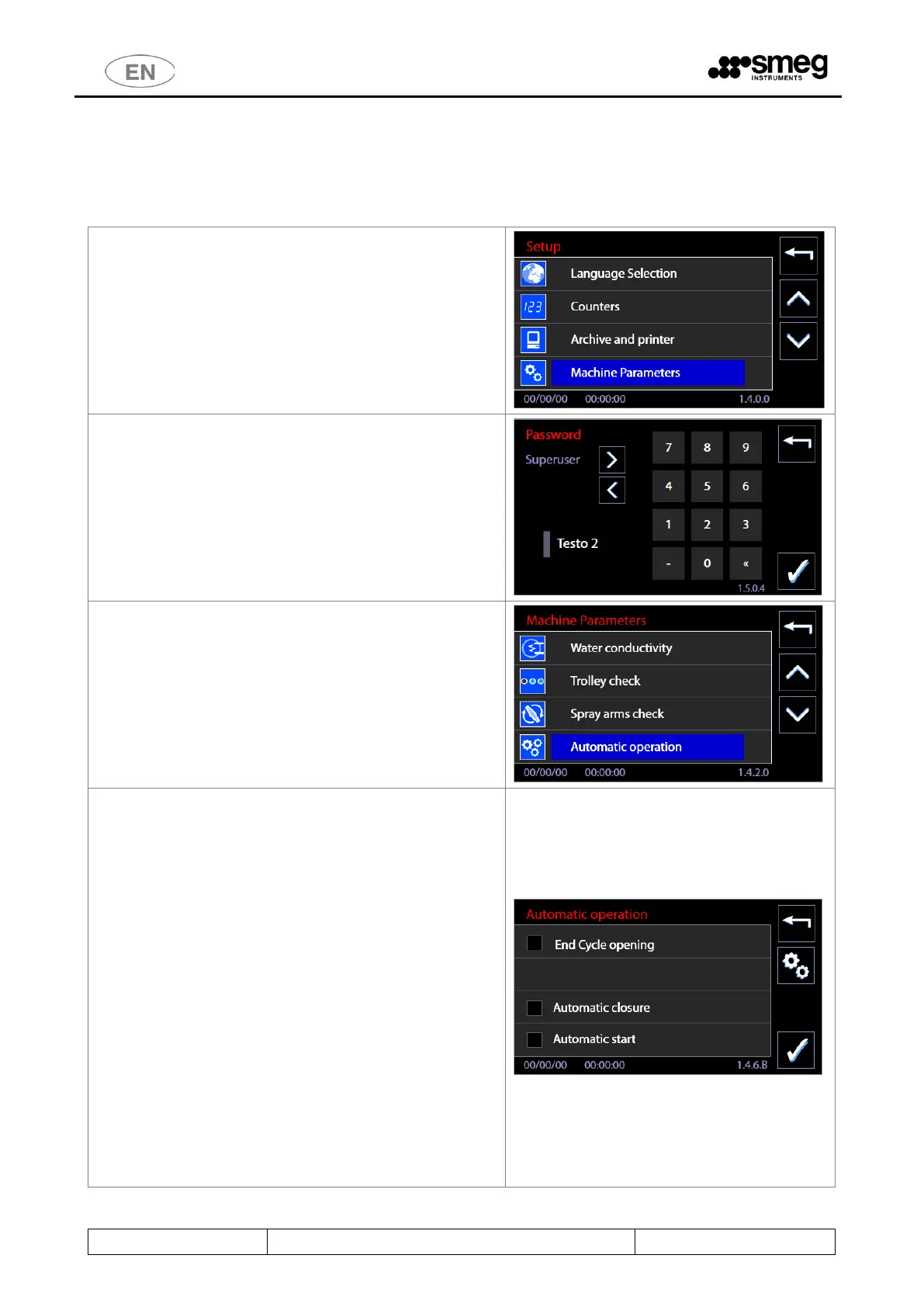
11.15 AUTOMATIC OPERATION - ID.146B
This screen can be accessed by superuser level or above and allows activation of some device automatic
mechanisms associated to opening and closing of the doors. N.B.: the screen is only accessible for devices
with sliding doors.
The following options can be activated for automatic
operation:
1. Opening at end of cycle
2. Automatic closing
3. Automatic start
Opening at end of cycle
If the option is active, the unloading door is opened
automatically at the end of a successfully completed cycle.
Automatic closing
If selected: once the rack has been loaded into the device
correctly, after a short waiting timeout closure of the loading
door is activated automatically.
[This option can only be activated correctly if the "Trolley
check" optional is installed, enabling the device to detect the
rack's presence and position].
Automatic start
If selected, it means that the washing cycle is started with no
intervention from the user except correct loading of the rack.
[It is only visible and can only be activated if the “Trolley
check” optional is present with "Binding program" operating
mode].



 To Next Page