6.6 DOOR OPENING, DOOR CLOSING
Devices with hinged doors: the machine is equipped with an automatic door lock system.
Machine with automatic sliding doors: the machine is equipped with an automatic door opening and
closure system.
Below is the procedure to open the door of the device:
• Connect the machine to the electricity source.
• Switch the disconnector ON.
• Check that the bottom door giving access to the detergent compartment is properly closed.
• Wait for the device to start.
• Unlock / open the door from the touch screen.
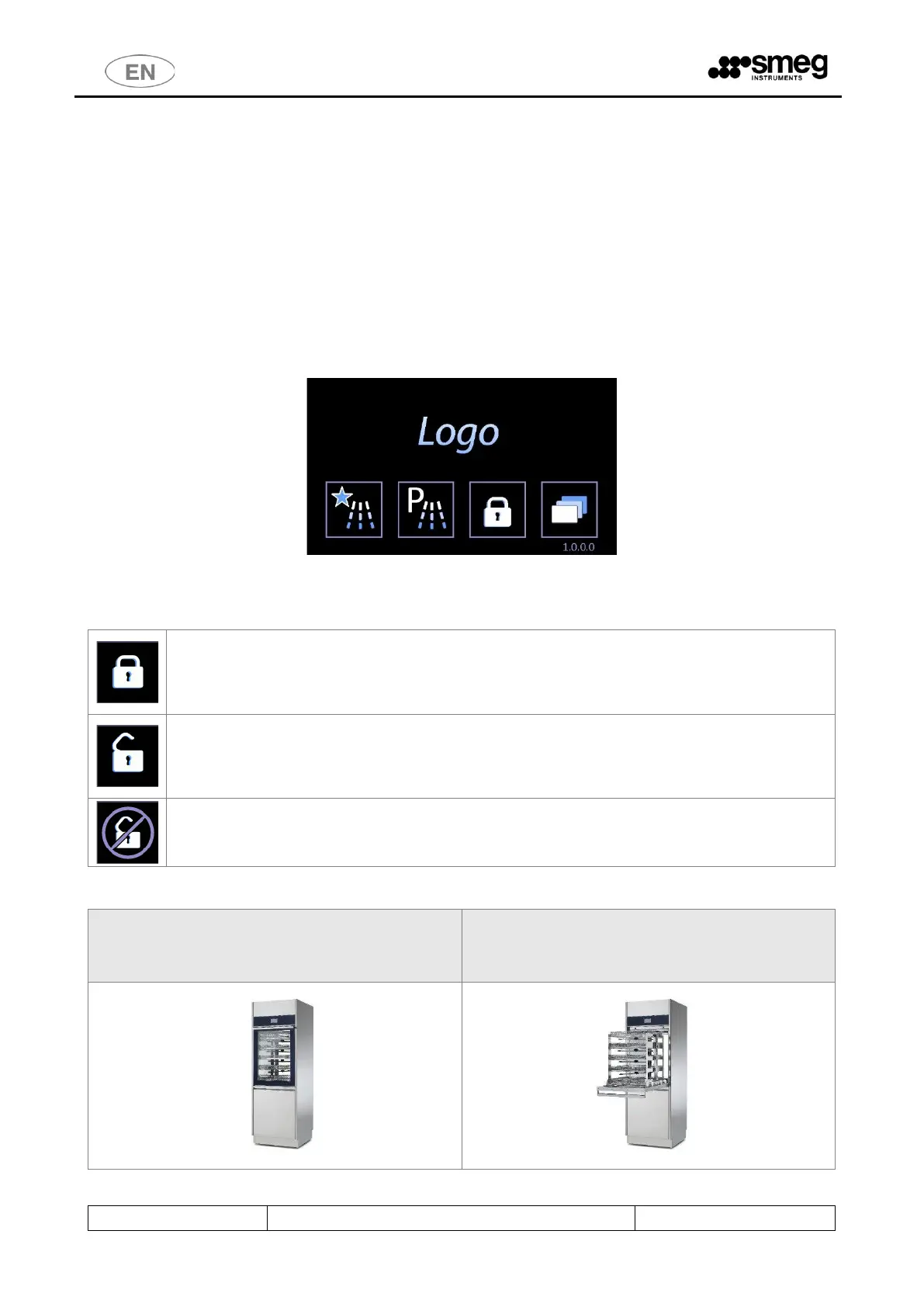
The device is equipped with a touch screen user interface, below is the home screen:
The actions correlated to the buttons differ slightly depending on the model being used.
6.6.1 WD6010
Button for DOOR UNLOCK. The closed lock means “locked door”. Please do not manually
force the door if the button is active.
“Double door” machine: a door can be unlocked only if the opposite side door is closed and
locked.
LOCK BLOCK: Button to activate door-locking mechanism.
The door must be closed in order to be locked.
If the lock is open, the machine is unlocked: it is possible to open the door by pulling the
handle.
Open door. If the door is open the door-locking and unlocking mechanism cannot work. The
display shows the symbol aside. Close the door manually to activate the locks.
To open the door without connecting the machine to electricity (i.e. in case of emergency or power failure,
it is necessary to use the manual unlock system (see next paragraph).
If the machine door is closed, it can be locked or
unlocked with the touch screen.
If the machine door is open, it is not possible to
activate / deactivate the safety door-locking
mechanism.



 To Next Page