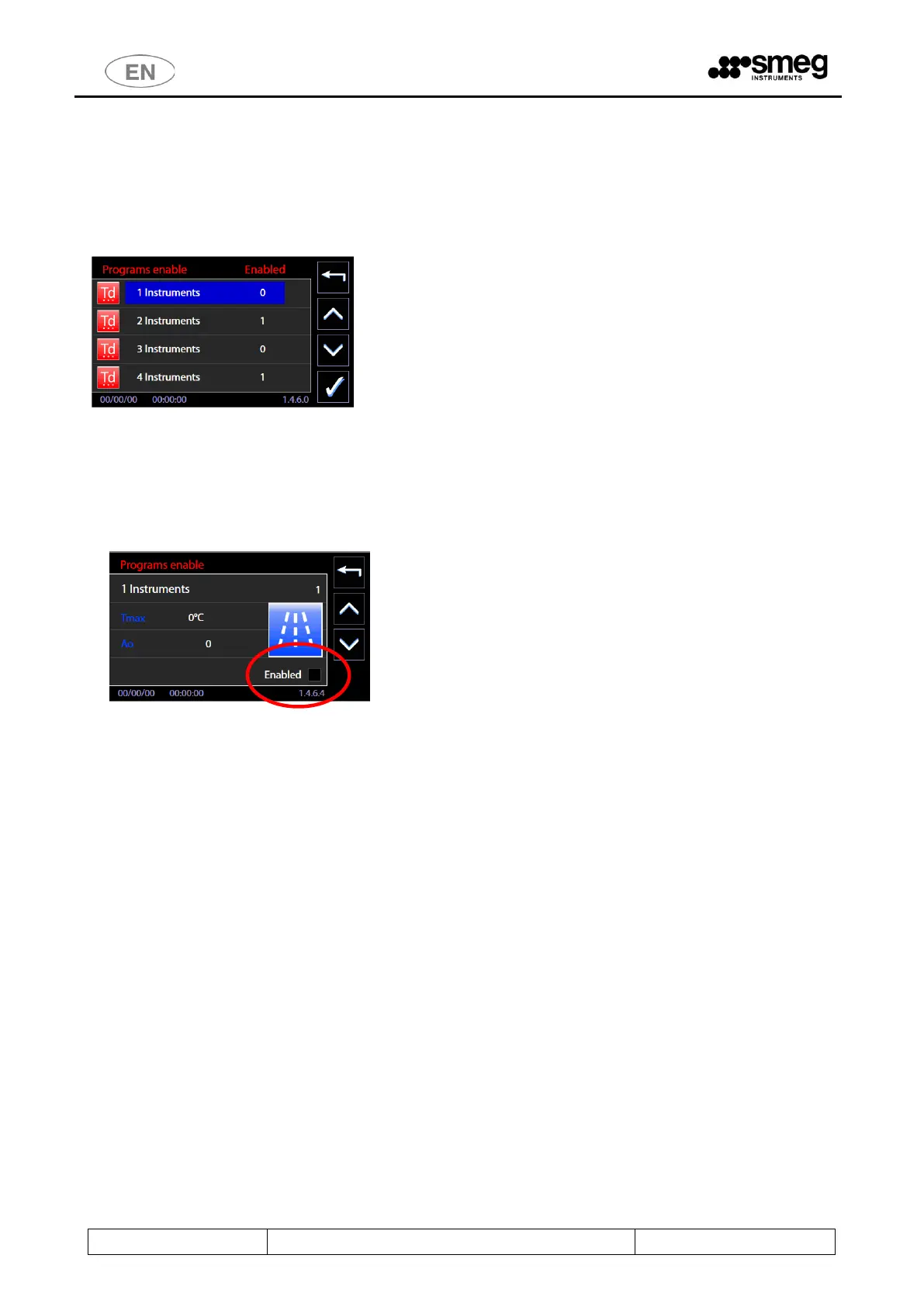
11.5.2 PROGRAMS ACTIVATION (“Programs enable”) – ID. 1.4.6.0 - 1.4.6.4
Password level “superuser” or superior is required to access the function.
Starting from menu “Setup”, select “Machine parameters” and then “Activate Programs”, entering the password
when required.
The screen “Activate Programs” allows, through appropriate setting, to view the Programs menu and to start the
desired programs only. (This function was introduced since the Firmware Main 2.14.0 version).
Default: all programs are enabled, “1” in the line corresponding to program name.
To exclude a program from visualization it’s necessary to set “0” next to the program name:
1. Select the program from menu “Activate Programs”
2. You enter in the summary screen of the program itself (it reports the name and program ID in the
first line of the screen, and other significant values in the remaining sections).
3. Remove the flag from the “Enabled” entry -> “0” will appear next to program name in the menu.
Always consult the complete table of programs before the deactivation.
See below the sequence to access the function.



 To Next Page