10 BASIC OPERATIONS
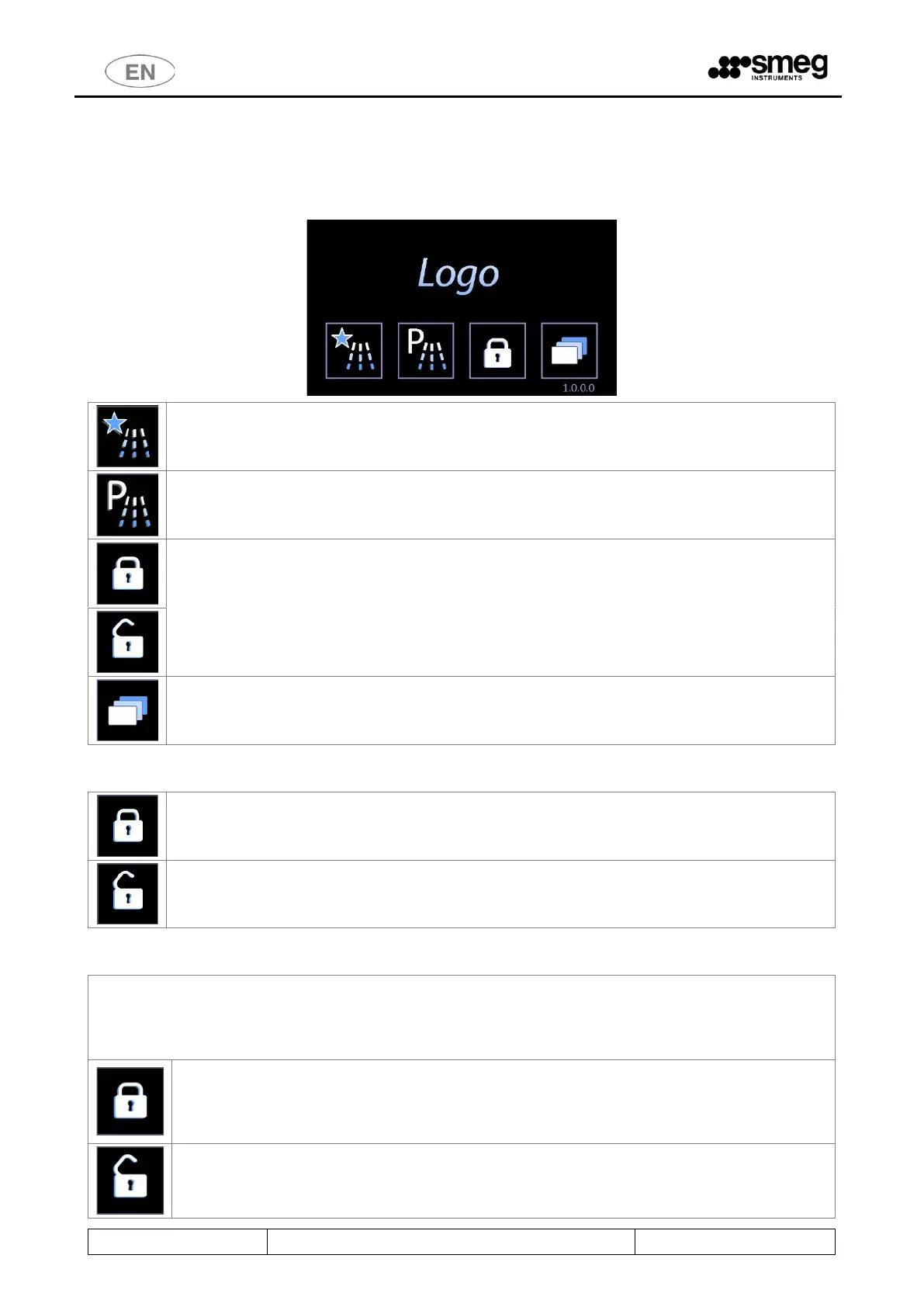
10.1 HOME SCREEN – ID 1.0.0.0
The device is provided with a touch screen user interface.
Button to enter the FAVOURITE PROGRAMS MENU (last 4 different programs used).
Button to enter the COMPLETE MENU of WASHING CYCLES.
Door control – door lock/unlock, open/close button.
The button icon changes depending on the door's status (padlock closed means door locked
closed, padlock open - door open).
SETUP: Button for settings and diagnostics options.
10.1.1 DOOR CONTROL - MACHINES WITH HINGED DOORS
Button for DOOR UNLOCK. The closed lock means “locked door”. Please do not manually
force the door if the button is active.
LOCK BLOCK: Button to activate door-locking mechanism. The door must be closed in order
to be locked.
10.1.2 DOOR CONTROL - MACHINES WITH SLIDING DOORS
Door control screen access button.
Press this button to access the Door control screen.
A user can only operate the door on his own side, and the "clean side" door can only be opened if the
wash cycle has been performed and completed successfully.
DOOR LOCKED ICON - The locked padlock means "door locked”.
Never force the door open manually if the button is in this status.
Machine with "double door": A door can only be unlocked if the door on the other side is
locked.
DOOR OPEN ICON - The open padlock means "door open”.



 To Next Page