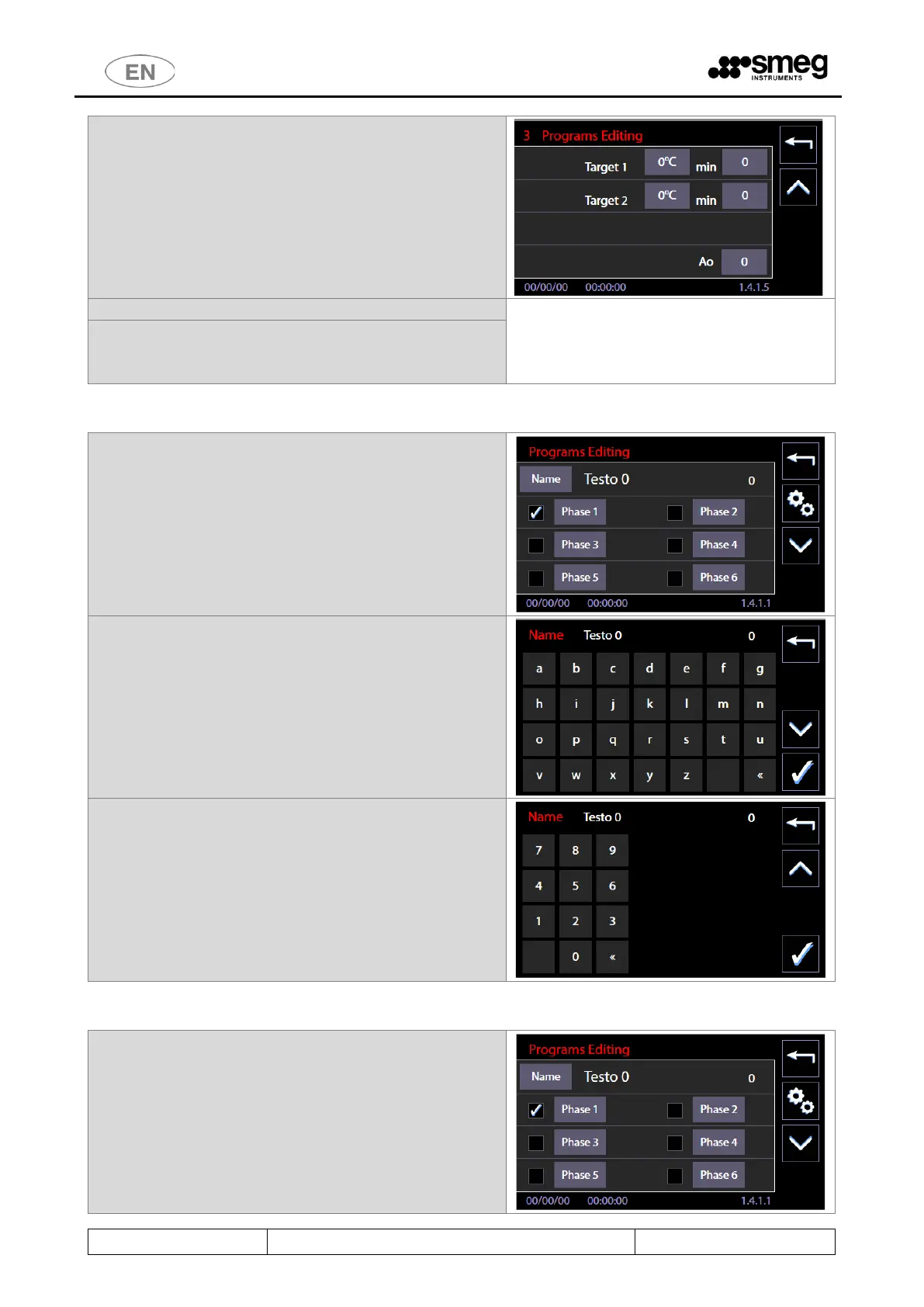
11. “3 Programs Editing” Thermodisinfection phase
type only: it is possible to enter a specific value
for the Ao parameter.
12. The procedure is similar for every phase.
13. The program, once customized and saved, can be
selected and started by the user from Programs
Menu.
11.7.1 Customizing the program name
1. From the “Programs Editing” screen (sch.1411)
by selecting the “Name” button you can give a
personalized name to the program.
2. Indicative screen of the keyboard. Pressing the
"Arrow down" you have access to the numeric
keypad. Pressing the "confirmation" button at
the bottom right, you save the entered name.
3. Numeric Keypad, can be used to assign a name to
the program.
11.7.2 Customizing the program icon
1. From “Programs editing” screen (sch.1411) by
selecting "Advanced" (“gears" button), you can
assign a custom icon to the program.



 To Next Page