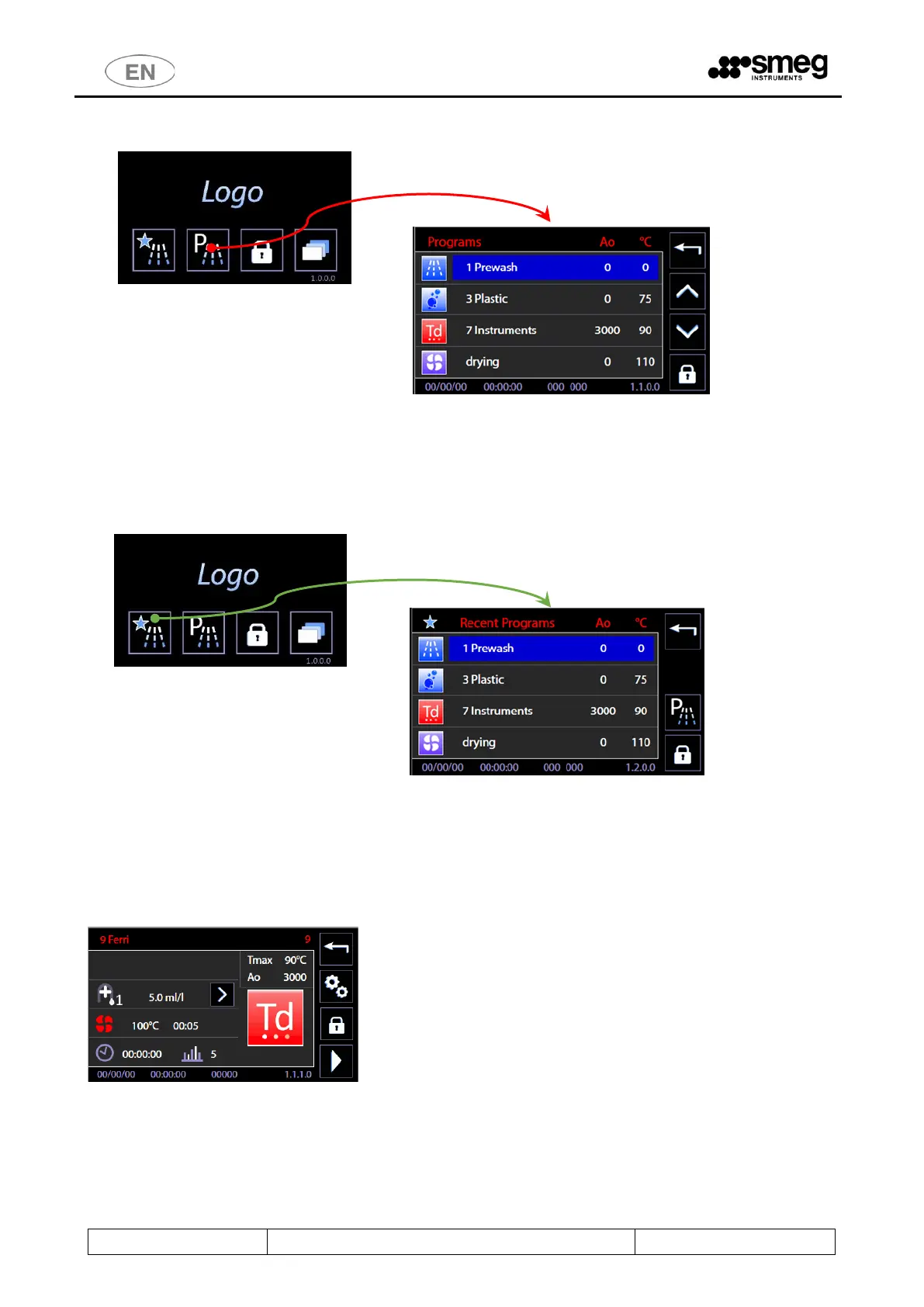
10.2 PROGRAMS COMPLETE MENU - ID.1.1.0.0
Use the arrow-indicators to the right of the screen (UP/DOWN) to browse the menu entries.
Touch the preferred program button to open PROGRAM START. Click the “Home” button on the upper-right corner to
return to the previous screen.
Door lock/unlock button is also active on the main screen.
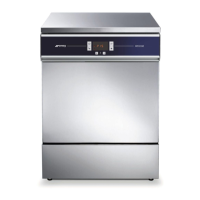
10.3 FAVOURITE PROGRAMS MENU - ID.1.1.0.0
The screen displayed is similar to the COMPLETE PROGRAMS MENU.
The last 4 programs chosen by the user are displayed; menu scroll options do not appear since the menu consists only
of 4 entries.
At the top-right: reference button to return to the complete programs menu.
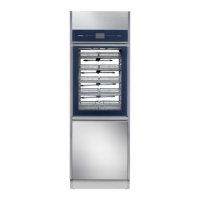
10.4 PROGRAM START - ID. 1.1.1.0
On the screen the main parameters of the selected program are summarized.
Press the bottom right button, “START”. The program begins.
In the top right window, main cycle parameters are reported (Ao and maximum temperature). These are always visible
throughout the cycle execution.



 To Next Page