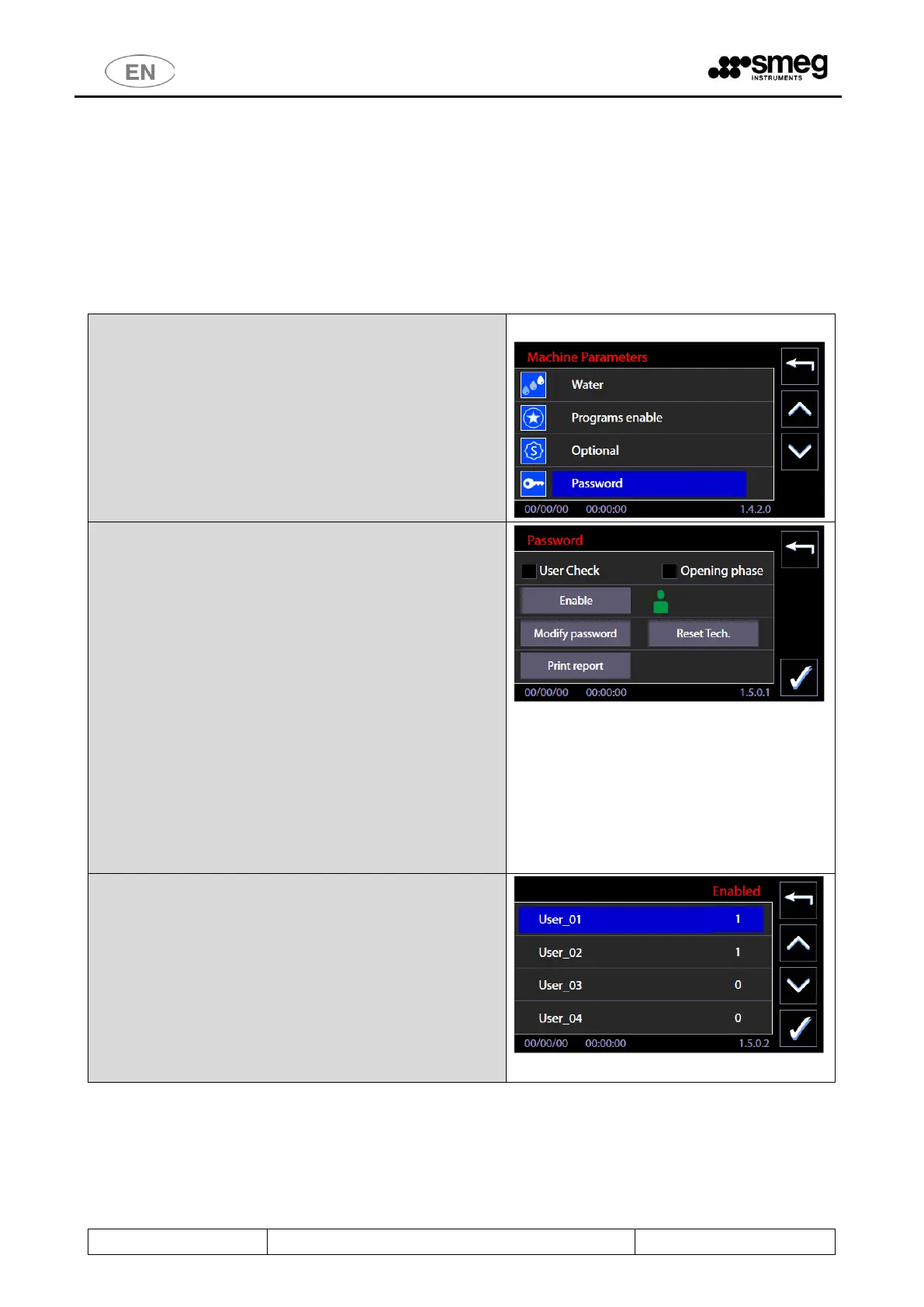
11.5.3 PASSWORD – ID. 1.5.0.1
Function introduced from firmware version Master CPU 5.6.0.
The superuser (device manager) can use the Password Control functions to:
1. Activate the User Check function to identify the user who is selecting and starting the wash cycle.
2. Activate the function which identifies the user who is unlocking/opening the washing tank door at the end of
the cycle, by selecting the “Opening phase" flag.
3. Enable users to operate the device.
4. Print out a report of the active users and their passwords.
5. Modify his own and the lower level passwords.
Select the "Password" option from the “Machine
Parameters" menu.
This accesses the password control screen.
Functions available:
1. “User Check” – flag for activating the user check at the start
of the cycle.
2. “Opening phase” – flag for activating the check on the user
who is opening the door of the machine.
3. “Enable” – button for accessing the user enabling submenu -
> screen 1502
4. “Modify password” – for customising the passwords. The
superuser can modify his own and the lower level user
passwords.
5. “Print report” -> if the printer is installed and switched on
only, pressing this button forces printout of the active users
and the associated passwords.
N.B.:
The “Reset Tech” button can only be activated by the
authorised engineer, for the complete reset of the
technical passwords entered.
User enabling menu
Press the “Enable” button in screen 1501 to access the
User List menu.
Next to the ID of each user, the screen shows their
enablement status for use of the machine:
1 - enabled
0 - not enabled.
The superuser can press a line to switch the status. The
"Confirm" button in the bottom right-hand corner saves
the settings made.



 To Next Page